About
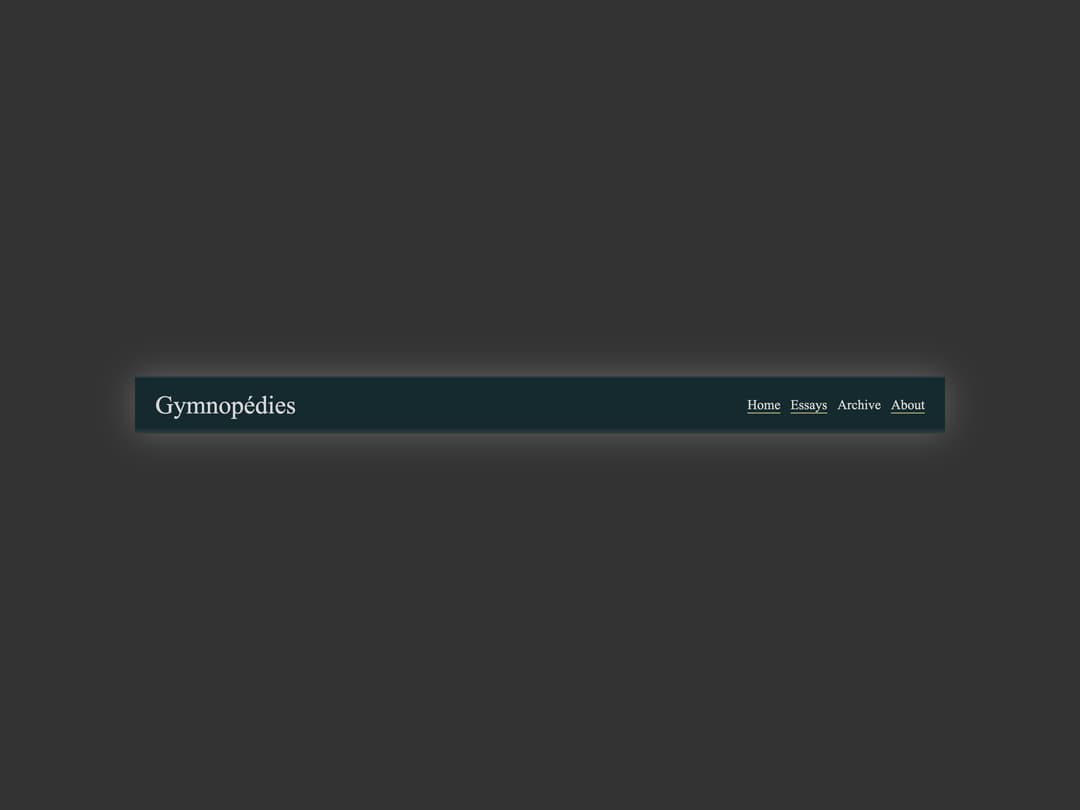
A blog header bar with a title and an optional inline navigation menu that highlights the current page.
Built with React and Tailwind. Copy the prompt and paste it into Claude Code, Cursor or Lovable: your agent adds Header Navigation to your project and fits it to your theme.
Code
How Header Navigation is used: the demo's code. The component's own source comes with a free account.
Usage.tsx
import { HeaderNavigation } from "@/components/ui/header-navigation";

export default function Default() {
  return (
    <div className="bg-background text-foreground font-serif w-full flex items-center justify-center px-6 py-8">
      <div className="w-full max-w-[960px]">
        <HeaderNavigation
          title="Gymnopédies"
          menuItems={[
            { name: "Home", onClick: () => {} },
            { name: "Essays", onClick: () => {} },
            { name: "Archive" },
            { name: "About", onClick: () => {} },
          ]}
          currentIndex={2}
        />
      </div>
    </div>
  );
}
More by shoota
View all

Article
6
Picture
2
More in Navigation
View all

Sidebar
229

Tabs
60
Newsletter Signup Footer
15
Progress Bar Stepper
36

Footer 2
200
Navbar with Theme Toggle
43
Sortable Sidebar Navigation
51
Pagination
43

