
About
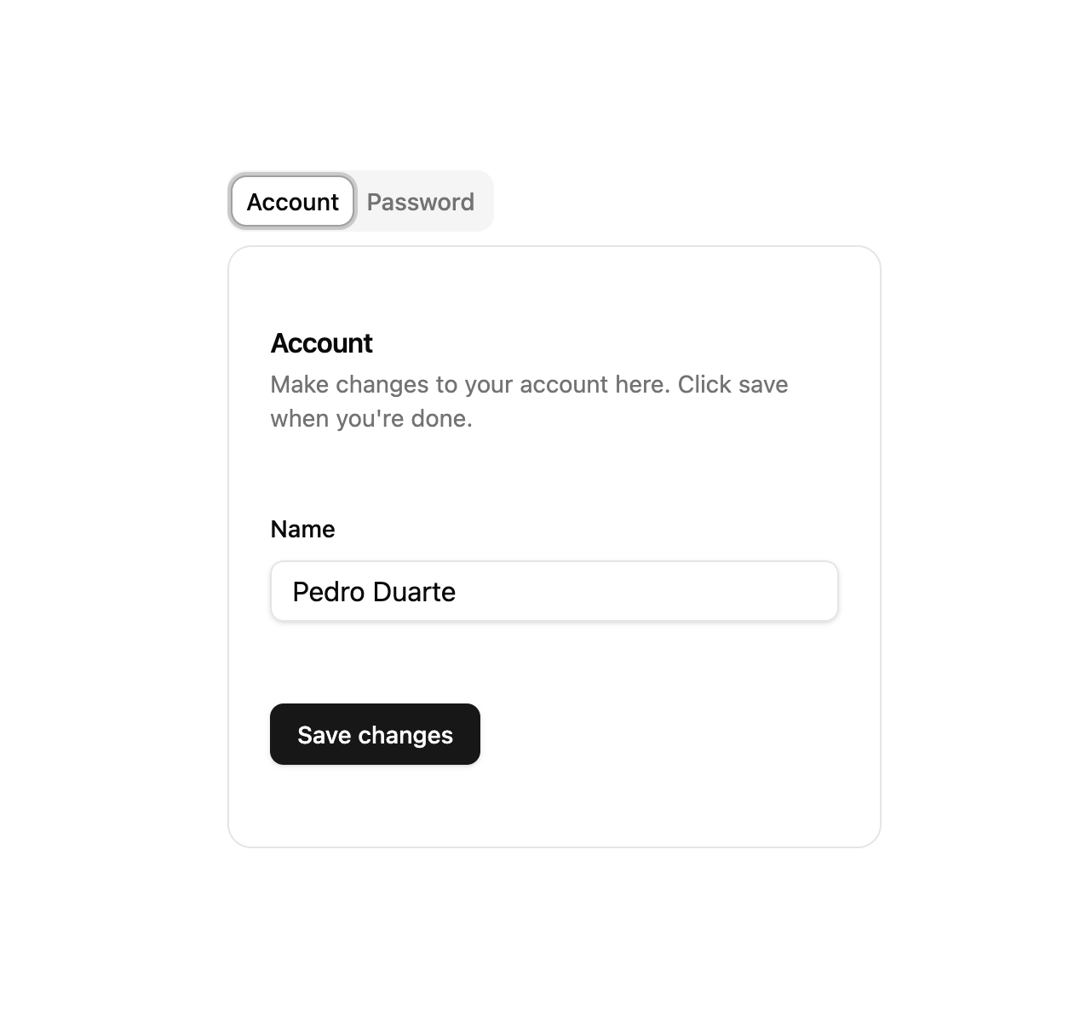
Accessible, fully customizable tab interface built on Headless UI with an animated active-tab highlight, focus management and keyboard navigation.
Built with React and Tailwind. Copy the prompt and paste it into Claude Code, Cursor or Lovable: your agent adds Headless Tabs to your project and fits it to your theme.
Code
How Headless Tabs is used: the demo's code. The component's own source comes with a free account.
Usage.tsx
import {
TabGroup,
TabPanel,
TabPanels,
TabList,
Tab,
} from "@/components/ui/headless-tabs";
import { Button } from "@/components/ui/button";
import {
Card,
CardContent,
CardDescription,
CardFooter,
CardHeader,
CardTitle,
} from "@/components/ui/card";
import { Input } from "@/components/ui/input";
import { Label } from "@/components/ui/label";
export function RadixTabsDemo() {
return (
<div className="flex w-full max-w-sm flex-col gap-6">
<TabGroup defaultValue="account">
<TabList>
<Tab index={0} value="account">
Account
</Tab>
<Tab index={1} value="password">
Password
</Tab>
</TabList>
<Card className="shadow-none py-0">
<TabPanels className="py-6">
<TabPanel className="flex flex-col gap-6">
<CardHeader>
<CardTitle>Account</CardTitle>
<CardDescription>
Make changes to your account here. Click save when you're
done.
</CardDescription>
</CardHeader>
<CardContent className="grid gap-6">
<div className="grid gap-3">
<Label htmlFor="tabs-demo-name">Name</Label>
<Input id="tabs-demo-name" defaultValue="Pedro Duarte" />
</div>
</CardContent>
<CardFooter>
<Button>Save changes</Button>
</CardFooter>
</TabPanel>
<TabPanel className="flex flex-col gap-6">
<CardHeader>
<CardTitle>Password</CardTitle>
<CardDescription>
Change your password here. After saving, you'll be logged
out.
</CardDescription>
</CardHeader>
<CardContent className="grid gap-6">
<div className="grid gap-3">
<Label htmlFor="tabs-demo-current">Current password</Label>
<Input id="tabs-demo-current" type="password" />
</div>
<div className="grid gap-3">
<Label htmlFor="tabs-demo-new">New password</Label>
<Input id="tabs-demo-new" type="password" />
</div>
</CardContent>
<CardFooter>
<Button>Save password</Button>
</CardFooter>
</TabPanel>
</TabPanels>
</Card>
</TabGroup>
</div>
);
}
export default RadixTabsDemo;
Dependencies
More by Elliot Sutton
View all

Notification List
210
Scroll Progress
136
Cursor
125
Pin List
108
Radix Dropdown Menu
100
Flip Button
95
Bubble Background
91
Avatar Group
81
More in Navigation
View all

Sidebar
229

Tabs
60
Newsletter Signup Footer
15
Progress Bar Stepper
36

Footer 2
200
Navbar with Theme Toggle
43
Sortable Sidebar Navigation
51
Pagination
43

