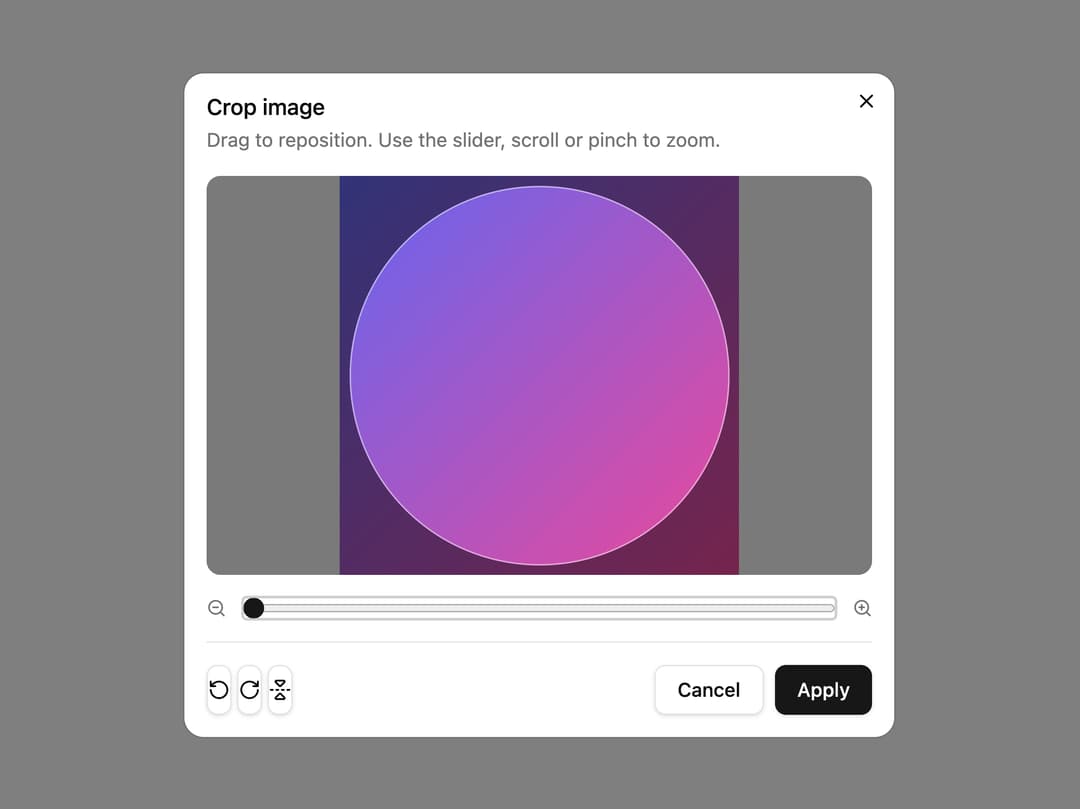
About
A dialog that lets a user crop, zoom, rotate and flip an image they picked, then returns the processed image file.
Built with React and Tailwind. Copy the prompt and paste it into Claude Code, Cursor or Lovable: your agent adds Image Cropper to your project and fits it to your theme.
Code
How Image Cropper is used: the demo's code. The component's own source comes with a free account.
Usage.tsx
"use client";

import * as React from "react";

import { ImageCropper } from "@/components/ui/image-cropper";

export default function ImageCropperDemo() {
  const [file, setFile] = React.useState<File | null>(null);
  const [cropped, setCropped] = React.useState<string | null>(null);

  return (
    <div className="flex w-full flex-col items-center gap-4 p-8">
      <label className="flex cursor-pointer items-center gap-2 rounded-md border border-input bg-background px-3 py-1.5 text-sm shadow-xs hover:bg-muted/40">
        Choose photo
        <input
          type="file"
          accept="image/*"
          className="sr-only"
          onChange={(event) => {
            const selected = event.target.files?.[0];
            if (selected) setFile(selected);
            event.currentTarget.value = "";
          }}
        />
      </label>
      {cropped ? (
        <img
          src={cropped}
          alt="Cropped preview"
          className="size-40 rounded-full border object-cover"
        />
      ) : null}
      <ImageCropper
        file={file}
        onCrop={(result) => {
          setCropped(URL.createObjectURL(result));
          setFile(null);
        }}
        onCancel={() => setFile(null)}
        cropShape="round"
      />
    </div>
  );
}
Dependencies
More by uploadcn
View all

Progress Ring Upload
5
Chat Attachments
1
Identity Verification
Liquid Dropzone
Morphing Upload Button
Ripple Dropzone