
About
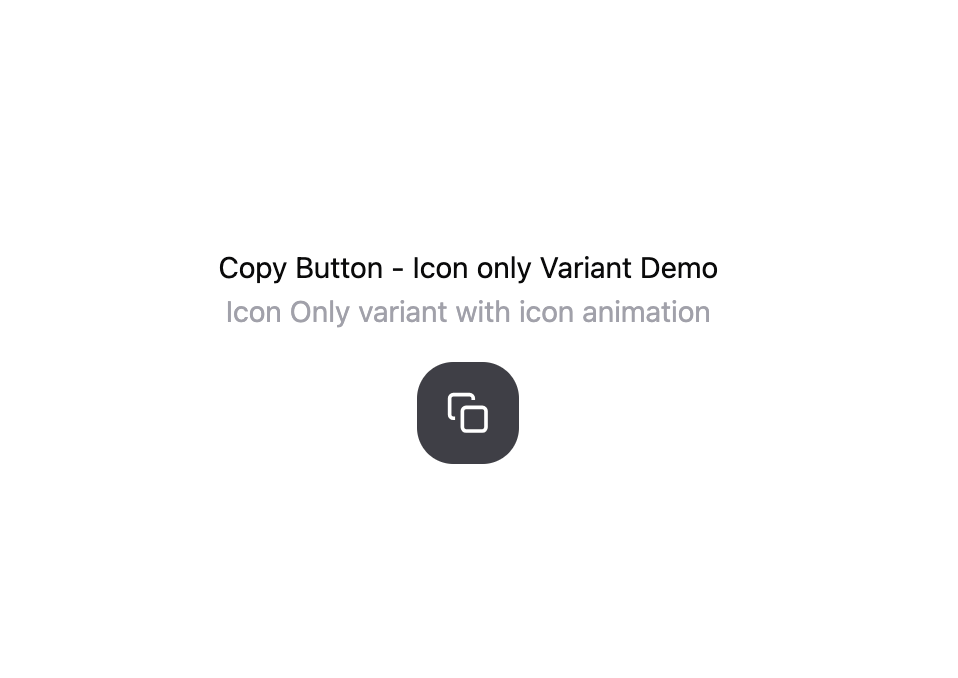
CopyButton with crossfade animation between two state/content
Built with React and Tailwind. Copy the prompt and paste it into Claude Code, Cursor or Lovable: your agent adds Copy Button - Variants to your project and fits it to your theme.
Code
How Copy Button - Variants is used: the demo's code. The component's own source comes with a free account.
Usage.tsx
import { useState } from "react";
import { Component } from "@/components/ui/copy-button-variants";

// Placeholder icons matching the original design
const Copy = () => (
  <svg width="24" height="24" viewBox="0 0 24 24" fill="none" stroke="currentColor" strokeWidth="2">
    <rect x="9" y="9" width="13" height="13" rx="2" ry="2"></rect>
    <path d="M5 15H4a2 2 0 0 1-2-2V4a2 2 0 0 1 2-2h9a2 2 0 0 1 2 2v1"></path>
  </svg>
);

const Check = () => (
  <svg width="24" height="24" viewBox="0 0 24 24" fill="none" stroke="currentColor" strokeWidth="2">
    <polyline points="20 6 9 17 4 12"></polyline>
  </svg>
);

// Animate component replacement with CSS transitions
const Animate = ({ className, enter, exit, children }) => {
  return (
    <div className={className} style={{ position: "relative" }}>
      {children}
    </div>
  );
};

// Button component replacement
const Button = ({ size, iconSize, variant, onClick, children }) => {
  const sizeStyles = {
    "2xl": {
      padding: "1rem",
      fontSize: "1rem",
      background: "#3f3f46",
    }
  };

  const variantStyles = {
    soft: {
      background: "#3f3f46",
      color: "white",
      border: "none",
      borderRadius: "20px",
      cursor: "pointer",
      display: "inline-flex",
      alignItems: "center",
      gap: "0.75rem",
    }
  };

  return (
    <button
      onClick={onClick}
      style={{
        ...sizeStyles[size],
        ...variantStyles[variant],
      }}
    >
      {children}
    </button>
  );
};

export default function VariantsDemo() {
  const [copied, setCopied] = useState(false);

  const handleClick = () => {
    setCopied(true);
    setTimeout(() => setCopied(false), 2000);
  };

  return (
    <div style={{ padding: "2rem", textAlign: "center" }}>
      <h1>Copy Button - Icon only Variant Demo</h1>
      <p style={{ color: "#a1a1aa", marginBottom: "1rem" }}>Icon Only variant with icon animation</p>

      <Button size="2xl" iconSize="xl" variant="soft" onClick={handleClick}>
        <Animate
          className="w-[var(--button-icon-size)] h-[var(--button-icon-size)]"
          enter={{ scale: 1, delay: 150, duration: 400 }}
          exit={{ scale: 0.6, duration: 150 }}
        >
          <div
            style={{
              position: "",
              top: 0,
              left: 0,
              width: "24px",
              height: "24px",
              opacity: copied ? 0 : 1,
              transform: copied ? "scale(0.6)" : "scale(1)",
              transition: "opacity 150ms, transform 150ms",
            }}
          >
            <Copy key="copy" />
          </div>
          <div
            style={{
              position: "absolute",
              top: 0,
              left: 0,
              width: "16px",
              height: "16px",
              opacity: copied ? 1 : 0,
              transform: copied ? "scale(1)" : "scale(0.6)",
              transition: "opacity 400ms 150ms, transform 400ms 150ms",
            }}
          >
            <Check key="copied" />
          </div>
        </Animate>
      </Button>
    </div>
  );
}More by Zachary BENSALEM
View all

Animated Loading SVG + Text Shimmer
371
Prompt Input dynamic grow
361
Toggle Switch Glass
75
Sign In Minimalist
2
SegmentedControl
Dropdown Menu - Apps SDK UI
More in Buttons
View all

Button
4

App Store Button
453

Button
47

Eclipse Button
39

Button
4
Texture Button
92
Split Button
14

Button
32

