
About
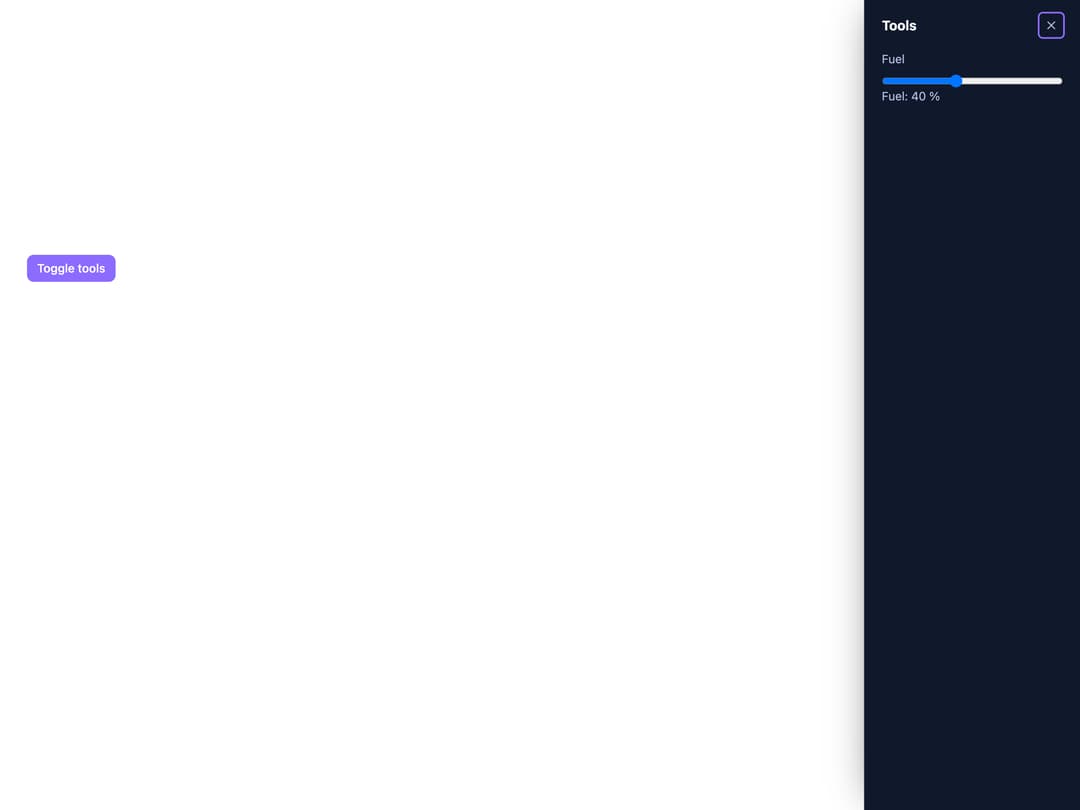
A panel built on the native dialog element that slides in from an edge of the screen, for navigation, filters or an edit form, with modal and non-modal modes.
Built with React and Tailwind. Copy the prompt and paste it into Claude Code, Cursor or Lovable: your agent adds Drawer to your project and fits it to your theme.
Code
How Drawer is used: the demo's code. The component's own source comes with a free account.
Usage.tsx
"use client";

import * as React from "react";
import Drawer, { DrawerHandle } from "@/components/ui/drawer";

export default function DrawerNonModalDemo() {
  const toolsRef = React.useRef<DrawerHandle>(null);
  const [fuel, setFuel] = React.useState(40);

  return (
    <div className="min-h-[420px] w-full p-8">
      <button
        type="button"
        onClick={() =>
          toolsRef.current?.isOpen()
            ? toolsRef.current?.hide()
            : toolsRef.current?.show()
        }
        className="rounded-md bg-[#8C6BFF] px-3 py-1.5 text-sm font-medium text-white"
      >
        Toggle tools
      </button>
      <Drawer
        ref={toolsRef}
        modal={false}
        heading="Tools"
        style={{ ["--sb-drawer-size" as any]: "16rem" }}
      >
        <label className="flex flex-col gap-2 text-sm">
          Fuel
          <input
            type="range"
            value={fuel}
            onChange={(e) => setFuel(Number(e.target.value))}
          />
        </label>
        <p className="text-sm">Fuel: {fuel} %</p>
      </Drawer>
    </div>
  );
}
More by zweiundeins
View all
Theme Switch
11
Busy
7
Count Up
1
ECharts
Sparkline

Starfield
Odometer
Meter