
About
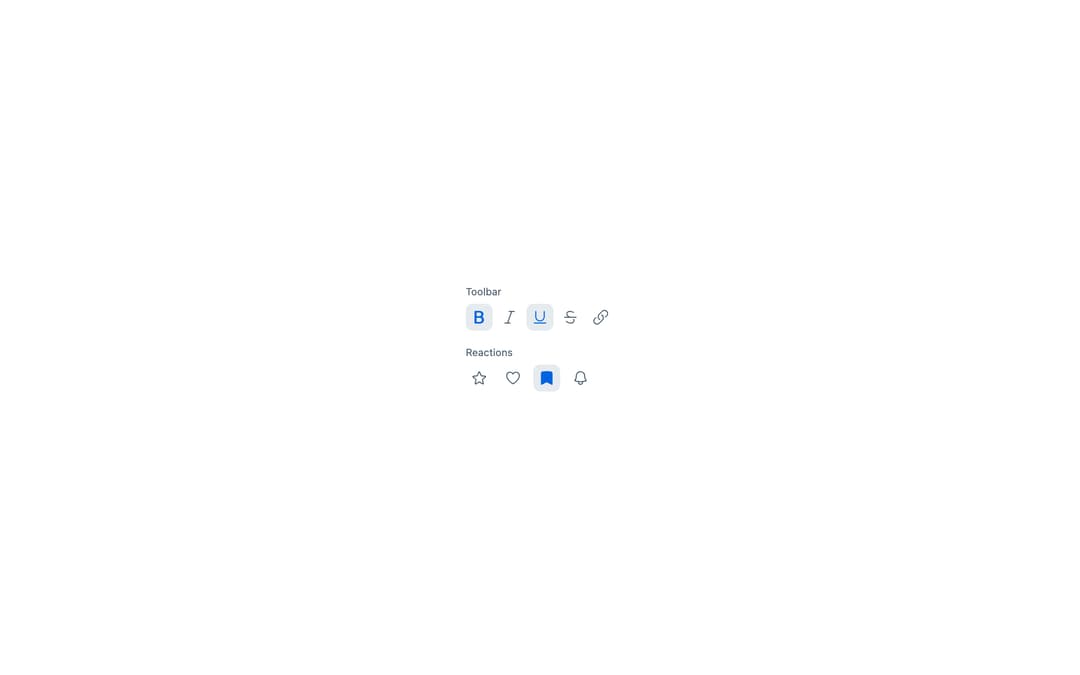
Astryx (Meta) ToggleButton — pressed/unpressed control with outline/solid icon swap: favorite, bookmark and notifications.
Built with React and Tailwind. Copy the prompt and paste it into Claude Code, Cursor or Lovable: your agent adds Astryx Toggle Button to your project and fits it to your theme.
Code
How Astryx Toggle Button is used: the demo's code. The component's own source comes with a free account.
Usage.tsx
// Copyright (c) Meta Platforms, Inc. and affiliates.

'use client';

import {useState} from 'react';
import {ToggleButton} from '@/components/ui/astryx-toggle-button';
import {Stack} from '@astryxdesign/core/Layout';
import {Text} from '@astryxdesign/core/Text';
import {Icon} from '@astryxdesign/core/Icon';
import {
  BoldIcon,
  ItalicIcon,
  UnderlineIcon,
  StrikethroughIcon,
  LinkIcon,
  StarIcon,
  BookmarkIcon,
  HeartIcon,
  BellIcon,
} from '@heroicons/react/24/outline';
import {
  BoldIcon as BoldSolid,
  ItalicIcon as ItalicSolid,
  UnderlineIcon as UnderlineSolid,
  StarIcon as StarSolid,
  BookmarkIcon as BookmarkSolid,
  HeartIcon as HeartSolid,
} from '@heroicons/react/24/solid';

// Standalone setup (matches apps/example-vite): the Theme provider sets
// data-astryx-theme and injects the neutral theme tokens the @scope'd CSS needs.
import {Theme} from '@astryxdesign/core/theme';
import {neutralTheme} from '@astryxdesign/theme-neutral/built';

export default function ToggleButtonColor() {
  const [toolbar, setToolbar] = useState<Record<string, boolean>>({
    bold: true,
    italic: false,
    underline: true,
    strikethrough: false,
    link: false,
  });
  const toggleToolbar = (key: string) =>
    setToolbar(prev => ({...prev, [key]: !prev[key]}));

  const [reactions, setReactions] = useState<Record<string, boolean>>({
    star: false,
    heart: false,
    bookmark: true,
    bell: false,
  });
  const toggleReaction = (key: string) =>
    setReactions(prev => ({...prev, [key]: !prev[key]}));

  return (
    <Theme theme={neutralTheme}>
    <div data-astryx-theme="neutral">
    <Stack direction="vertical" gap={4}>
      <Stack direction="vertical" gap={1}>
        <Text type="supporting" color="secondary">
          Toolbar
        </Text>
        <Stack direction="horizontal" gap={1}>
          <ToggleButton
            label="Bold"
            icon={<Icon icon={BoldIcon} color="secondary" />}
            pressedIcon={<Icon icon={BoldSolid} color="accent" />}
            isPressed={toolbar.bold}
            onPressedChange={() => toggleToolbar('bold')}
            isIconOnly
          />
          <ToggleButton
            label="Italic"
            icon={<Icon icon={ItalicIcon} color="secondary" />}
            pressedIcon={<Icon icon={ItalicSolid} color="accent" />}
            isPressed={toolbar.italic}
            onPressedChange={() => toggleToolbar('italic')}
            isIconOnly
          />
          <ToggleButton
            label="Underline"
            icon={<Icon icon={UnderlineIcon} color="secondary" />}
            pressedIcon={<Icon icon={UnderlineSolid} color="accent" />}
            isPressed={toolbar.underline}
            onPressedChange={() => toggleToolbar('underline')}
            isIconOnly
          />
          <ToggleButton
            label="Strikethrough"
            icon={<Icon icon={StrikethroughIcon} color="secondary" />}
            pressedIcon={<Icon icon={StrikethroughIcon} color="accent" />}
            isPressed={toolbar.strikethrough}
            onPressedChange={() => toggleToolbar('strikethrough')}
            isIconOnly
          />
          <ToggleButton
            label="Link"
            icon={<Icon icon={LinkIcon} color="secondary" />}
            pressedIcon={<Icon icon={LinkIcon} color="accent" />}
            isPressed={toolbar.link}
            onPressedChange={() => toggleToolbar('link')}
            isIconOnly
          />
        </Stack>
      </Stack>
      <Stack direction="vertical" gap={1}>
        <Text type="supporting" color="secondary">
          Reactions
        </Text>
        <Stack direction="horizontal" gap={2}>
          <ToggleButton
            label="Star"
            icon={<Icon icon={StarIcon} color="secondary" />}
            pressedIcon={<Icon icon={StarSolid} color="yellow" />}
            isPressed={reactions.star}
            onPressedChange={() => toggleReaction('star')}
            isIconOnly
          />
          <ToggleButton
            label="Like"
            icon={<Icon icon={HeartIcon} color="secondary" />}
            pressedIcon={<Icon icon={HeartSolid} color="red" />}
            isPressed={reactions.heart}
            onPressedChange={() => toggleReaction('heart')}
            isIconOnly
          />
          <ToggleButton
            label="Save"
            icon={<Icon icon={BookmarkIcon} color="secondary" />}
            pressedIcon={<Icon icon={BookmarkSolid} color="blue" />}
            isPressed={reactions.bookmark}
            onPressedChange={() => toggleReaction('bookmark')}
            isIconOnly
          />
          <ToggleButton
            label="Follow"
            icon={<Icon icon={BellIcon} color="secondary" />}
            pressedIcon={<Icon icon={BellIcon} color="accent" />}
            isPressed={reactions.bell}
            onPressedChange={() => toggleReaction('bell')}
            isIconOnly
          />
        </Stack>
      </Stack>
    </Stack>
    </div>
    </Theme>
  );
}
Dependencies
More by Meta
View all

Astryx Banner
54
Astryx Avatar
26
Astryx Aspect Ratio
26
Astryx Button Group
22
Astryx Badge
22
Astryx Avatar Group
7
Astryx Button
4
Astryx Blockquote
3
More in Buttons
View all

Button
4

Button
47

App Store Button
452

Eclipse Button
39
Texture Button
92
Split Button
14
Native Button
12

Button
31


