
About
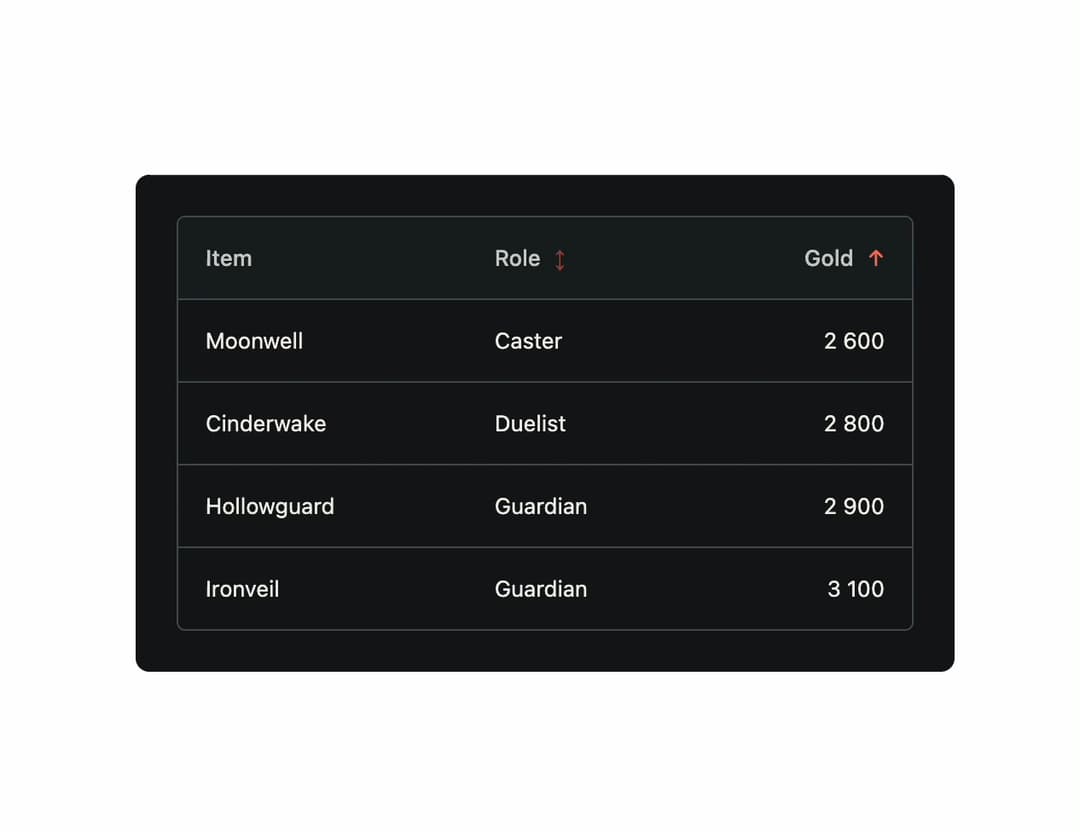
A sortable, animated data table that rises rows in, fades them out, and springs them to their new position when a parent sorts or filters the data. Ported to React from the FzTable Vue component in Chrisdalbano's Forza UI library.
Built with React and Tailwind. Copy the prompt and paste it into Claude Code, Cursor or Lovable: your agent adds Forza Table to your project and fits it to your theme.
Code
How Forza Table is used: the demo's code. The component's own source comes with a free account.
Usage.tsx
"use client";

import * as React from "react";
import FzTable from "@/components/ui/fz-table";
import type { ForzaColumn, ForzaSort } from "@/components/ui/fz-table";

interface Item {
  id: number;
  name: string;
  role: string;
  gold: number;
}

const rows: Item[] = [
  { id: 1, name: "Cinderwake", role: "Duelist", gold: 2800 },
  { id: 2, name: "Hollowguard", role: "Guardian", gold: 2900 },
  { id: 3, name: "Ironveil", role: "Guardian", gold: 3100 },
  { id: 4, name: "Moonwell", role: "Caster", gold: 2600 },
];

const columns: ForzaColumn[] = [
  { key: "name", label: "Item" },
  { key: "role", label: "Role", sortable: true },
  { key: "gold", label: "Gold", sortable: true, align: "end" },
];

export default function FzTableDemo() {
  const [sort, setSort] = React.useState<ForzaSort | undefined>({
    key: "gold",
    direction: "asc",
  });

  const sortedRows = React.useMemo(() => {
    if (!sort) return rows;
    const copy = [...rows];
    copy.sort((a, b) => {
      const av = a[sort.key as keyof Item];
      const bv = b[sort.key as keyof Item];
      const result =
        typeof av === "number" && typeof bv === "number"
          ? av - bv
          : String(av).localeCompare(String(bv));
      return sort.direction === "asc" ? result : -result;
    });
    return copy;
  }, [sort]);

  return (
    <div className="fz-theme" style={{ width: "100%", maxWidth: 480 }}>
      <FzTable
        sort={sort}
        onSortChange={setSort}
        rows={sortedRows}
        columns={columns}
        label="Items"
        renderCell={({ column, value }) =>
          column.key === "gold"
            ? (value as number).toLocaleString()
            : (value as string)
        }
      />
    </div>
  );
}
More by chrisdalbano
View all
Fz Tabs