
About
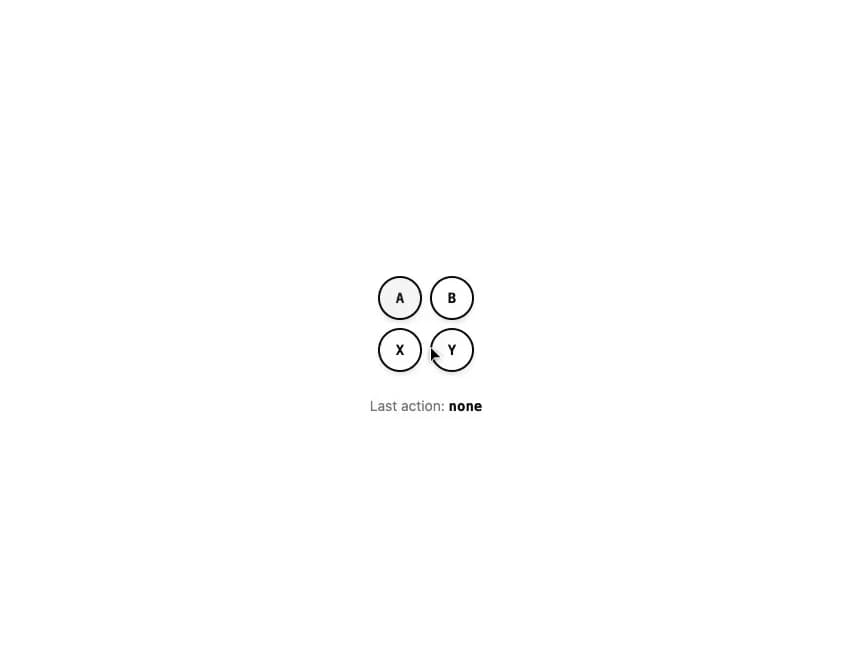
A diamond-arranged cluster of large circular touch buttons for primary on-screen game actions (attack, block, interact, jump), reporting presses via an onAction callback.
Built with React and Tailwind. Copy the prompt and paste it into Claude Code, Cursor or Lovable: your agent adds Action Buttons to your project and fits it to your theme.
Code
How Action Buttons is used: the demo's code. The component's own source comes with a free account.
Usage.tsx
"use client";

import * as React from "react";
import { ActionButtons } from "@/components/ui/action-buttons";

export default function ActionButtonsDemo() {
  const [lastAction, setLastAction] = React.useState<string | null>(null);

  return (
    <div className="flex min-h-[300px] w-full flex-col items-center justify-center gap-6 bg-background p-10 text-foreground">
      <ActionButtons onAction={(id) => setLastAction(id)} />
      <p className="text-sm text-muted-foreground">
        Last action:{" "}
        <span className="font-mono font-semibold text-foreground">
          {lastAction ?? "none"}
        </span>
      </p>
    </div>
  );
}
More by f0rextasy
View all
Newsletter Signup Card
10
Stamp Seal
7
Network Graph
7
Board Checklist
5
Empty State Card
3
Running Order Timeline
3
Invite Modal
3
Time Input
3
More in Buttons
View all
Texture Button
96

Button
5

Button Group


Eclipse Button
39
Button
4

App Store Button
458

HeroUI Button Group

Base Button
4

