"use client";

import { Caliper } from "@/components/ui/caliper";

export default function Demo({ variant = "blueprint" }: { variant?: string }) {
  const paper = variant === "paper";
  const c = paper
    ? {
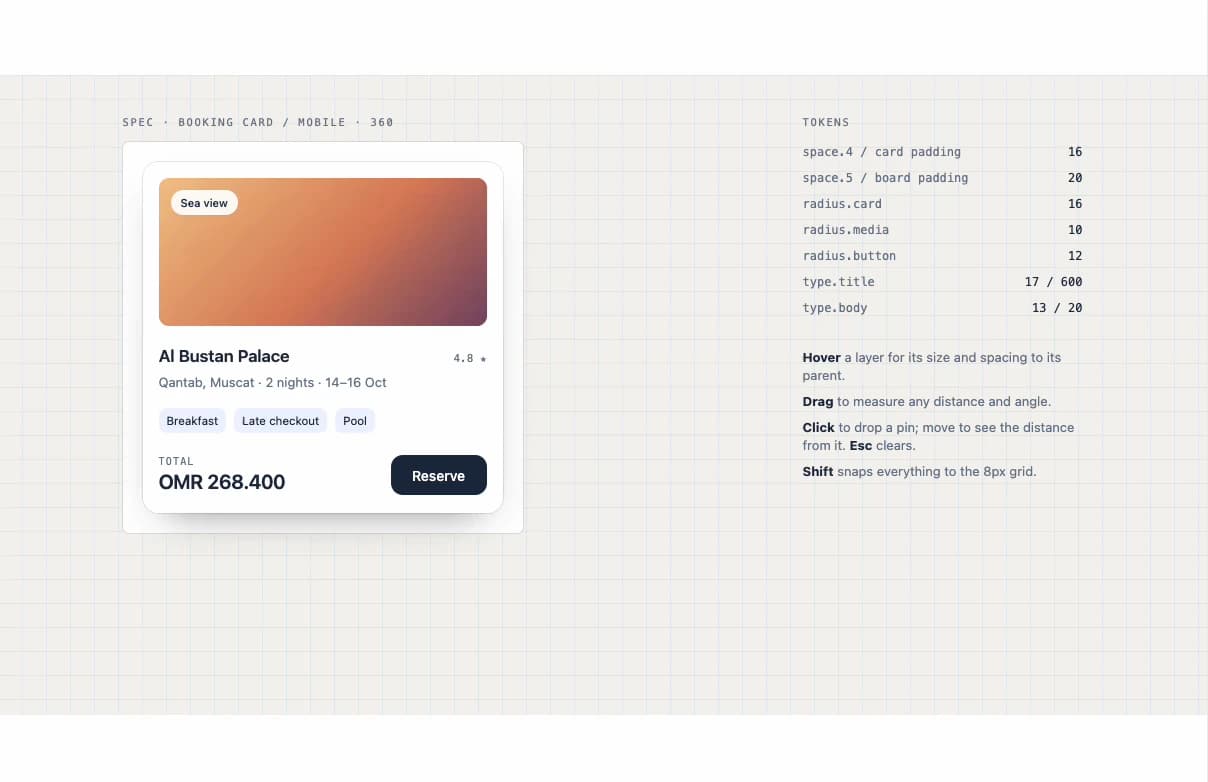
        page: "#f4f3ef",
        grid: "rgb(47 111 237 / 0.07)",
        ink: "#1b2a44",
        muted: "#6c7a92",
        board: "#ffffff",
        boardLine: "rgb(27 42 68 / 0.1)",
        card: "#ffffff",
        cardLine: "rgb(27 42 68 / 0.1)",
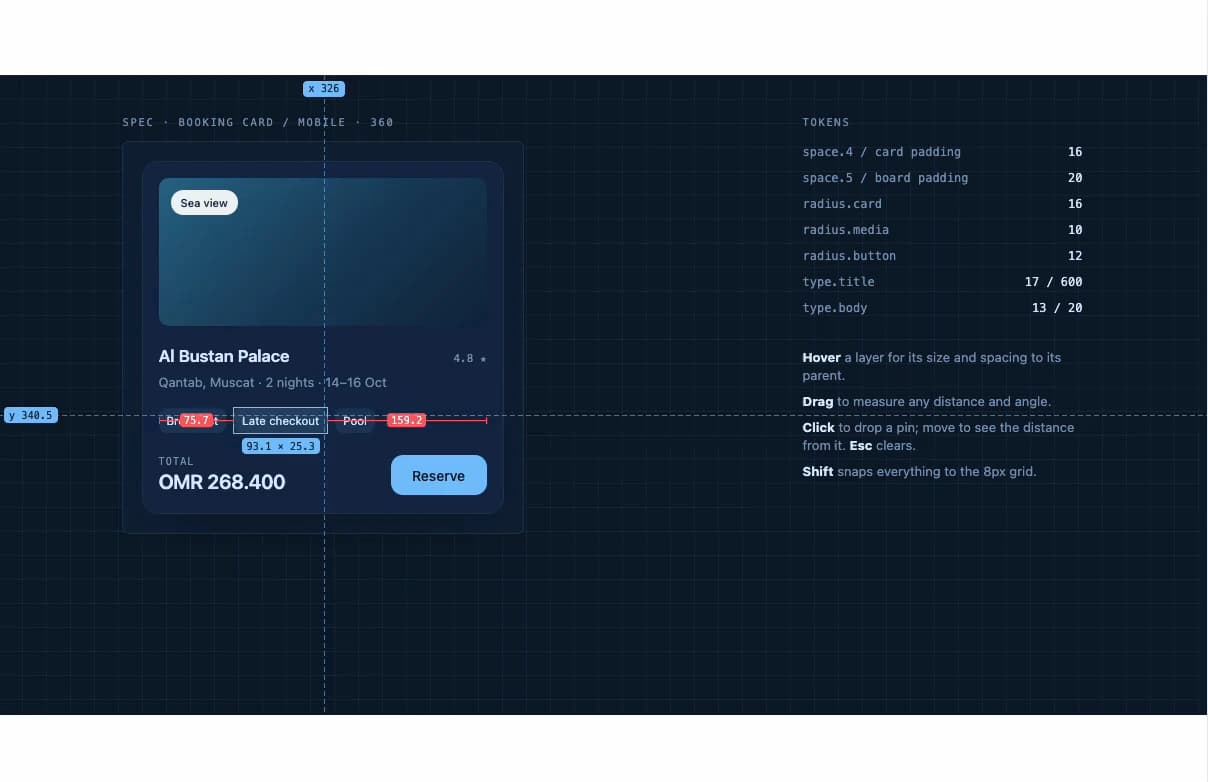
        img: "linear-gradient(135deg,#f2c58a,#d9825b 55%,#7a4a6b)",
        btn: "#1b2a44",
        btnInk: "#fff",
        tag: "#eef3ff",
      }
    : {
        page: "#0a1a2e",
        grid: "rgb(124 196 255 / 0.07)",
        ink: "#dcecff",
        muted: "#7f98b8",
        board: "#0d2139",
        boardLine: "rgb(124 196 255 / 0.18)",
        card: "#11294a",
        cardLine: "rgb(124 196 255 / 0.16)",
        img: "linear-gradient(135deg,#2b6c8f,#18405f 55%,#0e2742)",
        btn: "#7cc4ff",
        btnInk: "#0a1a2e",
        tag: "rgb(124 196 255 / 0.12)",
      };

  return (
    <Caliper
      theme={paper ? "paper" : "blueprint"}
      className="h-full min-h-[640px] w-full"
      style={{
        background: c.page,
        backgroundImage: `linear-gradient(${c.grid} 1px, transparent 1px), linear-gradient(90deg, ${c.grid} 1px, transparent 1px)`,
        backgroundSize: "24px 24px",
        color: c.ink,
        fontFamily: "Geist, ui-sans-serif, system-ui",
      }}
    >
      <div className="mx-auto flex h-full w-full max-w-5xl flex-col gap-8 px-5 py-10 sm:px-8 lg:flex-row lg:items-start">
        <div className="min-w-0 flex-1">
          <p
            className="font-mono text-[10.5px] uppercase tracking-[0.16em]"
            style={{ color: c.muted }}
          >
            Spec · Booking card / mobile · 360
          </p>
          {/* The artboard: everything inside measures to it. */}
          <div
            data-measure-frame
            className="relative mt-3 w-full max-w-[400px] rounded-[6px] p-5"
            style={{
              background: c.board,
              boxShadow: `0 0 0 1px ${c.boardLine}`,
            }}
          >
            <article
              data-measure
              className="rounded-[16px] p-4"
              style={{
                background: c.card,
                boxShadow: `0 0 0 1px ${c.cardLine}, 0 18px 40px -24px rgb(0 0 0 / 0.5)`,
              }}
            >
              <div
                data-measure
                className="relative h-[148px] rounded-[10px]"
                style={{ background: c.img }}
              >
                <span
                  data-measure
                  className="absolute left-3 top-3 rounded-full px-2.5 py-1 text-[11px] font-medium"
                  style={{
                    background: "rgb(255 255 255 / 0.92)",
                    color: "#1b2a44",
                  }}
                >
                  Sea view
                </span>
              </div>
              <div
                data-measure
                className="mt-4 flex items-baseline justify-between gap-3"
              >
                <h3 className="text-[17px] font-semibold tracking-[-0.01em]">
                  Al Bustan Palace
                </h3>
                <span
                  className="font-mono text-[11px]"
                  style={{ color: c.muted }}
                >
                  4.8 ★
                </span>
              </div>
              <p
                data-measure
                className="mt-1 text-[13px] leading-[20px]"
                style={{ color: c.muted }}
              >
                Qantab, Muscat · 2 nights · 14–16 Oct
              </p>
              <div data-measure className="mt-4 flex gap-2">
                {["Breakfast", "Late checkout", "Pool"].map((t) => (
                  <span
                    key={t}
                    data-measure
                    className="rounded-[8px] px-2 py-1 text-[11.5px]"
                    style={{ background: c.tag }}
                  >
                    {t}
                  </span>
                ))}
              </div>
              <div
                data-measure
                className="mt-5 flex h-11 items-center justify-between"
              >
                <span>
                  <span
                    className="block font-mono text-[10px] uppercase leading-[12px] tracking-[0.12em]"
                    style={{ color: c.muted }}
                  >
                    Total
                  </span>
                  <span className="block text-[20px] font-semibold leading-[28px] tabular-nums tracking-[-0.02em]">
                    OMR 268.400
                  </span>
                </span>
                <span
                  data-measure
                  className="inline-grid h-10 w-24 place-items-center rounded-[12px] text-[14px] font-medium"
                  style={{ background: c.btn, color: c.btnInk }}
                >
                  Reserve
                </span>
              </div>
            </article>
          </div>
        </div>

        <aside className="w-full shrink-0 lg:w-[280px]">
          <p
            className="font-mono text-[10.5px] uppercase tracking-[0.16em]"
            style={{ color: c.muted }}
          >
            Tokens
          </p>
          <dl className="mt-3 grid grid-cols-[1fr_auto] gap-x-6 gap-y-2 font-mono text-[12px]">
            {[
              ["space.4 / card padding", "16"],
              ["space.5 / board padding", "20"],
              ["radius.card", "16"],
              ["radius.media", "10"],
              ["radius.button", "12"],
              ["type.title", "17 / 600"],
              ["type.body", "13 / 20"],
            ].map(([k, v]) => (
              <div key={k} className="contents">
                <dt style={{ color: c.muted }}>{k}</dt>
                <dd className="text-right tabular-nums">{v}</dd>
              </div>
            ))}
          </dl>
          <ul
            className="mt-8 space-y-2 text-[13px] leading-snug"
            style={{ color: c.muted }}
          >
            <li>
              <b style={{ color: c.ink }}>Hover</b> a layer for its size and
              spacing to its parent.
            </li>
            <li>
              <b style={{ color: c.ink }}>Drag</b> to measure any distance and
              angle.
            </li>
            <li>
              <b style={{ color: c.ink }}>Click</b> to drop a pin; move to see
              the distance from it. <b style={{ color: c.ink }}>Esc</b> clears.
            </li>
            <li>
              <b style={{ color: c.ink }}>Shift</b> snaps everything to the 8px
              grid.
            </li>
          </ul>
        </aside>
      </div>
    </Caliper>
  );
}