
About
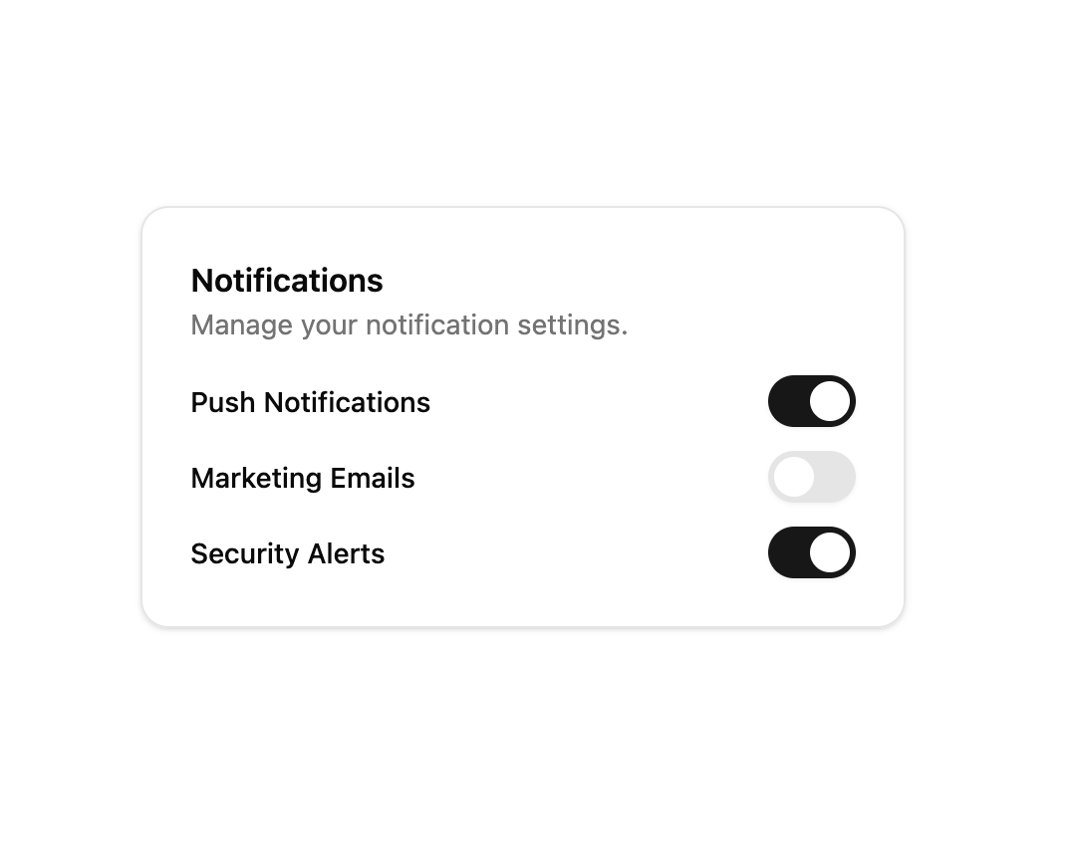
Toggle switch component built on Radix UI with smooth animation and focus states.
Built with React and Tailwind. Copy the prompt and paste it into Claude Code, Cursor or Lovable: your agent adds Switch to your project and fits it to your theme.
Code
How Switch is used: the demo's code. The component's own source comes with a free account.
Usage.tsx
"use client"

import { useState } from "react"
import { Switch } from "@/components/ui/interfaces-switch"

export default function SwitchWithFormDemo() {
  const [notifications, setNotifications] = useState(true)
  const [marketing, setMarketing] = useState(false)
  const [security, setSecurity] = useState(true)

  return (
    <div className="flex w-full min-h-screen items-center justify-center bg-background p-8 overflow-hidden">
      <div className="w-full max-w-sm rounded-xl border bg-background p-6 shadow-sm space-y-4">
        <div>
          <h3 className="text-base font-semibold">Notifications</h3>
          <p className="text-muted-foreground text-sm">Manage your notification settings.</p>
        </div>
        <div className="space-y-3">
          <div className="flex items-center justify-between">
            <label htmlFor="notif" className="text-sm font-medium cursor-pointer">Push Notifications</label>
            <Switch id="notif" checked={notifications} onCheckedChange={setNotifications} />
          </div>
          <div className="flex items-center justify-between">
            <label htmlFor="mkt" className="text-sm font-medium cursor-pointer">Marketing Emails</label>
            <Switch id="mkt" checked={marketing} onCheckedChange={setMarketing} />
          </div>
          <div className="flex items-center justify-between">
            <label htmlFor="sec" className="text-sm font-medium cursor-pointer">Security Alerts</label>
            <Switch id="sec" checked={security} onCheckedChange={setSecurity} />
          </div>
        </div>
      </div>
    </div>
  )
}
Dependencies
More in Forms
View all

Premium Auth
500

Login 2
7
Authentication Card
46

Login 1
52

Contact Card
1K
Login Form
6

Form
16

Book A Demo 3
83
