
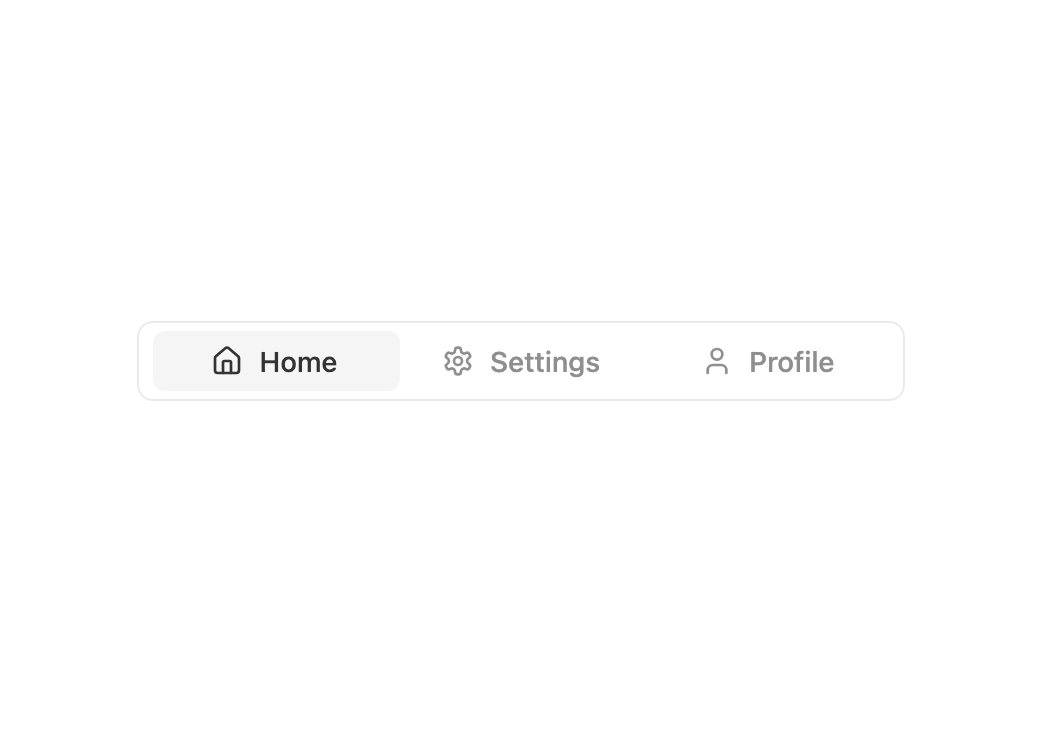
About
A set of layered sections of content with smooth animations and modern styling.
Built with React and Tailwind. Copy the prompt and paste it into Claude Code, Cursor or Lovable: your agent adds Tabs to your project and fits it to your theme.
Code
How Tabs is used: the demo's code. The component's own source comes with a free account.
Usage.tsx
import { Tabs } from "@/components/ui/tabs";
import {Home, Settings, User} from "lucide-react"

export default function DemoOne() {
  return (
    <>
      <div className="flex flex-col items-center gap-6 w-full max-w-sm">
        <Tabs
          items={[
            { id: "home", label: "Home", icon: <Home /> },
            { id: "settings", label: "Settings", icon: <Settings /> },
            { id: "profile", label: "Profile", icon: <User /> },
          ]}
          defaultValue="home"
        />
      </div>
    </>
  );
}
Dependencies
More by Preet Suthar
View all

Modern & Stunning sign in
1.6K
Shining Text
1.6K
Magic Text
850
Toolbar
830
Hero 2
822
Typewriter Text
780
AI Chat Input
745
Full Screen Signup
743
More in Navigation
View all

Sidebar
271

Tabs
15
Pagination
108

Breadrcrumb
23

Sidebar
344
Footer
447
Pagination
90
Pagination with Arrows
5
