
About
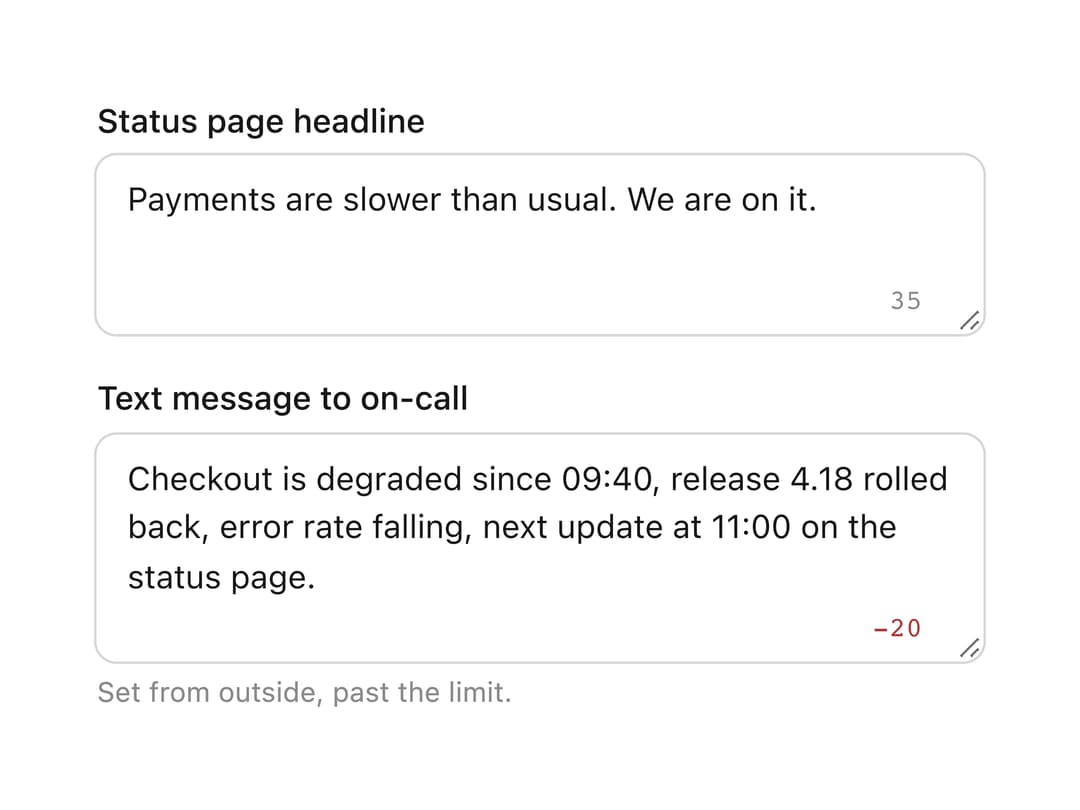
A multi-line text field that can auto-grow with its content up to a row limit, show a live character count against a maxLength, and automatically wires up to a surrounding FormField's label, id and invalid state.
Built with React and Tailwind. Copy the prompt and paste it into Claude Code, Cursor or Lovable: your agent adds Textarea to your project and fits it to your theme.
Code
How Textarea is used: the demo's code. The component's own source comes with a free account.
Usage.tsx
import { Textarea } from "@/components/ui/core-textarea";

function Field({
  label,
  hint,
  children,
}: {
  label: string;
  hint?: string;
  children: React.ReactNode;
}) {
  return (
    <div style={{ display: "flex", flexDirection: "column", gap: 4 }}>
      <label
        style={{ fontSize: "0.8125rem", fontWeight: 500, color: "#171717" }}
      >
        {label}
      </label>
      {children}
      {hint && (
        <p style={{ margin: 0, fontSize: "0.6875rem", color: "#8b8b8b" }}>
          {hint}
        </p>
      )}
    </div>
  );
}

export default function CountTheCharacters() {
  return (
    <div
      style={{
        display: "grid",
        gridTemplateColumns: "repeat(auto-fit, minmax(260px, 1fr))",
        gap: 16,
      }}
    >
      <Field label="Status page headline">
        <Textarea
          showCount
          maxLength={80}
          rows={2}
          defaultValue="Payments are slower than usual. We are on it."
        />
      </Field>
      <Field
        label="Text message to on-call"
        hint="Set from outside, past the limit."
      >
        <Textarea
          showCount
          maxLength={100}
          rows={3}
          defaultValue="Checkout is degraded since 09:40, release 4.18 rolled back, error rate falling, next update at 11:00 on the status page."
        />
      </Field>
    </div>
  );
}
More in Forms
View all

Premium Auth
517

Contact Card
1K

Book A Demo 1
70

Login 1
52

Form
16
Login Card
26
Authentication Card
47

Login Form
6

