
About
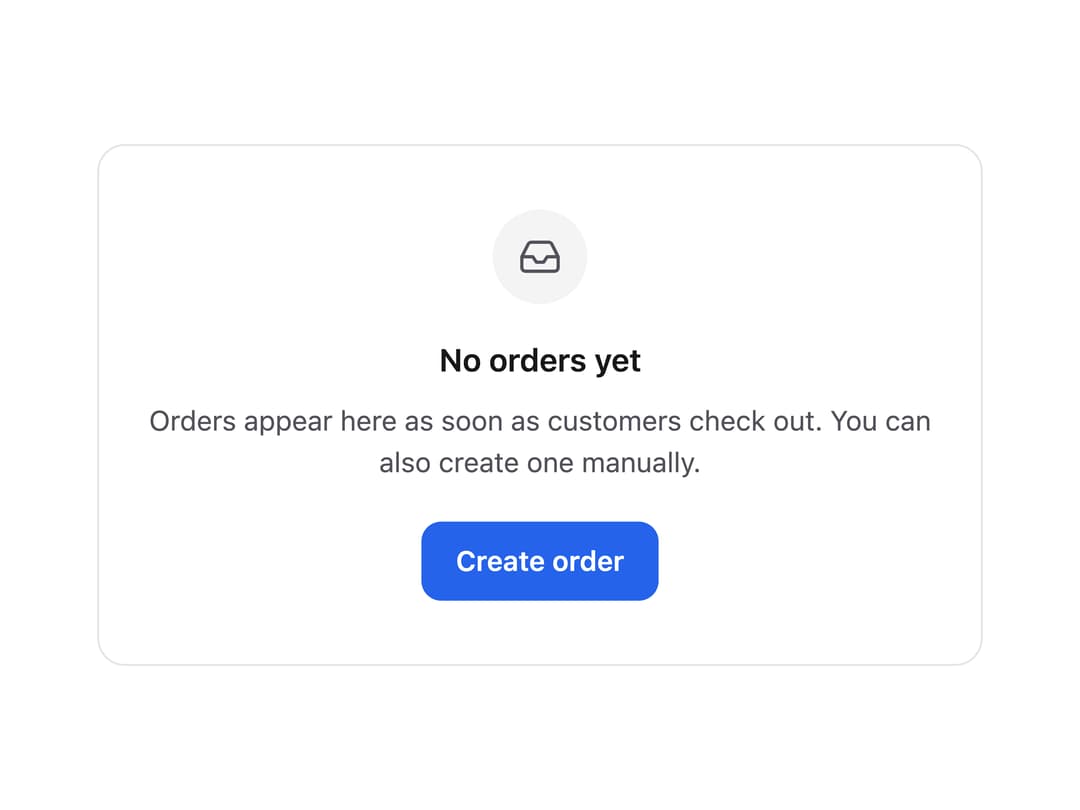
A placeholder panel that explains why a list or view has no content and offers a next action, like 'no orders yet' with a create button.
Built with React and Tailwind. Copy the prompt and paste it into Claude Code, Cursor or Lovable: your agent adds Empty State to your project and fits it to your theme.
Code
How Empty State is used: the demo's code. The component's own source comes with a free account.
Usage.tsx
import { EmptyState } from "@/components/ui/empty-state";
import { Button } from "@/components/ui/empty-state-utils/button";

function InboxIcon() {
  return (
    <svg
      width="22"
      height="22"
      viewBox="0 0 24 24"
      fill="none"
      stroke="currentColor"
      strokeWidth="1.8"
      strokeLinecap="round"
      strokeLinejoin="round"
    >
      <path d="M22 12h-6l-2 3h-4l-2-3H2" />
      <path d="M5.45 5.11 2 12v6a2 2 0 0 0 2 2h16a2 2 0 0 0 2-2v-6l-3.45-6.89A2 2 0 0 0 16.76 4H7.24a2 2 0 0 0-1.79 1.11z" />
    </svg>
  );
}

export default function EmptyStateDemo() {
  return (
    <div className="flex min-h-screen w-full items-center justify-center bg-background p-6 text-foreground">
      <div className="w-full max-w-md rounded-xl border border-border">
        <EmptyState
          icon={<InboxIcon />}
          title="No orders yet"
          description="Orders appear here as soon as customers check out. You can also create one manually."
          action={<Button>Create order</Button>}
        />
      </div>
    </div>
  );
}
More by sudharshanpanidev
View all
Status Badge
Button
Select
Stepper

Checkbox
More in CTAs
View all

Call to Action 01
49

Call To Action
39
Call to Action
22

CTA 3
403

Cta 4
290
Single Plan Pricing Card
18

Responsive Hero Banner
2K

Button
77
