About
An interactive WebGL dot globe with configurable markers for regions or offices, drag-to-spin momentum, and arrow-key rotation control.
Built with React and Tailwind. Copy the prompt and paste it into Claude Code, Cursor or Lovable: your agent adds Globe to your project and fits it to your theme.
Code
How Globe is used: the demo's code. The component's own source comes with a free account.
Usage.tsx
import { Globe, type GlobeMarker } from "@/components/ui/globe";

const regions: GlobeMarker[] = [
  { location: [37.77, -122.42], size: 0.06 },
  { location: [40.71, -74.01], size: 0.07 },
  { location: [45.5, -73.57], size: 0.04 },
  { location: [-23.55, -46.63], size: 0.06 },
  { location: [51.51, -0.13], size: 0.07 },
  { location: [50.11, 8.68], size: 0.06 },
  { location: [59.33, 18.07], size: 0.04 },
  { location: [25.2, 55.27], size: 0.05 },
  { location: [19.08, 72.88], size: 0.06 },
  { location: [1.35, 103.82], size: 0.06 },
  { location: [35.68, 139.69], size: 0.07 },
  { location: [37.57, 126.98], size: 0.05 },
  { location: [-33.87, 151.21], size: 0.06 },
  { location: [-33.92, 18.42], size: 0.04 },
];

const stats = [
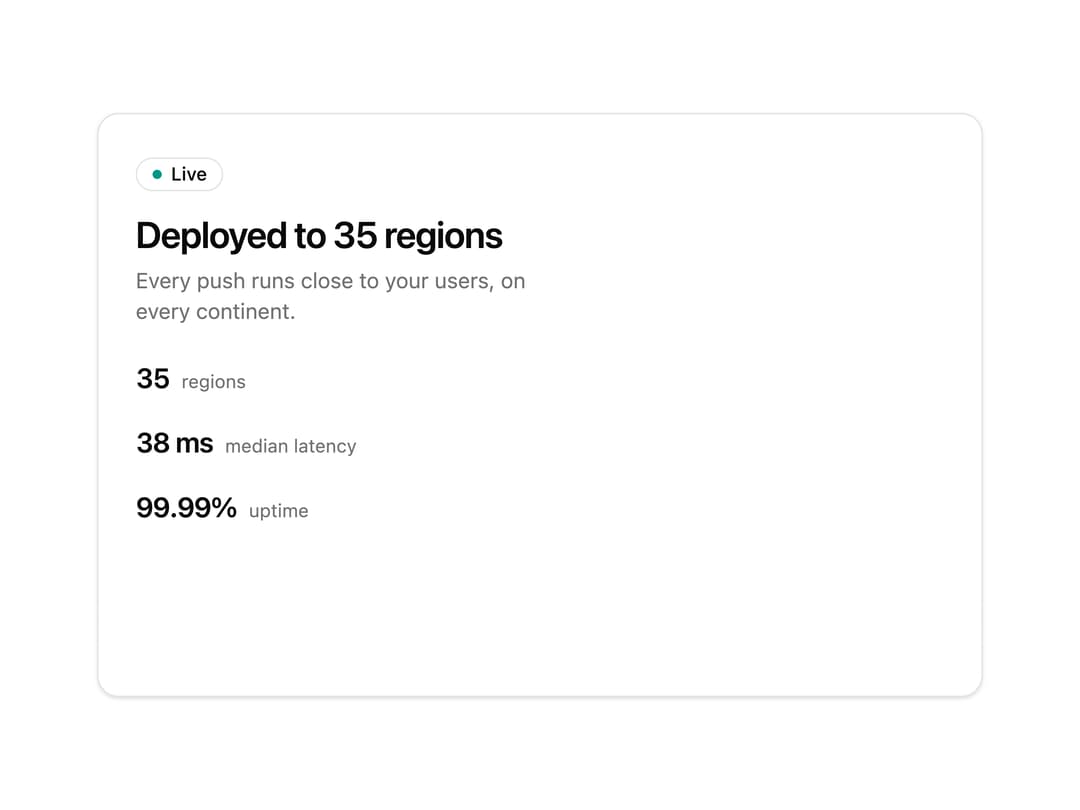
  { value: "35", label: "regions" },
  { value: "38 ms", label: "median latency" },
  { value: "99.99%", label: "uptime" },
];

export default function GlobeDemo() {
  return (
    <div className="relative isolate h-[380px] w-full max-w-xl overflow-hidden rounded-xl border bg-card text-card-foreground shadow-sm">
      <div className="relative z-10 p-6">
        <span className="inline-flex items-center gap-1.5 rounded-full border bg-background/70 px-2.5 py-0.5 text-xs font-medium backdrop-blur">
          <span
            className="size-1.5 rounded-full bg-chart-2"
            aria-hidden="true"
          />
          Live
        </span>
        <h3 className="mt-3 text-2xl font-semibold tracking-tight">
          Deployed to 35 regions
        </h3>
        <p className="mt-1 max-w-[16rem] text-sm text-muted-foreground">
          Every push runs close to your users, on every continent.
        </p>
        <dl className="mt-5 flex flex-col gap-3 sm:gap-3.5">
          {stats.map((s) => (
            <div key={s.label} className="flex items-baseline gap-2">
              <dt className="sr-only">{s.label}</dt>
              <dd className="text-lg font-semibold tabular-nums tracking-tight">
                {s.value}
              </dd>
              <span
                aria-hidden="true"
                className="text-xs text-muted-foreground"
              >
                {s.label}
              </span>
            </div>
          ))}
        </dl>
      </div>
      <Globe
        markers={regions}
        label="Globe with 14 highlighted deployment regions"
        className="absolute top-40 -end-36 w-[440px] max-w-none sm:top-10 sm:-end-28"
      />
      <div
        aria-hidden="true"
        className="pointer-events-none absolute inset-x-0 bottom-0 h-16 bg-gradient-to-t from-card to-transparent"
      />
    </div>
  );
}
Dependencies
More by vamsiy78
View all

Segmented Control
8
Animated Beam
7
Agent Roster
5
Table Of Contents
1
API Key Field
1
Toast Stack
Team Portrait Grid
Image Cropper