About
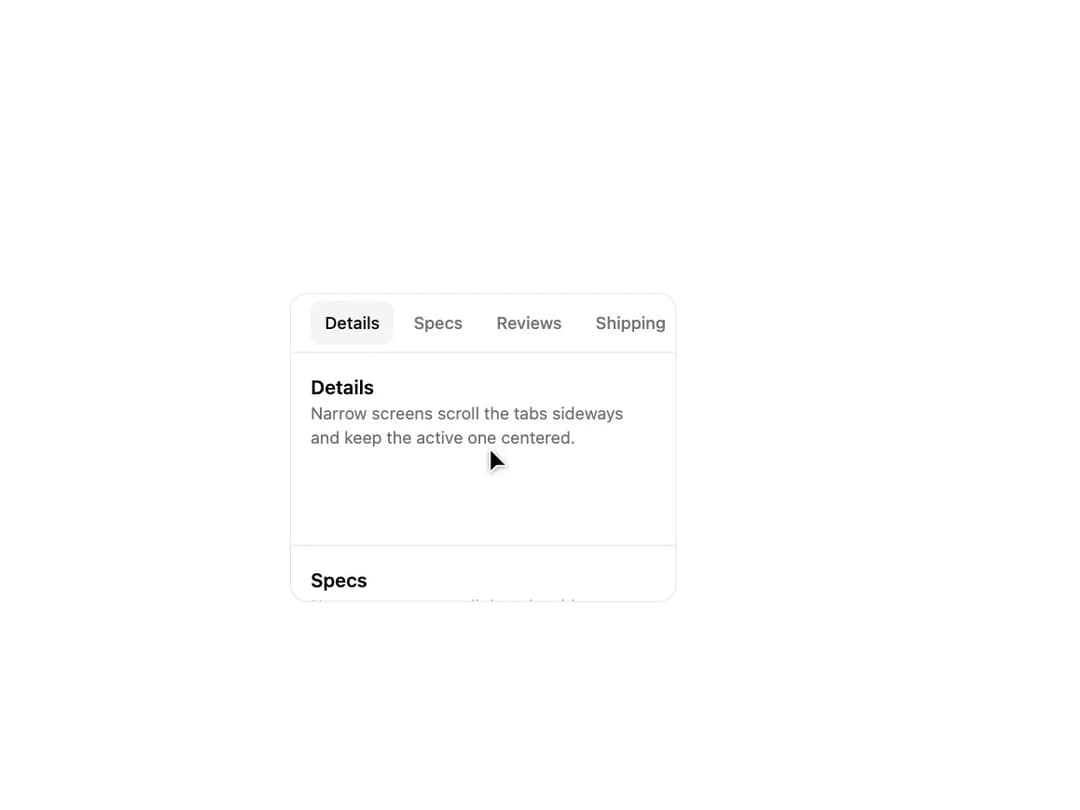
Sticky in-page navigation tabs that highlight the section the reader has scrolled to with a sliding indicator, keep the active tab in view on narrow screens, and smoothly scroll to a section when clicked.
Built with React and Tailwind. Copy the prompt and paste it into Claude Code, Cursor or Lovable: your agent adds Section Tabs to your project and fits it to your theme.
Code
How Section Tabs is used: the demo's code. The component's own source comes with a free account.
Usage.tsx
"use client";
import * as React from "react";
import SectionTabs from "@/components/ui/section-tabs";
const sections = [
  "Details",
  "Specs",
  "Reviews",
  "Shipping",
  "Returns",
  "Support",
].map((label) => ({ id: `sts-${label.toLowerCase()}`, label }));
export default function SectionTabsStates() {
  const scroller = React.useRef<HTMLDivElement>(null);
  return (
    <div
      ref={scroller}
      className="h-64 w-full max-w-xs overflow-auto rounded-xl border bg-background"
    >
      <SectionTabs
        sections={sections}
        container={scroller}
        offset={56}
        variant="pill"
        label="Product sections"
      />
      {sections.map((s) => (
        <section key={s.id} id={s.id} className="min-h-40 border-b p-4">
          <h2 className="font-semibold">{s.label}</h2>
          <p className="text-sm text-muted-foreground">
            Narrow screens scroll the tabs sideways and keep the active one
            centered.
          </p>
        </section>
      ))}
      <div className="h-24" aria-hidden="true" />
    </div>
  );
}
Dependencies
More by vamsiy78
View all

Segmented Control
8
Agent Roster
4
Table Of Contents
1
API Key Field
1
FAQ Accordion Section
Signature Pad
Status Dot
HUD