
About
A themeable Apache ECharts wrapper that draws a chart from a plain option object, auto-colors it from your design tokens and theme changes, formats numbers/dates in the current locale, keeps the legend and zoom slider clear of the axes, and supports keyboard navigation. Ported to React from zweiundeins/starbase's `<sb-echarts>` web component (MIT), itself ported from Libretto's `<tco-chart>`.
Built with React and Tailwind. Copy the prompt and paste it into Claude Code, Cursor or Lovable: your agent adds ECharts to your project and fits it to your theme.
Code
How ECharts is used: the demo's code. The component's own source comes with a free account.
Usage.tsx
"use client";

import EChart from "@/components/ui/echarts";
import { useState } from "react";

export default function EChartClickDemo() {
  const [picked, setPicked] = useState("");
  return (
    <div
      className="w-full h-full flex items-center justify-center p-6"
      style={{ background: "var(--background)" }}
    >
      <div className="w-full max-w-xl space-y-3">
        <div style={{ height: "280px" }}>
          <EChart
            option={{
              xAxis: {
                type: "category",
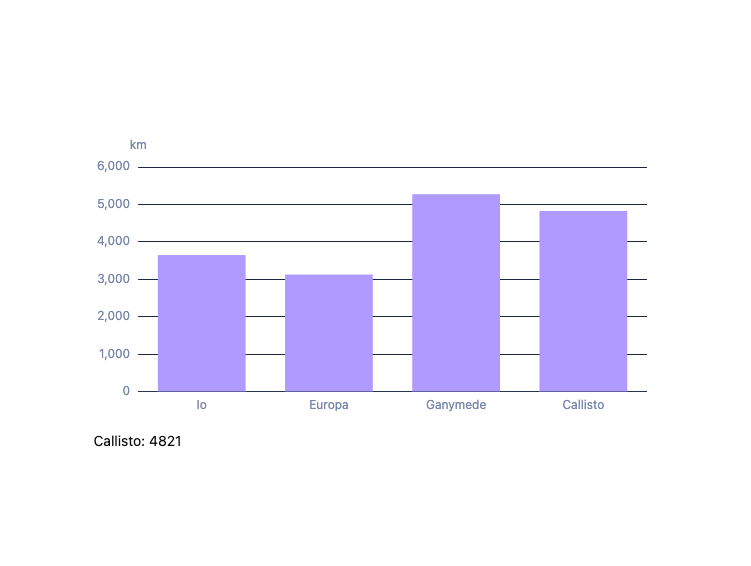
                data: ["Io", "Europa", "Ganymede", "Callisto"],
              },
              yAxis: { type: "value", name: "km" },
              series: [{ type: "bar", data: [3643, 3122, 5268, 4821] }],
            }}
            onChartClick={(d) => setPicked(`${d.name}: ${d.value}`)}
          />
        </div>
        <p className="text-sm" style={{ color: "var(--foreground)" }}>
          {picked || "Click a bar."}
        </p>
      </div>
    </div>
  );
}
More by zweiundeins
View all
Theme Switch
11
Busy
7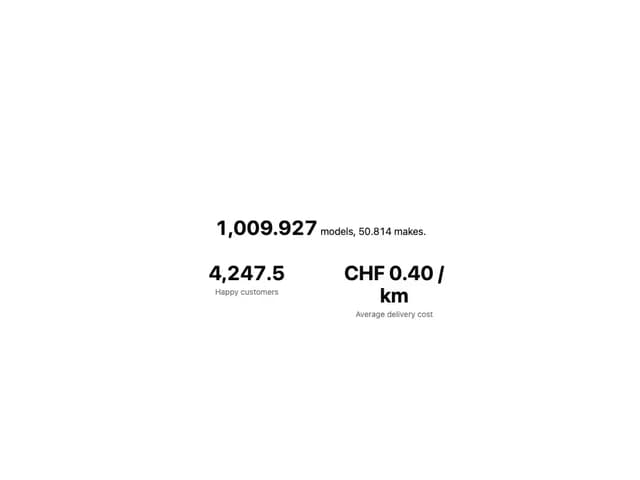
Count Up
1
Sparkline
Drawer

Starfield
Odometer
Meter