
About
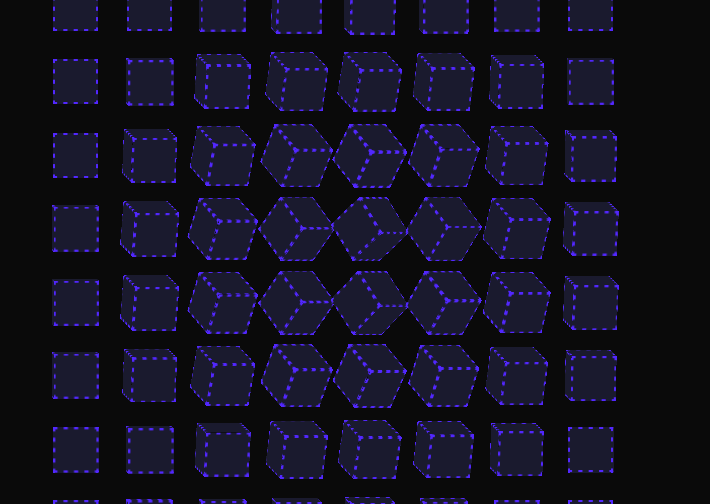
Here is interactive 3d cube grid background component
Built with React and Tailwind. Copy the prompt and paste it into Claude Code, Cursor or Lovable: your agent adds Interactive 3D Cube Grid to your project and fits it to your theme.
Code
How Interactive 3D Cube Grid is used: the demo's code. The component's own source comes with a free account.
Usage.tsx
import { Component } from "@/components/ui/interactive-3d-cube-grid";

const DemoOne = () => {
  return (
    <div className="flex w-full h-screen justify-center items-center">
      <Component
        gridSize={8}
        maxAngle={60}
        radius={4}
        borderStyle="2px dashed #5227FF"
        faceColor="#1a1a2e"
        rippleColor="#ff6b6b"
        rippleSpeed={1.5}
        autoAnimate={true}
        rippleOnClick={true}
      />
    </div>
  );
};

export { DemoOne };
Dependencies
More by deleted
View all

Splash Cursor
1.3K
Star Border
728
Tilted Scroll
433
Waves Background
362
Squares Background
326
Prism
218
Grid Motion
183
Circular Gallery
173