
About
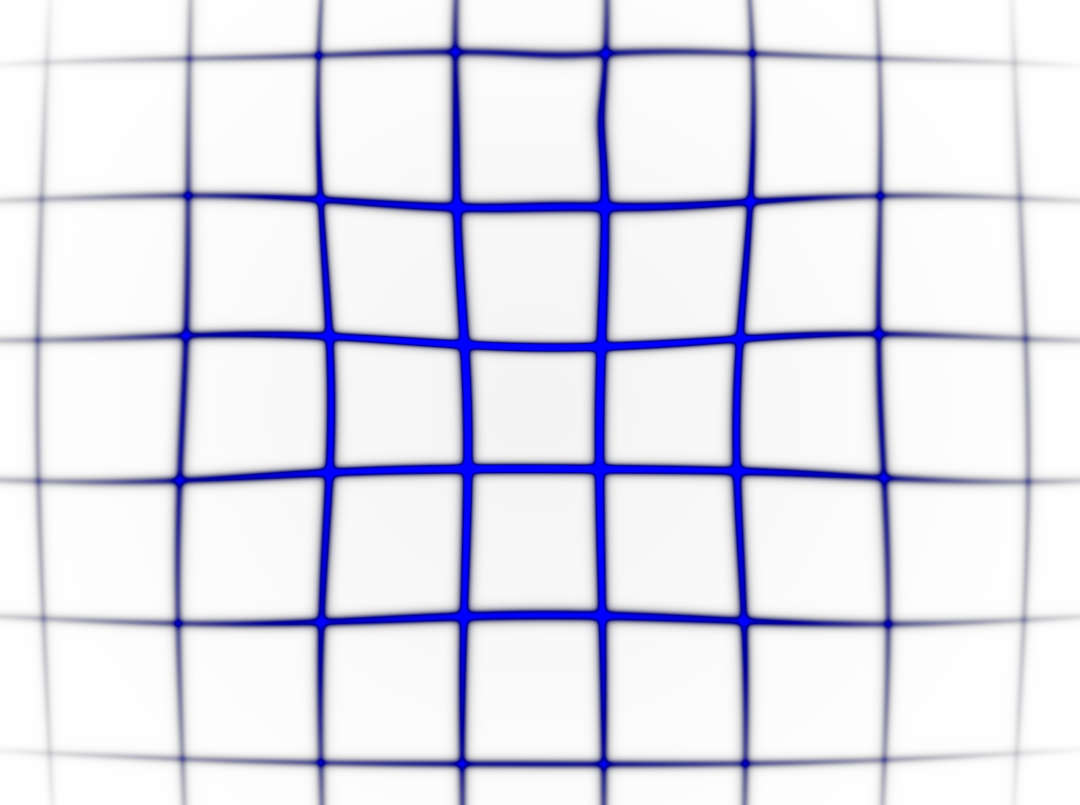
Here is Ripple Grid component
Built with React and Tailwind. Copy the prompt and paste it into Claude Code, Cursor or Lovable: your agent adds Ripple Grid to your project and fits it to your theme.
Code
How Ripple Grid is used: the demo's code. The component's own source comes with a free account.
Usage.tsx
import RippleGrid from '@/components/ui/ripple-grid';

<div style={{position: 'relative', height: '500px', overflow: 'hidden'}}>
  <RippleGrid
    enableRainbow={false}
    gridColor="#0000FF"
    rippleIntensity={0.05}
    gridSize={10}
    gridThickness={15}
    mouseInteraction={true}
    mouseInteractionRadius={1.2}
    opacity={0.8}
  />
</div>


export default RippleGrid;
Dependencies
More by deleted
View all

Splash Cursor
1.3K
Star Border
728
Tilted Scroll
433
Waves Background
362
Squares Background
326
Prism
218
Grid Motion
183
Circular Gallery
173
More in Shaders
View all
Glass Fold
192

Paper design shader Background
672

Wave
683
Neural Noise
711

DitheredShaderBackground
43
LightSpeed
205

Gigabit
55
Shader Lines
2.3K

