
About
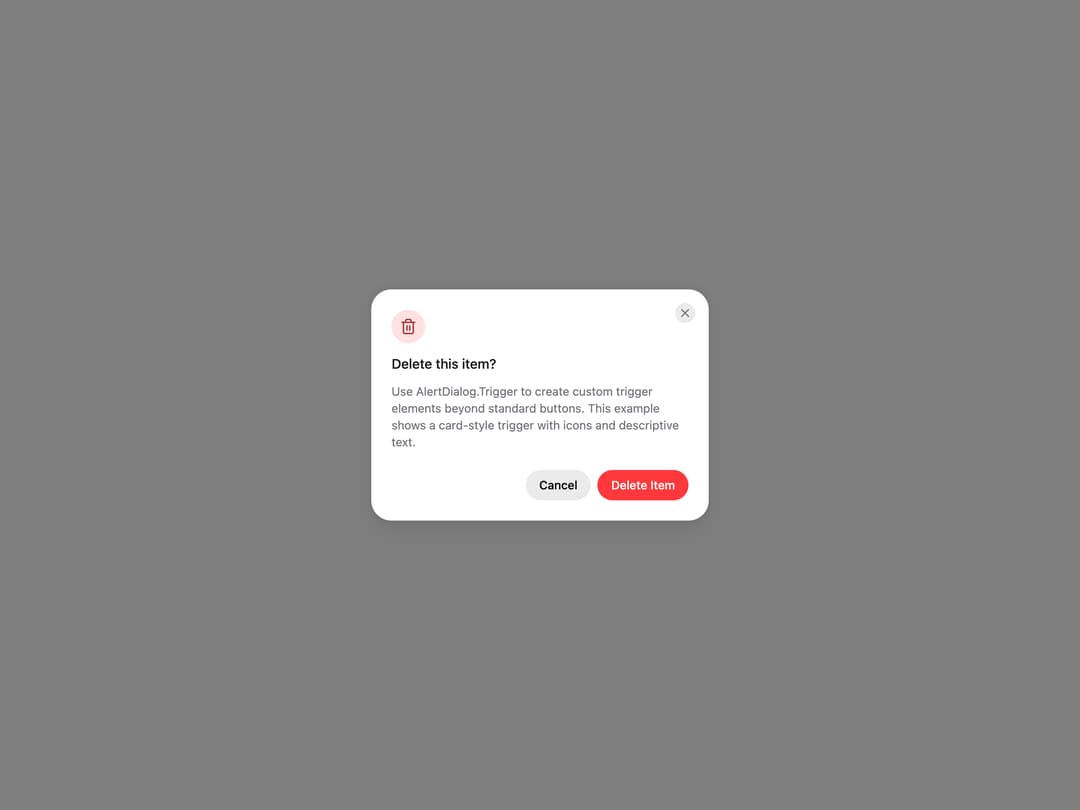
HeroUI AlertDialog for critical confirmations, with status icons, placements, backdrop variants, sizes, custom icons, dismiss behavior, controlled state and custom trigger examples. Uses the real @heroui/react component with bundled @heroui/styles CSS.
Built with React and Tailwind. Copy the prompt and paste it into Claude Code, Cursor or Lovable: your agent adds HeroUI AlertDialog to your project and fits it to your theme.
Code
How HeroUI AlertDialog is used: the demo's code. The component's own source comes with a free account.
Usage.tsx
"use client"

import { AlertDialog } from "@/components/ui/heroui-alert-dialog"
import { Button } from "@heroui/react"
import { Trash2 } from "lucide-react"

export default function CustomTrigger() {
  return (
    <AlertDialog>
      <AlertDialog.Trigger className="group flex min-w-[280px] items-center gap-3 rounded-2xl bg-surface p-4 shadow-xs select-none hover:bg-surface-secondary">
        <div className="flex size-12 shrink-0 items-center justify-center rounded-xl bg-danger-soft text-danger-soft-foreground">
          <Trash2 className="size-6" />
        </div>
        <div className="flex flex-1 flex-col gap-0.5 text-left">
          <p className="text-sm font-semibold">Delete Item</p>
          <p className="text-xs text-muted">Permanently remove this item</p>
        </div>
      </AlertDialog.Trigger>
      <AlertDialog.Backdrop>
        <AlertDialog.Container>
          <AlertDialog.Dialog className="sm:max-w-[400px]">
            <AlertDialog.CloseTrigger />
            <AlertDialog.Header>
              <AlertDialog.Icon status="danger"><Trash2 className="size-5" /></AlertDialog.Icon>
              <AlertDialog.Heading>Delete this item?</AlertDialog.Heading>
            </AlertDialog.Header>
            <AlertDialog.Body>
              <p>Use AlertDialog.Trigger to create custom trigger elements beyond standard buttons. This example shows a card-style trigger with icons and descriptive text.</p>
            </AlertDialog.Body>
            <AlertDialog.Footer>
              <Button slot="close" variant="tertiary">Cancel</Button>
              <Button slot="close" variant="danger">Delete Item</Button>
            </AlertDialog.Footer>
          </AlertDialog.Dialog>
        </AlertDialog.Container>
      </AlertDialog.Backdrop>
    </AlertDialog>
  )
}
Dependencies
More by Hero Ui
View all

DatePicker
466
Chip
440
The Pagination
361
HeroUI Color Picker
105
Skeleton
104
HeroUI Table
99
HeroUI Disclosure Group
94
ComboBox
75
More in Buttons
View all

Button
5

App Store Button
453

Button
47

Eclipse Button
39

Button
4
Texture Button
92
Split Button
14

Button
32

