
About
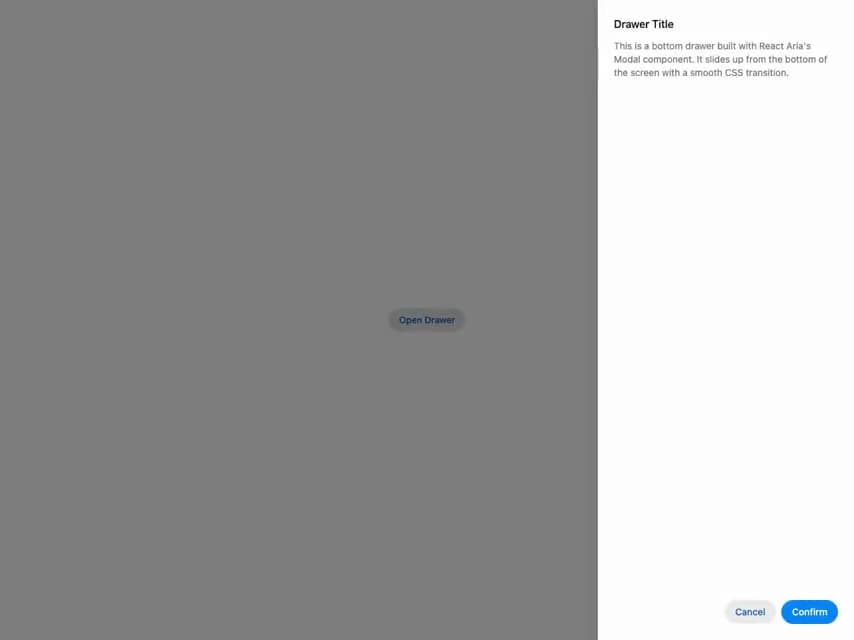
HeroUI v3 Drawer — slide-out panel with placements, backdrop variants, non-dismissable, scrollable content, controlled state, forms and a navigation drawer.
Built with React and Tailwind. Copy the prompt and paste it into Claude Code, Cursor or Lovable: your agent adds HeroUI Drawer to your project and fits it to your theme.
Code
How HeroUI Drawer is used: the demo's code. The component's own source comes with a free account.
Usage.tsx
import { Button } from "@heroui/react"
import { Drawer } from "@/components/ui/heroui-drawer"

export default function Default() {
  return (
    <Drawer>
      <Button variant="secondary">Open Drawer</Button>
      <Drawer.Backdrop>
        <Drawer.Content placement="right">
          <Drawer.Dialog>
            <Drawer.Header>
              <Drawer.Heading>Drawer Title</Drawer.Heading>
            </Drawer.Header>
            <Drawer.Body>
              <p>
                This is a bottom drawer built with React Aria's Modal component. It slides up from
                the bottom of the screen with a smooth CSS transition.
              </p>
            </Drawer.Body>
            <Drawer.Footer>
              <Button slot="close" variant="secondary">
                Cancel
              </Button>
              <Button slot="close">Confirm</Button>
            </Drawer.Footer>
          </Drawer.Dialog>
        </Drawer.Content>
      </Drawer.Backdrop>
    </Drawer>
  )
}