
About
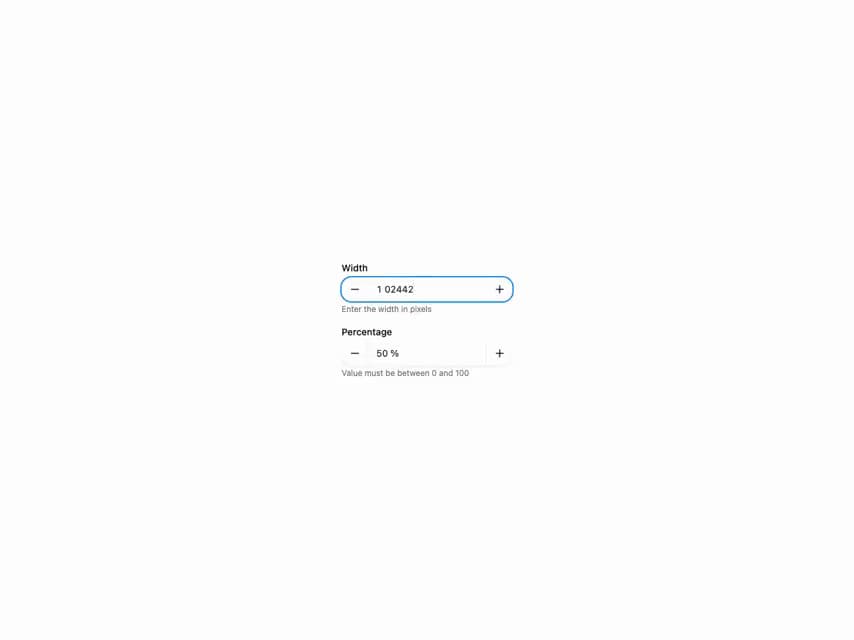
HeroUI v3 NumberField — numeric input with steppers, min/max, step values, format options, validation, variants and form usage.
Built with React and Tailwind. Copy the prompt and paste it into Claude Code, Cursor or Lovable: your agent adds HeroUI Number Field to your project and fits it to your theme.
Code
How HeroUI Number Field is used: the demo's code. The component's own source comes with a free account.
Usage.tsx
import { Description, Label } from "@heroui/react"
import { NumberField } from "@/components/ui/heroui-number-field"

export function WithDescription() {
  return (
    <div className="flex w-full max-w-64 flex-col gap-4">
      <NumberField defaultValue={1024} minValue={0} name="width">
        <Label>Width</Label>
        <NumberField.Group>
          <NumberField.DecrementButton />
          <NumberField.Input className="w-[120px]" />
          <NumberField.IncrementButton />
        </NumberField.Group>
        <Description>Enter the width in pixels</Description>
      </NumberField>
      <NumberField
        defaultValue={0.5}
        formatOptions={{ style: "percent" }}
        maxValue={1}
        minValue={0}
        name="percentage"
        step={0.1}
      >
        <Label>Percentage</Label>
        <NumberField.Group>
          <NumberField.DecrementButton />
          <NumberField.Input className="w-[120px]" />
          <NumberField.IncrementButton />
        </NumberField.Group>
        <Description>Value must be between 0 and 100</Description>
      </NumberField>
    </div>
  )
}

export default WithDescription
Dependencies
More by Hero Ui
View all

DatePicker
466
Chip
440
The Pagination
361
HeroUI Color Picker
105
Skeleton
104
HeroUI Table
99
HeroUI Disclosure Group
94
HeroUI AlertDialog
79
More in Forms
View all

Premium Auth
495
Authentication Card
44

Login 1
52

Login 2
7

Form
32

Card Studio
41

Form
136

Login Card
32
