
About
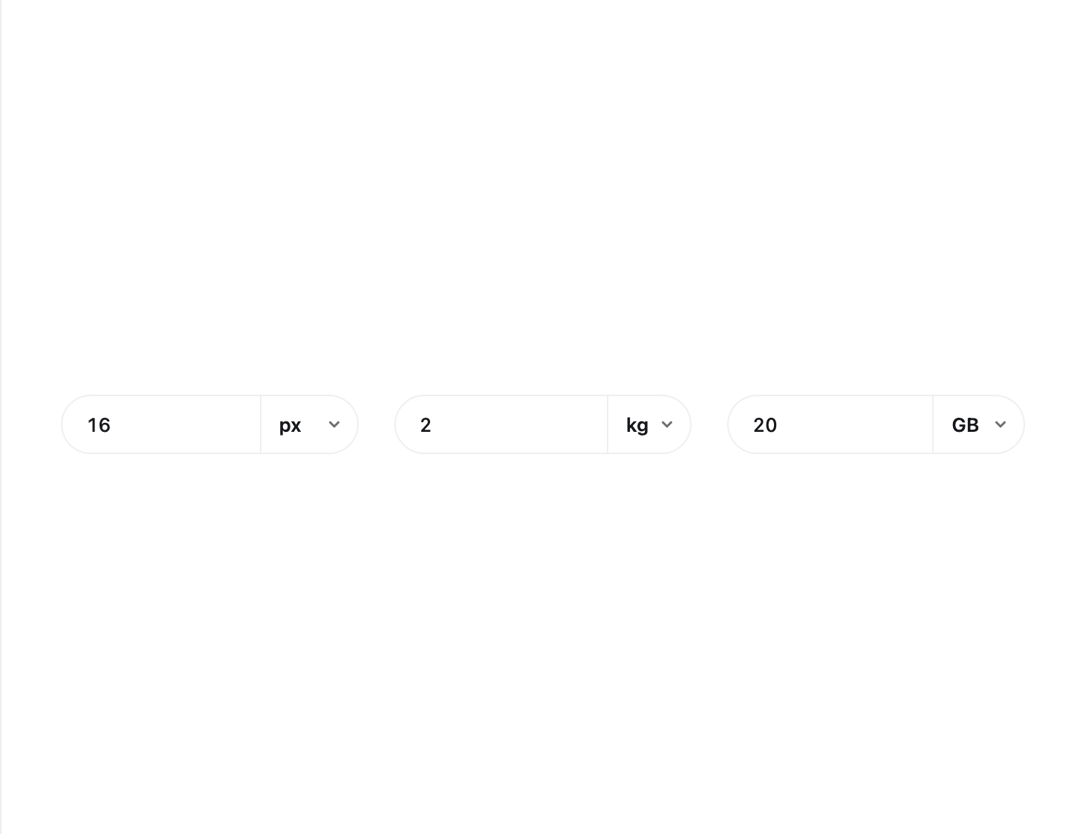
A number field with a built-in unit selector that can convert the value when the unit changes, like switching 16px to 1rem or 2kg to lb.
Built with React and Tailwind. Copy the prompt and paste it into Claude Code, Cursor or Lovable: your agent adds Unit Input to your project and fits it to your theme.
Code
How Unit Input is used: the demo's code. The component's own source comes with a free account.
Usage.tsx
import { UnitInput } from "@/components/ui/unit-input";
import { useState } from "react";

export default function UnitInputDemo() {
  const [fontSize, setFontSize] = useState<number | null>(16);
  const [fontUnit, setFontUnit] = useState("px");
  const [weight, setWeight] = useState<number | null>(2);
  const [weightUnit, setWeightUnit] = useState("kg");
  const [volume, setVolume] = useState<number | null>(20);
  const [volumeUnit, setVolumeUnit] = useState("GB");

  return (
    <div className="flex min-h-[320px] w-full items-center justify-center bg-background p-10 text-foreground">
      <div className="grid w-full max-w-2xl grid-cols-1 gap-6 sm:grid-cols-3">
        <UnitInput
          label="Font size"
          value={fontSize}
          onValueChange={setFontSize}
          unit={fontUnit}
          onUnitChange={setFontUnit}
          units={[
            { value: "px", label: "px", factor: 1, min: 0, max: 200, step: 1 },
            {
              value: "rem",
              label: "rem",
              factor: 16,
              min: 0,
              max: 12.5,
              step: 0.1,
            },
            { value: "%", label: "%" },
          ]}
        />
        <UnitInput
          label="Parcel weight"
          value={weight}
          onValueChange={setWeight}
          unit={weightUnit}
          onUnitChange={setWeightUnit}
          units={[
            {
              value: "kg",
              label: "kg",
              factor: 1000,
              min: 0,
              max: 70,
              step: 1,
            },
            {
              value: "lb",
              label: "lb",
              factor: 453.592,
              min: 0,
              max: 154,
              step: 1,
            },
          ]}
        />
        <UnitInput
          label="Volume size"
          value={volume}
          onValueChange={setVolume}
          unit={volumeUnit}
          onUnitChange={setVolumeUnit}
          units={[
            { value: "MB", label: "MB", factor: 1, min: 0 },
            { value: "GB", label: "GB", factor: 1000, min: 0 },
          ]}
        />
      </div>
    </div>
  );
}
More by klyv-ui
View all
Gantt Chart
68
Klyv Animated Beam
55
Shader Canvas
54
Pareto Chart
49
Sunburst Chart
28
Gooey Loader
26
Fluid Canvas
26
Morphing Text
23
More in Forms
View all

Premium Auth
532

Contact Card
1K

Book A Demo 1
77
Login Card
29

Card Studio
43

Form
17

Login 2
8

Split Sign In Form
76
