
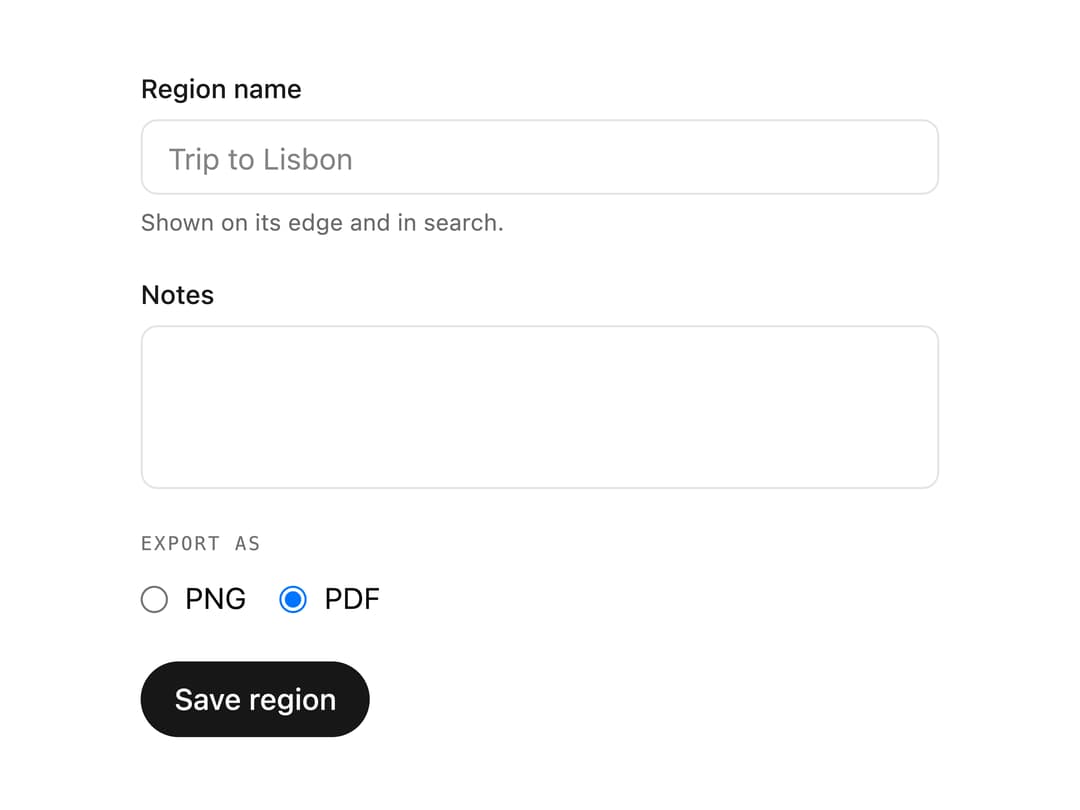
About
A labeled wrapper for a form control that shows a description and a validation error beneath the input, with fieldsets to group related controls under a shared legend.
Built with React and Tailwind. Copy the prompt and paste it into Claude Code, Cursor or Lovable: your agent adds Form Field to your project and fits it to your theme.
Code
How Form Field is used: the demo's code. The component's own source comes with a free account.
Usage.tsx
"use client";

import * as React from "react";
import { Fieldset, Form, FormField } from "@/components/ui/form-field";

export default function FormFieldDemo() {
  const [sent, setSent] = React.useState(false);
  return (
    <div className="flex w-full items-center justify-center p-10">
      <Form
        className="w-full max-w-[380px] grid gap-6"
        onFormSubmit={() => setSent(true)}
      >
        <FormField
          name="name"
          validationMode="onBlur"
          validate={(v) => {
            const text = String(v ?? "").trim();
            return text && text.length < 3 ? "Use at least 3 letters." : null;
          }}
        >
          <FormField.Label>Region name</FormField.Label>
          <input
            required
            name="name"
            placeholder="Trip to Lisbon"
            className="h-9 w-full rounded-md border border-input bg-background px-3 text-sm text-foreground outline-none focus:ring-2 focus:ring-ring"
          />
          <FormField.Description>
            Shown on its edge and in search.
          </FormField.Description>
          <FormField.Error match="valueMissing">
            Give the region a name.
          </FormField.Error>
          <FormField.Error match="customError" />
        </FormField>
        <FormField name="notes">
          <FormField.Label>Notes</FormField.Label>
          <textarea
            name="notes"
            maxLength={140}
            rows={3}
            className="w-full resize-none rounded-md border border-input bg-background px-3 py-2 text-sm text-foreground outline-none focus:ring-2 focus:ring-ring"
          />
        </FormField>
        <Fieldset>
          <Fieldset.Legend>Export as</Fieldset.Legend>
          <div className="flex items-center gap-4 text-sm text-foreground">
            <label className="flex items-center gap-2">
              <input type="radio" name="format" value="png" />
              PNG
            </label>
            <label className="flex items-center gap-2">
              <input type="radio" name="format" value="pdf" defaultChecked />
              PDF
            </label>
          </div>
        </Fieldset>
        <div className="flex items-center gap-3">
          <button
            type="submit"
            className="h-9 rounded-full bg-primary px-4 text-sm font-medium text-primary-foreground"
          >
            Save region
          </button>
          {sent && (
            <span className="text-sm text-muted-foreground">Saved.</span>
          )}
        </div>
      </Form>
    </div>
  );
}