
About
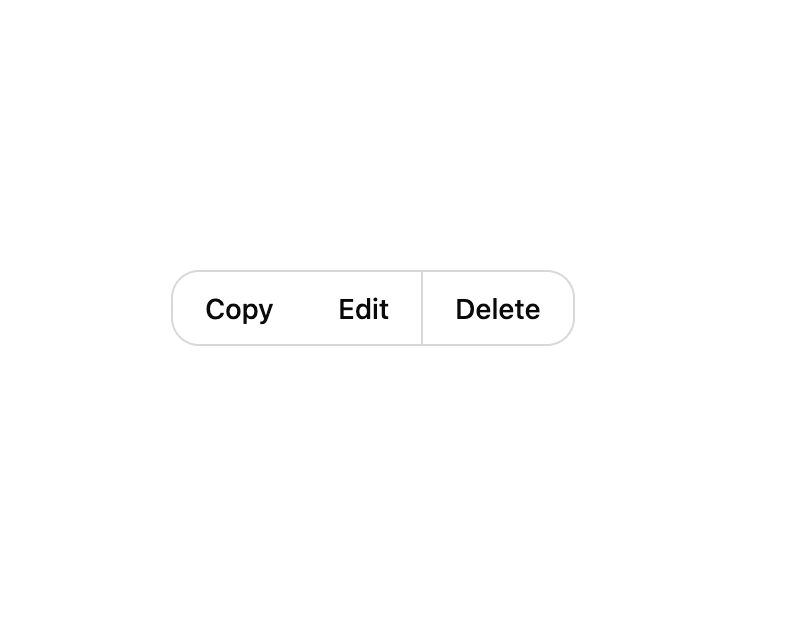
A segmented container that visually joins related action buttons (like copy, edit, delete, or a split-button menu trigger) into one bordered control for toolbars and menus.
Built with React and Tailwind. Copy the prompt and paste it into Claude Code, Cursor or Lovable: your agent adds Button Group to your project and fits it to your theme.
Code
How Button Group is used: the demo's code. The component's own source comes with a free account.
Usage.tsx
import ButtonGroup, {
  ButtonGroupItem,
  ButtonGroupSeparator,
} from "@/components/ui/button-group";

export default function ButtonGroupDemo() {
  return (
    <div className="flex h-40 w-full items-center justify-center bg-background text-foreground">
      <ButtonGroup>
        <ButtonGroupItem>Copy</ButtonGroupItem>
        <ButtonGroupItem>Edit</ButtonGroupItem>
        <ButtonGroupSeparator />
        <ButtonGroupItem>Delete</ButtonGroupItem>
      </ButtonGroup>
    </div>
  );
}
Dependencies
More by Wensity Labs
View all

Sidebar
225
Calendar
167
Button
73
Color Picker
62
Image Comparison Slider
54
AI Prompt Input
48
Navigation Menu
36
Text Morphing
35
More in Buttons
View all

Button
5

App Store Button
453

Button
47

Eclipse Button
39
Texture Button
92

Button
4
Split Button
14

Button
32

