
About
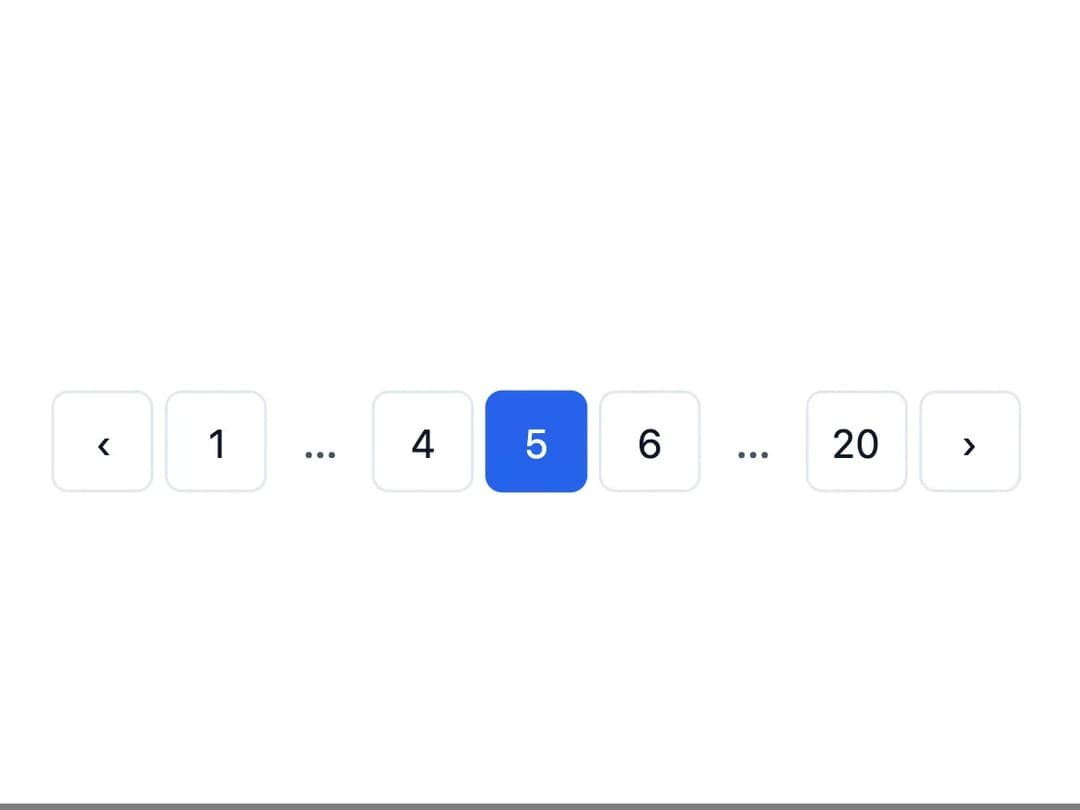
A page navigation control with numbered page buttons, previous/next arrows, and smart ellipsis for jumping between many pages of content.
Built with React and Tailwind. Copy the prompt and paste it into Claude Code, Cursor or Lovable: your agent adds Pagination to your project and fits it to your theme.
Code
How Pagination is used: the demo's code. The component's own source comes with a free account.
Usage.tsx
import * as React from "react";
import Pagination from "@/components/ui/pagination";

export default function PaginationDemo() {
  const [page, setPage] = React.useState(5);

  return (
    <div className="flex w-full items-center justify-center p-8">
      <Pagination
        totalPages={20}
        currentPage={page}
        onChange={setPage}
        siblingCount={1}
      />
    </div>
  );
}
More by dixant
View all
Tooltip

Skeleton

Radio Group

Icon
More in Navigation
View all

Sidebar
381

Footer with Big Wordmark
2

Newsletter Signup Footer
24

Pagination
106
Flexnative Breadcrumb
1

Breadrcrumb
5

Breadcrumb with Project, User & Document Info
16

Breadcrumb
83