
About
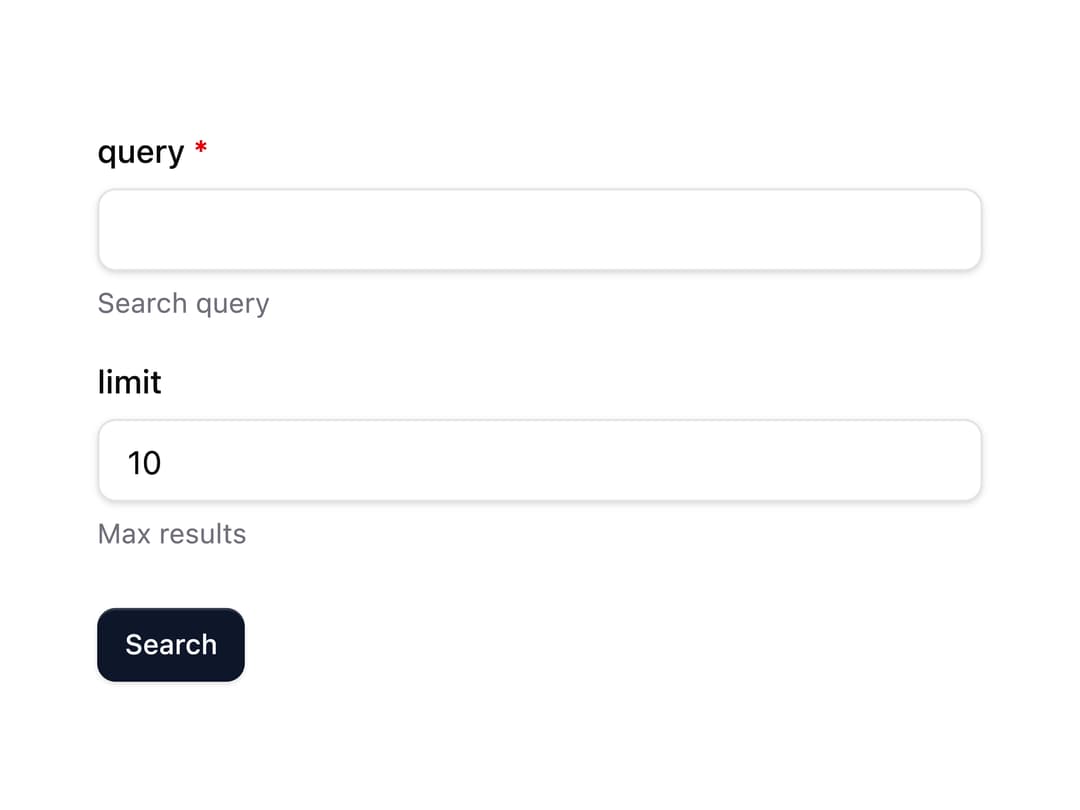
A form that auto-generates its text, number, select, switch and textarea fields from a JSON Schema, used to let a user fill in arguments before calling an MCP tool.
Built with React and Tailwind. Copy the prompt and paste it into Claude Code, Cursor or Lovable: your agent adds MCP Tool Form to your project and fits it to your theme.
Code
How MCP Tool Form is used: the demo's code. The component's own source comes with a free account.
Usage.tsx
import { McpToolForm } from "@/components/ui/mcp-tool-form";

const schema = {
  type: "object",
  properties: {
    query: { type: "string", description: "Search query" },
    limit: { type: "number", default: 10, description: "Max results" },
  },
  required: ["query"],
};

export default function McpToolFormDemo() {
  return (
    <div className="w-full max-w-sm">
      <McpToolForm
        schema={schema}
        onSubmit={(values) => console.log(values)}
        submitLabel="Search"
      />
    </div>
  );
}
Dependencies
More by mayurrawte
View all
Feedback Buttons
4
Streaming Text
4
MCP Scope Inspector
2
Tooltip
2
Accordion
2
Skeleton
2
Select Dropdown
1
Loader
1
More in Forms
View all

Premium Auth
593
Contact Form
28

Form
4

Login 1
70

Book A Demo 1
94

Contact Card
1.1K

HeroUI Field Error
13
Form [react-aria-components]
19

