
About
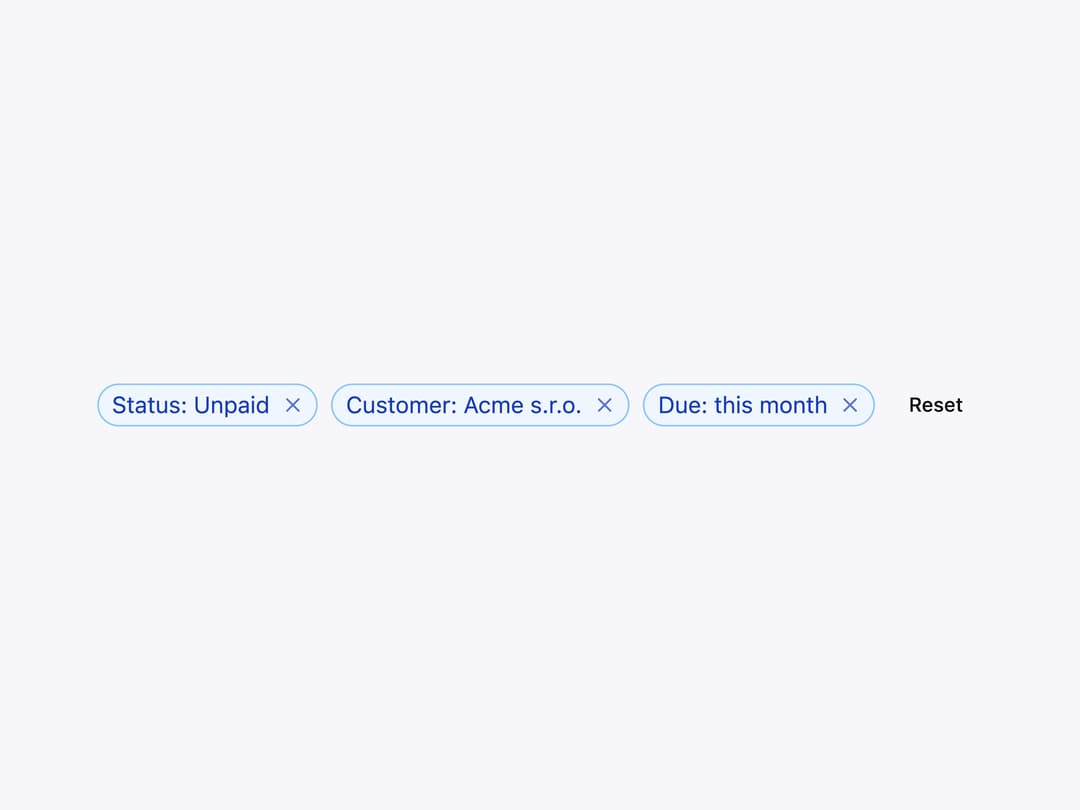
A small rounded label for a status or tag that can optionally be toggled (selected/pressed) or dismissed with a built-in remove button.
Built with React and Tailwind. Copy the prompt and paste it into Claude Code, Cursor or Lovable: your agent adds Chip to your project and fits it to your theme.
Code
How Chip is used: the demo's code. The component's own source comes with a free account.
Usage.tsx
import Chip from "@/components/ui/chip";
import { Button } from "@/components/ui/button";
import { useState } from "react";

const initialFilters = [
  { id: "status", label: "Status: Unpaid" },
  { id: "customer", label: "Customer: Acme s.r.o." },
  { id: "due", label: "Due: this month" },
];

export default function Removable() {
  const [filters, setFilters] = useState(initialFilters);

  return (
    <div className="flex flex-wrap items-center gap-2">
      {filters.map((filter) => (
        <Chip
          color="primary"
          key={filter.id}
          onRemove={() =>
            setFilters((current) =>
              current.filter(({ id }) => id !== filter.id),
            )
          }
          variant="outline"
        >
          {filter.label}
        </Chip>
      ))}
      {filters.length === 0 && (
        <span className="text-sm text-neutral-500 dark:text-neutral-400">
          No filters
        </span>
      )}
      <Button
        onClick={() => setFilters(initialFilters)}
        size="sm"
        variant="ghost"
      >
        Reset
      </Button>
    </div>
  );
}
Dependencies
More by robertlib
View all
Timeline
1
Avatar
Collapsible Content
Form Description
Switch
Form Error
Select
Spinner