
About
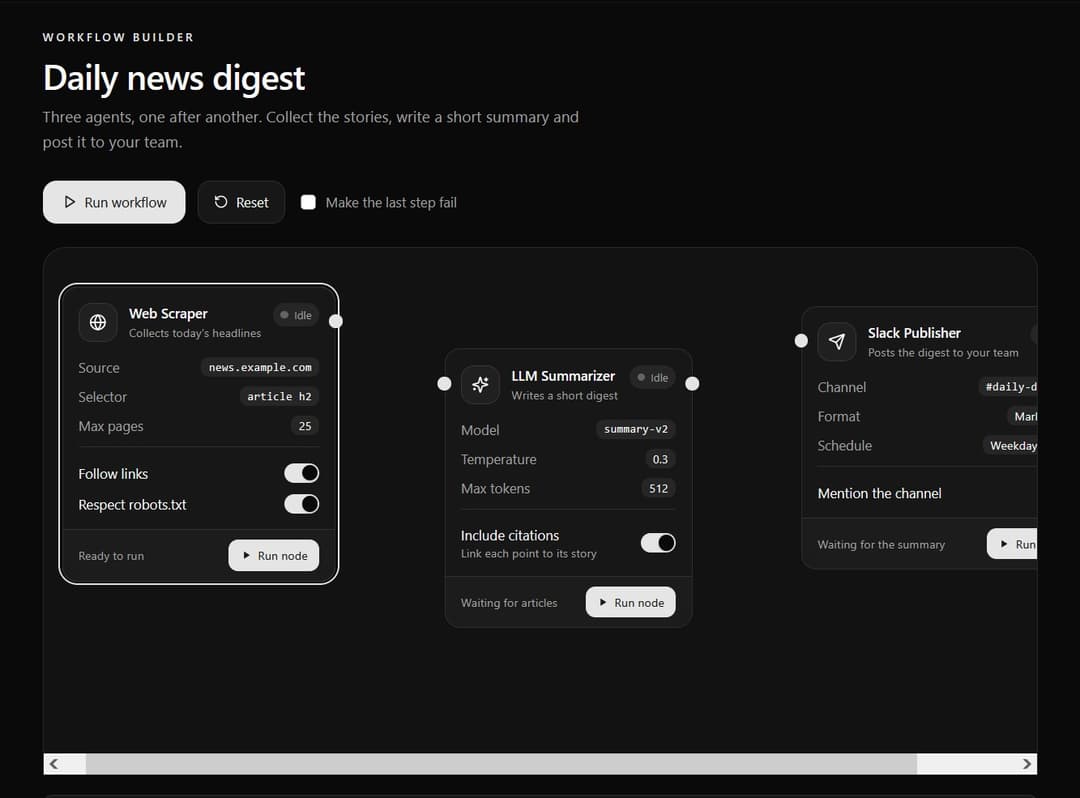
A modular, node-based workflow card built for visual AI agent builders. Features input/output connection ports, live execution status rings, and inline parameter toggles.
Built with React and Tailwind. Copy the prompt and paste it into Claude Code, Cursor or Lovable: your agent adds Interactive AI Agent Workflow Node Card to your project and fits it to your theme.
Code
How Interactive AI Agent Workflow Node Card is used: the demo's code. The component's own source comes with a free account.
Usage.tsx
// This is a file with a demo for your component
// That's what users will see in the preview
// Create new files in this directory to add more demos

import { useCallback, useEffect, useRef, useState } from "react";
import { Globe, Play, RotateCcw, Send, Sparkles } from "lucide-react";
import { AgentNodeCard, AgentNodeParam, AgentNodeParams, AgentNodeToggle } from "@/components/ui/interactive-ai-agent-workflow-node-card";
import type { NodeStatus } from "@/components/ui/interactive-ai-agent-workflow-node-card";

/* ==========================================================================
   Layout numbers for the canvas
   ========================================================================== */

const NODE_TOPS = [0, 64, 20]; // each node sits at a different height, so the lines have a gentle curve
const PORT_Y = 36; // matches the default portOffset of the card
const CANVAS_HEIGHT = 440;
const CONNECTOR_WIDTH = 112;
const DURATIONS = [1800, 2200, 1500]; // how long each step "runs", in milliseconds

const wait = (ms: number) => new Promise<void>((resolve) => window.setTimeout(resolve, ms));

function usePrefersReducedMotion(): boolean {
  const [reduce, setReduce] = useState(false);

  useEffect(() => {
    const query = window.matchMedia("(prefers-reduced-motion: reduce)");
    setReduce(query.matches);
    const onChange = (e: MediaQueryListEvent) => setReduce(e.matches);
    query.addEventListener("change", onChange);
    return () => query.removeEventListener("change", onChange);
  }, []);

  return reduce;
}

// end of layout numbers


/* ==========================================================================
   Connector: the line between two nodes. Data seems to flow along it while the step before it runs.
   ========================================================================== */

function Connector({ fromTop, toTop, state, animate }: { fromTop: number; toTop: number; state: NodeStatus; animate: boolean }) {
  const y1 = fromTop + PORT_Y;
  const y2 = toTop + PORT_Y;
  const half = CONNECTOR_WIDTH / 2;
  const path = `M 0 ${y1} C ${half} ${y1}, ${half} ${y2}, ${CONNECTOR_WIDTH} ${y2}`;

  const color = state === "error" ? "#f43f5e" : state === "idle" ? "hsl(var(--muted-foreground) / 0.45)" : "hsl(var(--primary))";

  return (
    <svg width={CONNECTOR_WIDTH} height={CANVAS_HEIGHT} className="shrink-0" aria-hidden="true">
      <path d={path} fill="none" stroke={color} strokeWidth="2" strokeLinecap="round" strokeDasharray={state === "completed" ? undefined : "6 6"}>
        {state === "running" && animate && <animate attributeName="stroke-dashoffset" from="0" to="-24" dur="0.7s" repeatCount="indefinite" />}
      </path>
    </svg>
  );
}

// end of connector


/* ==========================================================================
   Demo
   ========================================================================== */

// ONLY DEFAULT EXPORT WILL BE TREATED AS A DEMO
export default function DemoOne() {
  const [statuses, setStatuses] = useState<NodeStatus[]>(["idle", "idle", "idle"]);
  const [selected, setSelected] = useState(0);
  const [failLast, setFailLast] = useState(false);
  const [toggles, setToggles] = useState({ follow: true, robots: true, citations: true, mention: false });
  const [event, setEvent] = useState("Press “Run workflow” to watch the steps run in order.");

  const alive = useRef(true);
  const failRef = useRef(failLast);
  failRef.current = failLast;
  const animate = !usePrefersReducedMotion();

  useEffect(() => {
    alive.current = true;
    return () => {
      alive.current = false;
    };
  }, []);

  const setStatus = (index: number, status: NodeStatus) => setStatuses((list) => list.map((s, i) => (i === index ? status : s)));

  // Runs one step. Returns false if it failed.
  const runStep = useCallback(async (index: number): Promise<boolean> => {
    setStatus(index, "running");
    await wait(DURATIONS[index]);
    if (!alive.current) return false;

    const failed = failRef.current && index === 2;
    setStatus(index, failed ? "error" : "completed");
    return !failed;
  }, []);

  const runWorkflow = async () => {
    setStatuses(["idle", "idle", "idle"]);
    setEvent("Workflow started.");
    for (let i = 0; i < 3; i++) {
      const ok = await runStep(i);
      if (!alive.current) return;
      if (!ok) {
        setEvent("The workflow stopped at the last step. Fix the problem, then press Retry on that node.");
        return;
      }
    }
    setEvent("Workflow finished. All three steps completed.");
  };

  const reset = () => {
    setStatuses(["idle", "idle", "idle"]);
    setEvent("Everything is back to idle.");
  };

  const busy = statuses.includes("running");

  return (
    <div className="min-h-screen w-full bg-background px-4 py-12 text-foreground sm:px-6 sm:py-16">
      <div className="mx-auto w-full max-w-5xl">
        <p className="text-xs font-semibold uppercase tracking-[0.2em] text-primary">Workflow builder</p>
        <h1 className="mt-3 text-3xl font-semibold tracking-tight sm:text-4xl">Daily news digest</h1>
        <p className="mt-2 max-w-xl text-base leading-relaxed text-muted-foreground">
          Three agents, one after another. Collect the stories, write a short summary and post it to your team.
        </p>

        {/* Controls */}
        <div className="mt-7 flex flex-wrap items-center gap-3">
          <button
            type="button"
            onClick={runWorkflow}
            disabled={busy}
            className="inline-flex h-11 items-center gap-2 rounded-xl bg-primary px-5 text-sm font-medium text-primary-foreground outline-none transition-all hover:opacity-90 focus-visible:ring-2 focus-visible:ring-ring focus-visible:ring-offset-2 focus-visible:ring-offset-background active:scale-[0.98] disabled:opacity-50"
          >
            <Play size={15} aria-hidden="true" />
            Run workflow
          </button>
          <button
            type="button"
            onClick={reset}
            disabled={busy}
            className="inline-flex h-11 items-center gap-2 rounded-xl border border-border bg-card px-4 text-sm font-medium outline-none transition-colors hover:bg-muted focus-visible:ring-2 focus-visible:ring-ring focus-visible:ring-offset-2 focus-visible:ring-offset-background disabled:opacity-50"
          >
            <RotateCcw size={15} aria-hidden="true" />
            Reset
          </button>
          <label className="ml-1 flex min-h-11 cursor-pointer items-center gap-2.5 text-sm text-muted-foreground">
            <input
              type="checkbox"
              checked={failLast}
              onChange={(e) => setFailLast(e.target.checked)}
              className="h-4 w-4 rounded border-border accent-[hsl(var(--primary))]"
            />
            Make the last step fail
          </label>
        </div>

        <p className="mt-4 text-sm text-muted-foreground sm:hidden">Scroll the canvas sideways to see the whole workflow.</p>

        {/* The canvas. It scrolls sideways on small screens, so the page itself never overflows. */}
        <div
          role="region"
          aria-label="Workflow canvas"
          tabIndex={0}
          className="mt-6 overflow-x-auto rounded-3xl border border-border bg-muted/30 p-6 outline-none focus-visible:ring-2 focus-visible:ring-ring sm:p-10"
          style={{ backgroundImage: "radial-gradient(hsl(var(--foreground) / 0.12) 1px, transparent 1px)", backgroundSize: "20px 20px" }}
        >
          <div className="mx-auto flex w-max items-start" style={{ height: CANVAS_HEIGHT }}>
            {/* Step 1 */}
            <div style={{ marginTop: NODE_TOPS[0] }}>
              <AgentNodeCard
                className="w-80"
                title="Web Scraper"
                subtitle="Collects today's headlines"
                icon={<Globe size={18} aria-hidden="true" />}
                status={statuses[0]}
                selected={selected === 0}
                onSelect={() => setSelected(0)}
                onRunNode={() => {
                  setEvent("Ran the Web Scraper on its own.");
                  void runStep(0);
                }}
                showInputPort={false}
                outputLabel="Articles"
                outputConnected
                onOutputPortClick={() => setEvent("Output port clicked. In an editor, this is where you would start dragging a new line.")}
                footer={statuses[0] === "completed" ? "25 articles collected" : "Ready to run"}
              >
                <AgentNodeParams>
                  <AgentNodeParam label="Source" value="news.example.com" mono />
                  <AgentNodeParam label="Selector" value="article h2" mono />
                  <AgentNodeParam label="Max pages" value="25" />
                </AgentNodeParams>
                <div className="mt-3 space-y-2 border-t border-border pt-3">
                  <AgentNodeToggle label="Follow links" checked={toggles.follow} onCheckedChange={(v) => setToggles((t) => ({ ...t, follow: v }))} />
                  <AgentNodeToggle label="Respect robots.txt" checked={toggles.robots} onCheckedChange={(v) => setToggles((t) => ({ ...t, robots: v }))} />
                </div>
              </AgentNodeCard>
            </div>

            <Connector fromTop={NODE_TOPS[0]} toTop={NODE_TOPS[1]} state={statuses[0]} animate={animate} />

            {/* Step 2 */}
            <div style={{ marginTop: NODE_TOPS[1] }}>
              <AgentNodeCard
                className="w-80"
                title="LLM Summarizer"
                subtitle="Writes a short digest"
                icon={<Sparkles size={18} aria-hidden="true" />}
                status={statuses[1]}
                selected={selected === 1}
                onSelect={() => setSelected(1)}
                onRunNode={() => {
                  setEvent("Ran the Summarizer on its own.");
                  void runStep(1);
                }}
                inputLabel="Articles"
                outputLabel="Summary"
                inputConnected
                outputConnected
                onInputPortClick={() => setEvent("Input port clicked on the Summarizer.")}
                footer={statuses[1] === "completed" ? "Summary ready · 212 words" : "Waiting for articles"}
              >
                <AgentNodeParams>
                  <AgentNodeParam label="Model" value="summary-v2" mono />
                  <AgentNodeParam label="Temperature" value="0.3" />
                  <AgentNodeParam label="Max tokens" value="512" />
                </AgentNodeParams>
                <div className="mt-3 border-t border-border pt-3">
                  <AgentNodeToggle
                    label="Include citations"
                    description="Link each point to its story"
                    checked={toggles.citations}
                    onCheckedChange={(v) => setToggles((t) => ({ ...t, citations: v }))}
                  />
                </div>
              </AgentNodeCard>
            </div>

            <Connector fromTop={NODE_TOPS[1]} toTop={NODE_TOPS[2]} state={statuses[1]} animate={animate} />

            {/* Step 3 */}
            <div style={{ marginTop: NODE_TOPS[2] }}>
              <AgentNodeCard
                className="w-80"
                title="Slack Publisher"
                subtitle="Posts the digest to your team"
                icon={<Send size={18} aria-hidden="true" />}
                status={statuses[2]}
                selected={selected === 2}
                onSelect={() => setSelected(2)}
                onRunNode={() => {
                  setEvent("Ran the Slack Publisher on its own.");
                  void runStep(2);
                }}
                inputLabel="Summary"
                inputConnected
                showOutputPort={false}
                errorMessage="Slack returned 403. The bot has not been added to #daily-digest."
                footer={statuses[2] === "completed" ? "Posted to #daily-digest" : "Waiting for the summary"}
              >
                <AgentNodeParams>
                  <AgentNodeParam label="Channel" value="#daily-digest" mono />
                  <AgentNodeParam label="Format" value="Markdown" />
                  <AgentNodeParam label="Schedule" value="Weekdays, 8:00" />
                </AgentNodeParams>
                <div className="mt-3 border-t border-border pt-3">
                  <AgentNodeToggle label="Mention the channel" checked={toggles.mention} onCheckedChange={(v) => setToggles((t) => ({ ...t, mention: v }))} />
                </div>
              </AgentNodeCard>
            </div>
          </div>
        </div>

        <p className="mt-5 rounded-lg border border-border bg-muted/50 px-3 py-2 text-xs text-muted-foreground" role="status" aria-live="polite">
          {event}
        </p>
      </div>
    </div>
  );
}

// end of demo
More by themeocean
View all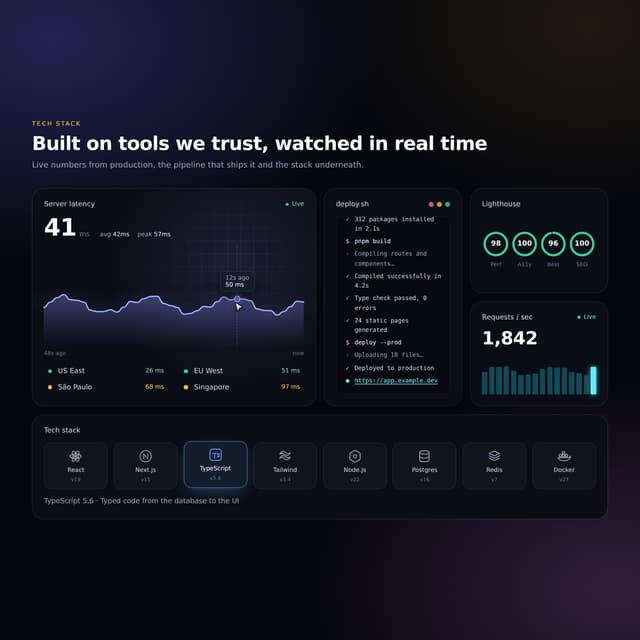

Interactive Tech Stack Bento Grid with Hover Effects
444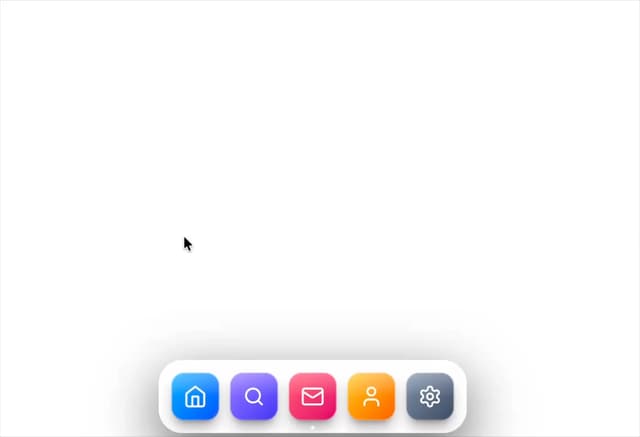
Mac-Style Floating Dock
60
Nexus 3D Animated Login - Futuristic Authentication UI
26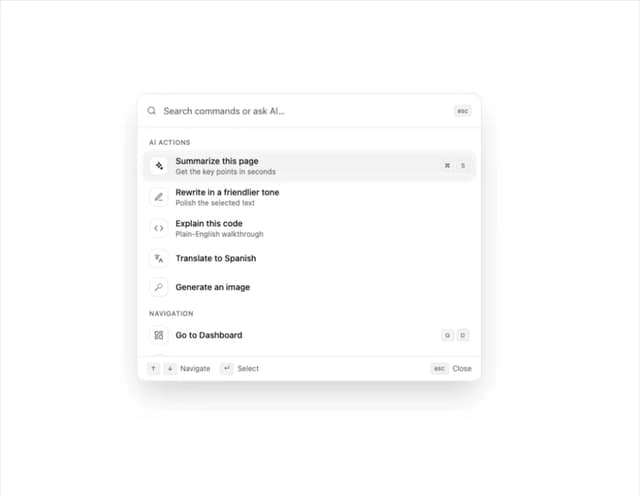
Sleek AI Command Menu (CMDK) with Fuzzy Search
8
3D Animated Tilt & Dynamic Glow Card
5
Split Developer Hero with Interactive Code Terminal
2
Multi-State Action Button with Micro-Animations
2
Interactive AI Chat Input with Micro-Interactions
2