
About
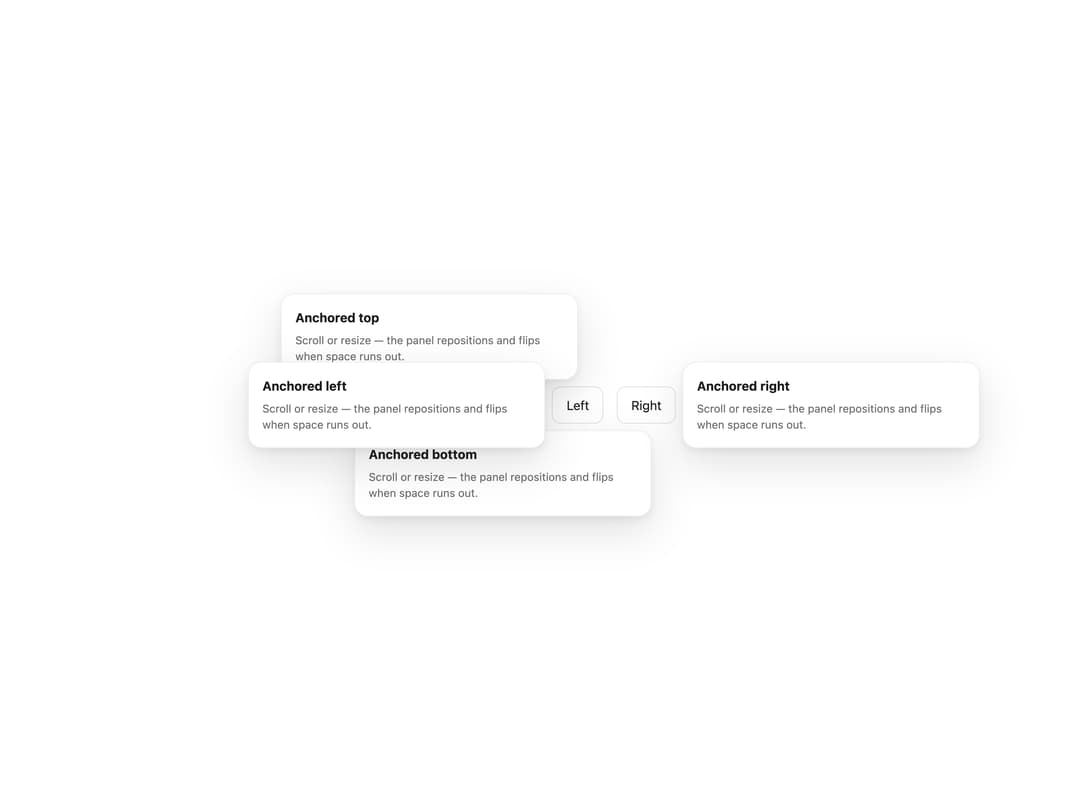
A floating panel anchored to a trigger element for content too big for a tooltip and too small for a dialog, with automatic flip and viewport clamping.
Built with React and Tailwind. Copy the prompt and paste it into Claude Code, Cursor or Lovable: your agent adds Popover to your project and fits it to your theme.
Code
How Popover is used: the demo's code. The component's own source comes with a free account.
Usage.tsx
"use client";

import Popover from "@/components/ui/popover";

const PLACEMENTS = ["top", "bottom", "left", "right"] as const;

export default function PopoverPlacementsDemo() {
  return (
    <div
      style={{
        display: "flex",
        minHeight: 320,
        width: "100%",
        flexWrap: "wrap",
        alignItems: "center",
        justifyContent: "center",
        gap: 16,
        padding: 40,
        background: "var(--background)",
        color: "var(--foreground)",
      }}
    >
      {PLACEMENTS.map((placement) => (
        <Popover
          key={placement}
          placement={placement}
          ariaLabel={`${placement} popover`}
          trigger={
            <button
              type="button"
              style={{
                padding: "0.625rem 1rem",
                borderRadius: 10,
                border: "1px solid rgba(0,0,0,0.12)",
                background: "#ffffff",
                color: "#1d1d1f",
                fontSize: "0.9375rem",
                textTransform: "capitalize",
                cursor: "pointer",
              }}
            >
              {placement}
            </button>
          }
        >
          <div
            style={{
              display: "flex",
              flexDirection: "column",
              gap: "0.375rem",
              minWidth: 180,
            }}
          >
            <strong style={{ fontSize: "0.9375rem" }}>
              Anchored {placement}
            </strong>
            <span
              style={{
                fontSize: "0.8125rem",
                color: "var(--mors-color-text-secondary)",
              }}
            >
              Scroll or resize — the panel repositions and flips when space runs
              out.
            </span>
          </div>
        </Popover>
      ))}
    </div>
  );
}
More by murad-sinatra
View all
Table
Command Palette
Tooltip
Toggles
Icon
Range Slider
Number Field