
About
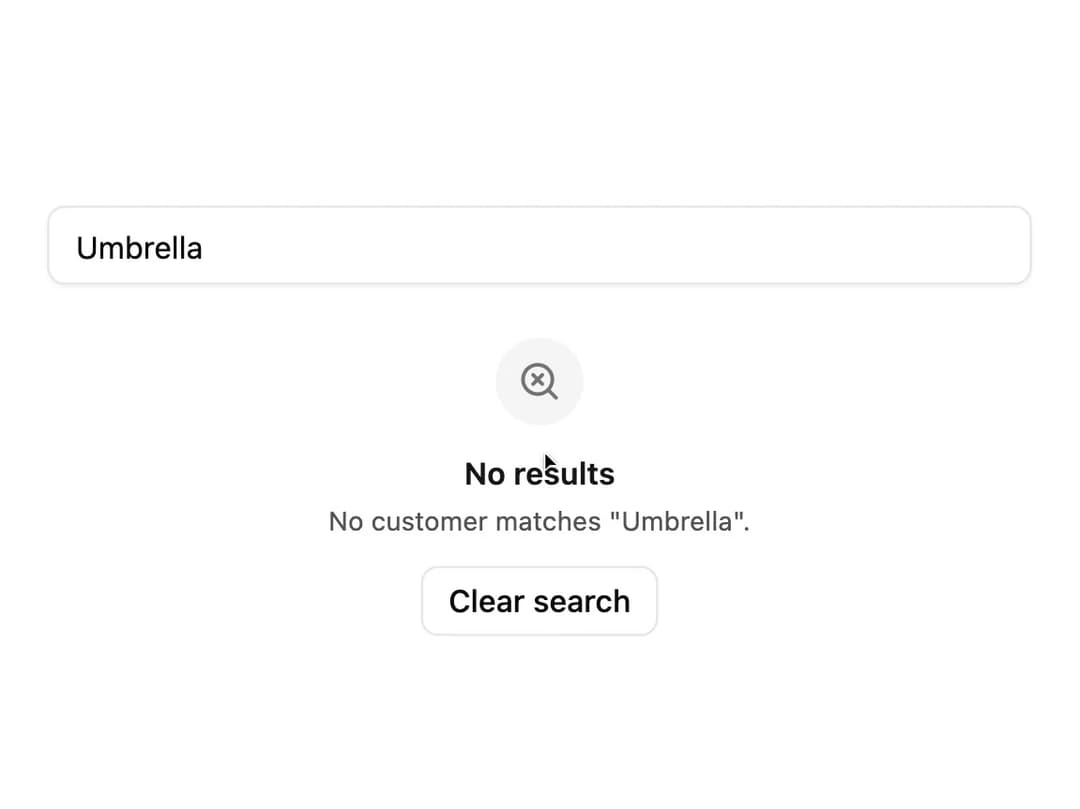
A placeholder block with an icon, heading, description and action buttons for empty lists, no search results, or first-run screens.
Built with React and Tailwind. Copy the prompt and paste it into Claude Code, Cursor or Lovable: your agent adds Empty State to your project and fits it to your theme.
Code
How Empty State is used: the demo's code. The component's own source comes with a free account.
Usage.tsx
import EmptyState from "@/components/ui/empty-state";
import { SearchX } from "lucide-react";
import { useState } from "react";

const customers = ["Acme s.r.o.", "Globex a.s.", "Initech"];

export default function EmptyStateSearchDemo() {
  const [search, setSearch] = useState("Umbrella");
  const found = customers.filter((name) =>
    name.toLowerCase().includes(search.toLowerCase()),
  );

  return (
    <div className="w-full max-w-md">
      <input
        className="flex h-9 w-full rounded-md border border-input bg-transparent px-3 py-1 text-sm shadow-xs outline-none placeholder:text-muted-foreground focus-visible:ring-1 focus-visible:ring-ring"
        onChange={(event) => setSearch(event.target.value)}
        placeholder="Search customers"
        value={search}
      />
      {found.length > 0 ? (
        <ul className="mt-3 divide-y divide-border text-sm text-foreground">
          {found.map((name) => (
            <li className="py-2" key={name}>
              {name}
            </li>
          ))}
        </ul>
      ) : (
        <EmptyState
          action={
            <button
              className="inline-flex h-8 items-center justify-center rounded-md border border-input bg-background px-3 text-sm font-medium transition-colors hover:bg-accent hover:text-accent-foreground"
              onClick={() => setSearch("")}
              type="button"
            >
              Clear search
            </button>
          }
          description={`No customer matches "${search}".`}
          icon={<SearchX />}
          size="sm"
          title="No results"
        />
      )}
    </div>
  );
}
Dependencies
More by robertlib
View all
Timeline
1
Avatar
Collapsible Content
Form Description
Chip
Switch
Form Error
Select