
About
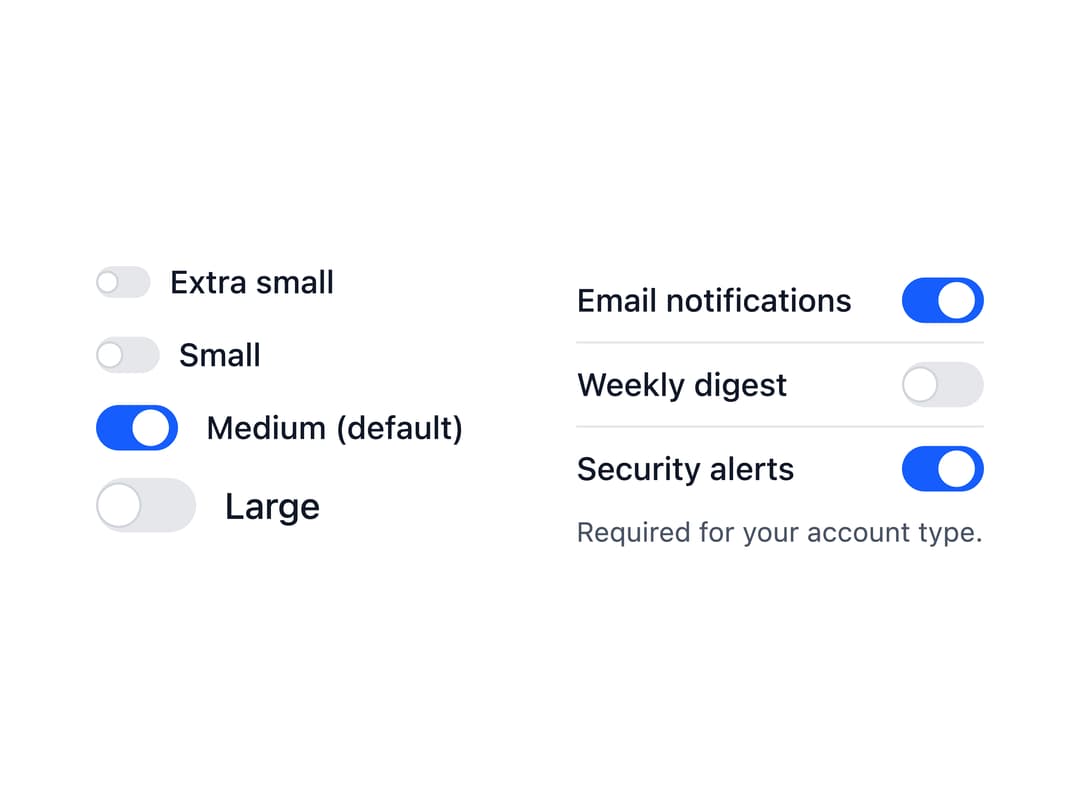
An accessible on/off toggle control built on a native checkbox, with support for labels, descriptions, sizes, validation errors and a read-only state, that works in forms like a regular checkbox.
Built with React and Tailwind. Copy the prompt and paste it into Claude Code, Cursor or Lovable: your agent adds Switch to your project and fits it to your theme.
Code
How Switch is used: the demo's code. The component's own source comes with a free account.
Usage.tsx
import Switch from "@/components/ui/switch";

export default function Options() {
  return (
    <div className="grid gap-8 sm:grid-cols-2">
      <div className="space-y-3">
        <Switch dim="xs" label="Extra small" />
        <Switch dim="sm" label="Small" />
        <Switch defaultChecked label="Medium (default)" />
        <Switch dim="lg" label="Large" />
      </div>
      <div className="max-w-sm divide-y divide-neutral-200 dark:divide-neutral-800">
        {/* The label at the start, the switch at the end of the row */}
        <Switch
          className="flex justify-between py-2"
          defaultChecked
          label="Email notifications"
          labelPosition="start"
          name="email"
        />
        <Switch
          className="flex justify-between py-2"
          label="Weekly digest"
          labelPosition="start"
          name="digest"
        />
        <Switch
          checked
          className="flex justify-between py-2"
          description="Required for your account type."
          label="Security alerts"
          labelPosition="start"
          name="security"
          readOnly
        />
      </div>
    </div>
  );
}
More by robertlib
View all
Timeline
1
Avatar
Collapsible Content
Form Description
Chip
Form Error
Select
Spinner