
About
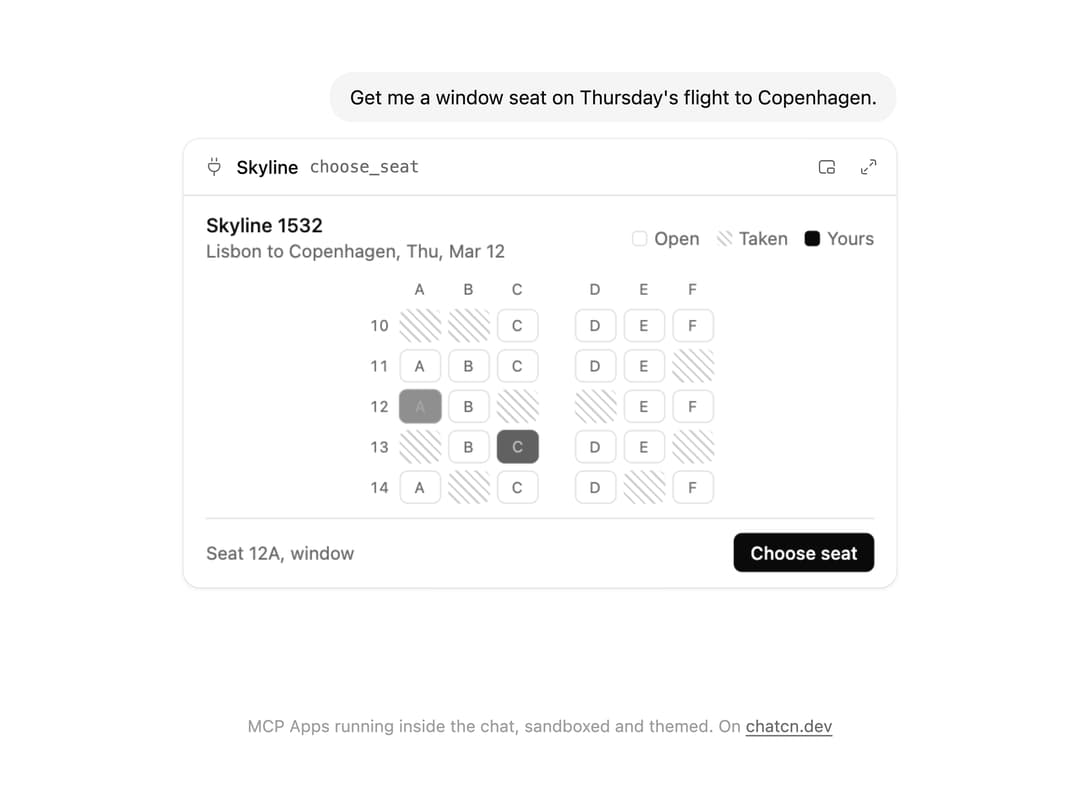
Hosts an MCP App inside the chat in a sandboxed, themed frame that follows its height and passes tool input, results and messages.
Built with React and Tailwind. Copy the prompt and paste it into Claude Code, Cursor or Lovable: your agent adds MCP App Frame to your project and fits it to your theme.
Code
How MCP App Frame is used: the demo's code. The component's own source comes with a free account.
Usage.tsx
"use client"

import * as React from "react"
import { McpAppFrame, McpAppResource } from "@/components/ui/mcp-app-frame"

const reducedMotion = () => window.matchMedia("(prefers-reduced-motion: reduce)").matches

const TAKEN = ["10A", "10B", "11F", "12C", "12D", "13A", "13F", "14B", "14E"]

const FIT_CSS = "html,body{overflow:hidden}[data-fit-small] [data-fit-hide]{display:none!important}"

/**
 * 21st shows a demo in a small frame: about 674 by 421 on a component page, 358 by 224 on a
 * phone and 245 by 139 on a profile card. A demo taller than its frame gets scrollbars, which
 * render white on dark pages. FitFrame fills the frame exactly instead.
 *
 * - "scale": the content shrinks until it fits, centered. For visuals such as orbs.
 * - "crop": the content stays at full size from the top and fades out at the bottom. For text
 *   that streams in, where a changing scale would make the page breathe.
 *
 * `minWidth` lays out a wide demo (a table, a two column panel) at that width and scales it down
 * to the frame, instead of letting it collapse to a narrow layout. The frame centers it, so it
 * shrinks evenly on both sides.
 *
 * Anything marked `data-fit-hide` (state buttons, the chatcn.dev line) drops out in frames
 * shorter than `hideBelow`, so a profile card shows the visual alone.
 */
function FitFrame({
  children,
  mode = "scale",
  hideBelow = 360,
  minWidth,
}: {
  children: React.ReactNode
  mode?: "scale" | "crop"
  hideBelow?: number
  minWidth?: string
}) {
  const content = React.useRef<HTMLDivElement>(null)
  const [cropped, setCropped] = React.useState(false)

  React.useLayoutEffect(() => {
    const el = content.current
    if (!el) return
    const measure = () => {
      const vw = window.innerWidth
      const vh = window.innerHeight
      el.toggleAttribute("data-fit-small", vh < hideBelow)
      // Layout sizes ignore the transform, so measuring never feeds back.
      const w = Math.max(el.offsetWidth, el.scrollWidth)
      const h = Math.max(el.offsetHeight, el.scrollHeight)
      const scale = mode === "scale" ? Math.min(1, vw / w, vh / h) : 1
      el.style.transform = scale < 1 ? `scale(${scale})` : ""
      setCropped(mode === "crop" && h > vh + 1)
    }
    measure()
    const observer = new ResizeObserver(measure)
    observer.observe(el)
    // Content that changes inside a fixed width box (a headline that cycles words) never resizes
    // the box itself, so changes below it measure again on the next frame.
    let frame = 0
    const mutations = new MutationObserver(() => {
      cancelAnimationFrame(frame)
      frame = requestAnimationFrame(measure)
    })
    mutations.observe(el, { subtree: true, childList: true, characterData: true })
    window.addEventListener("resize", measure)
    return () => {
      observer.disconnect()
      mutations.disconnect()
      cancelAnimationFrame(frame)
      window.removeEventListener("resize", measure)
    }
  }, [mode, hideBelow])

  const fade = "linear-gradient(to bottom, #000 calc(100% - 40px), transparent)"
  return (
    <div
      className="flex w-full justify-center overflow-hidden"
      style={{
        height: "100dvh",
        alignItems: mode === "crop" ? "flex-start" : "center",
        maskImage: cropped ? fade : undefined,
        WebkitMaskImage: cropped ? fade : undefined,
      }}
    >
      <style>{FIT_CSS}</style>
      <div
        ref={content}
        className="w-full shrink-0"
        style={{ transformOrigin: mode === "crop" ? "top center" : "center", minWidth }}
      >
        {children}
      </div>
    </div>
  )
}

/**
 * A complete MCP App View in one HTML string, so the demo runs offline: a seat picker for a
 * made up airline. It speaks the MCP Apps protocol by hand (ui/initialize, host context, tool
 * input and result, size changes, ui/message) and takes every color from the host's style
 * variables, so it follows the chatcn theme. With `autoplay` in the tool input it picks a window
 * seat and sends it back to the chat on its own, so the preview plays without a visitor.
 */
const SEAT_PICKER_HTML = `<!doctype html>
<html>
<head>
<meta charset="utf-8">
<meta name="viewport" content="width=device-width, initial-scale=1">
<style>
  :root { color-scheme: light dark; }
  * { box-sizing: border-box; }
  html, body { margin: 0; background: var(--color-background-primary, Canvas); }
  body {
    font: var(--font-text-sm-size, 13px)/var(--font-text-sm-line-height, 18px) var(--font-sans, system-ui, sans-serif);
    color: var(--color-text-primary, CanvasText);
    padding: 12px 16px;
  }
  .row { display: flex; align-items: center; gap: 8px; }
  .between { justify-content: space-between; }
  .muted { color: var(--color-text-tertiary, color-mix(in srgb, CanvasText 70%, Canvas)); }
  .title { font-size: var(--font-text-md-size, 14px); font-weight: var(--font-weight-medium, 500); }
  .legend { display: flex; gap: 12px; }
  .plane { margin: 10px 0; display: grid; justify-content: center; }
  .seats { display: grid; grid-template-columns: 18px repeat(3, 30px) 16px repeat(3, 30px); gap: 5px; align-items: center; }
  .label { text-align: center; color: var(--color-text-tertiary, GrayText); font-size: 11px; font-variant-numeric: tabular-nums; }
  button.seat {
    all: unset; box-sizing: border-box; height: 24px; border-radius: var(--border-radius-sm, 6px);
    box-shadow: inset 0 0 0 1px var(--color-border-primary, GrayText);
    background: var(--color-background-primary, Canvas); cursor: pointer;
    display: grid; place-items: center; font-size: 11px; color: var(--color-text-tertiary, GrayText);
    transition: background-color 200ms ease, box-shadow 200ms ease, color 200ms ease, transform 160ms ease;
  }
  @media (hover: hover) { button.seat:hover:not([disabled]) { background: var(--color-background-tertiary, Canvas); } }
  button.seat[disabled] {
    cursor: default; box-shadow: none; color: transparent;
    background: repeating-linear-gradient(45deg, var(--color-border-secondary, GrayText) 0 1.5px, var(--color-background-primary, Canvas) 1.5px 5px);
  }
  button.seat[aria-pressed="true"] { background: var(--color-background-inverse, CanvasText); color: var(--color-text-inverse, Canvas); box-shadow: none; transform: scale(1.06); }
  .key { display: inline-block; width: 11px; height: 11px; border-radius: 3px; box-shadow: inset 0 0 0 1px var(--color-border-primary, GrayText); vertical-align: -1px; margin-inline-end: 5px; }
  .key.taken { box-shadow: none; background: repeating-linear-gradient(45deg, var(--color-border-secondary, GrayText) 0 1.5px, var(--color-background-primary, Canvas) 1.5px 4px); }
  .key.mine { box-shadow: none; background: var(--color-background-inverse, CanvasText); }
  .send {
    all: unset; box-sizing: border-box; height: 28px; padding: 0 12px; border-radius: var(--border-radius-sm, 6px);
    display: inline-flex; align-items: center; white-space: nowrap;
    background: var(--color-background-inverse, CanvasText); color: var(--color-text-inverse, Canvas);
    font-weight: var(--font-weight-medium, 500); cursor: pointer; transition: transform 150ms ease, opacity 150ms ease;
  }
  .send.pressed { transform: scale(0.96); }
  .send[disabled] { opacity: 0.45; cursor: default; }
  footer { border-top: 1px solid var(--color-border-primary, GrayText); padding-top: 10px; }
  .pending { opacity: 0.4; transition: opacity 250ms ease; }
</style>
</head>
<body>
  <div class="row between">
    <div>
      <div class="title" data-flight>Choose a seat</div>
      <div class="muted" data-route>Loading the cabin</div>
    </div>
    <div class="muted legend">
      <span><span class="key"></span>Open</span>
      <span><span class="key taken"></span>Taken</span>
      <span><span class="key mine"></span>Yours</span>
    </div>
  </div>
  <div class="plane pending" data-plane><div class="seats" data-seats role="group" aria-label="Seat map"></div></div>
  <footer class="row between">
    <span data-status class="muted">Pick a seat. Rows 10 and 11 have extra legroom.</span>
    <button class="send" data-send disabled>Choose seat</button>
  </footer>
<script>
  const letters = ["A", "B", "C", "D", "E", "F"]
  const rows = [10, 11, 12, 13, 14]
  let taken = new Set()
  let selected = null
  let autoplay = false
  let nextId = 1
  const waiting = new Map()
  const $ = (sel) => document.querySelector(sel)
  const send = (message) => window.parent.postMessage(message, "*")
  const notify = (method, params) => send({ jsonrpc: "2.0", method, params })
  const request = (method, params) => new Promise((resolve, reject) => {
    const id = nextId++
    waiting.set(id, { resolve, reject })
    send({ jsonrpc: "2.0", id, method, params })
  })
  const describe = (id) => id + (id.endsWith("A") || id.endsWith("F") ? ", window" : "") + (Number.parseInt(id) <= 11 ? ", extra legroom" : "")

  function render() {
    const grid = $("[data-seats]")
    grid.textContent = ""
    for (const h of ["", "A", "B", "C", "", "D", "E", "F"]) { const s = document.createElement("span"); s.className = "label"; s.textContent = h; grid.append(s) }
    for (const r of rows) {
      const label = document.createElement("span"); label.className = "label"; label.textContent = r; grid.append(label)
      letters.forEach((l, i) => {
        if (i === 3) grid.append(document.createElement("span"))
        const id = r + l
        const b = document.createElement("button")
        b.className = "seat"
        b.textContent = l
        b.dataset.seat = id
        b.disabled = taken.has(id)
        b.setAttribute("aria-label", "Seat " + describe(id) + (taken.has(id) ? ", taken" : ""))
        b.setAttribute("aria-pressed", String(selected === id))
        b.addEventListener("click", () => { autoplay = false; pick(id) })
        grid.append(b)
      })
    }
  }

  function pick(id) {
    selected = id
    for (const b of document.querySelectorAll("button.seat")) b.setAttribute("aria-pressed", String(b.dataset.seat === id))
    $("[data-send]").disabled = false
    $("[data-status]").textContent = "Seat " + describe(id)
  }

  async function choose() {
    if (!selected) return
    $("[data-send]").disabled = true
    await request("ui/message", { role: "user", content: [{ type: "text", text: "Seat " + selected + ", please." }] })
    $("[data-status]").textContent = "Sent seat " + selected + " to the chat"
  }
  $("[data-send]").addEventListener("click", () => { autoplay = false; choose() })

  const wait = (ms) => new Promise((r) => setTimeout(r, ms))
  async function play() {
    await wait(900)
    for (const id of ["13C", "12A"]) {
      if (!autoplay) return
      pick(id)
      await wait(id === "12A" ? 1100 : 700)
    }
    if (!autoplay) return
    const button = $("[data-send]")
    button.classList.add("pressed")
    await wait(140)
    button.classList.remove("pressed")
    choose()
  }

  function applyContext(ctx) {
    if (!ctx) return
    const vars = ctx.styles && ctx.styles.variables
    if (vars) for (const [k, v] of Object.entries(vars)) if (v) document.documentElement.style.setProperty(k, v)
    if (ctx.theme) document.documentElement.style.colorScheme = ctx.theme
  }

  window.addEventListener("message", (event) => {
    if (event.source !== window.parent) return
    const m = event.data
    if (!m || m.jsonrpc !== "2.0") return
    if (m.id !== undefined && !m.method) {
      const w = waiting.get(m.id)
      if (w) { waiting.delete(m.id); m.error ? w.reject(m.error) : w.resolve(m.result) }
      return
    }
    if (m.id !== undefined && m.method) { send({ jsonrpc: "2.0", id: m.id, result: {} }); return }
    if (m.method === "ui/notifications/host-context-changed") applyContext(m.params)
    if (m.method === "ui/notifications/tool-input" || m.method === "ui/notifications/tool-input-partial") {
      const a = (m.params && m.params.arguments) || {}
      if (a.flight) $("[data-flight]").textContent = a.flight
      if (a.from && a.to) $("[data-route]").textContent = a.from + " to " + a.to + (a.date ? ", " + a.date : "")
      if (a.autoplay) autoplay = true
    }
    if (m.method === "ui/notifications/tool-result") {
      const data = (m.params && m.params.structuredContent) || {}
      taken = new Set(data.taken || [])
      $("[data-plane]").classList.remove("pending")
      render()
      if (autoplay) play()
    }
  })

  new ResizeObserver(() => {
    notify("ui/notifications/size-changed", { height: Math.ceil(document.documentElement.getBoundingClientRect().height) })
  }).observe(document.body)

  render()
  request("ui/initialize", {
    appInfo: { name: "Seat picker", version: "1.0.0" },
    appCapabilities: { availableDisplayModes: ["inline", "fullscreen", "pip"] },
    protocolVersion: "2026-01-26",
  }).then((result) => {
    applyContext(result.hostContext)
    notify("ui/notifications/initialized", {})
  })
</script>
</body>
</html>`

const RESOURCE: McpAppResource = {
  uri: "ui://skyline/seat-picker.html",
  html: SEAT_PICKER_HTML,
  meta: { prefersBorder: true },
}

/** The line under each 21st demo that points back to the kit. */
function MoreOn({ slug, children }: { slug: string; children: React.ReactNode }) {
  return (
    <p data-fit-hide className="text-[0.75rem]/[1rem] text-(color:--chatcn-fg-faint) text-center text-balance">
      {children}{" "}
      <a
        href={`https://chatcn.dev/docs/components/${slug}`}
        target="_blank"
        rel="noopener"
        className="text-(color:--chatcn-fg-subtle) hover:text-(color:--chatcn-fg) underline underline-offset-2"
      >
        chatcn.dev
      </a>
    </p>
  )
}

/**
 * An assistant books a seat through an MCP App. The seat picker loads inside the chat, the
 * flight and the taken seats arrive from the tool call, then the app picks a window seat and
 * posts it back as the next message, and the assistant confirms. Loops. Click a seat to stop the
 * tour and pick your own.
 */
export default function McpAppFramePreview() {
  const [run, setRun] = React.useState(0)
  const [input, setInput] = React.useState<Record<string, unknown>>()
  const [result, setResult] = React.useState<{
    content: { type: "text"; text: string }[]
    structuredContent: unknown
  }>()
  const [message, setMessage] = React.useState<string>()
  const [reply, setReply] = React.useState("")
  const playing = React.useRef(true)

  // The tool call arrives a moment after the app starts, like a real agent turn.
  React.useEffect(() => {
    setInput(undefined)
    setResult(undefined)
    setMessage(undefined)
    setReply("")
    const auto = playing.current && !reducedMotion()
    const a = window.setTimeout(
      () => setInput({ flight: "Skyline 1532", from: "Lisbon", to: "Copenhagen", date: "Thu, Mar 12", autoplay: auto }),
      500,
    )
    const b = window.setTimeout(
      () =>
        setResult({
          content: [{ type: "text", text: `${TAKEN.length} seats taken` }],
          structuredContent: { taken: TAKEN },
        }),
      1000,
    )
    return () => {
      window.clearTimeout(a)
      window.clearTimeout(b)
    }
  }, [run])

  // After the seat comes back, the assistant answers, then the next run starts.
  React.useEffect(() => {
    if (!message) return
    const seat = message.match(/\d+[A-F]/)?.[0] ?? "Your seat"
    const window_ = /[AF]$/.test(seat) ? ", a window seat" : ""
    const REPLY = `Done. ${seat} is yours${window_}. The boarding pass is in your trip.`
    let i = 0
    const timers: number[] = []
    const tick = window.setInterval(() => {
      i += 3
      setReply(REPLY.slice(0, i))
      if (i >= REPLY.length) window.clearInterval(tick)
    }, 28)
    if (playing.current) timers.push(window.setTimeout(() => setRun((n) => n + 1), 5200))
    return () => {
      window.clearInterval(tick)
      for (const t of timers) window.clearTimeout(t)
    }
  }, [message])

  return (
    <FitFrame>
      <div className="flex w-full flex-col items-center justify-center gap-3 px-6 py-3">
        <div
          className="flex w-full max-w-lg flex-col gap-3"
          onPointerDownCapture={() => {
            playing.current = false
          }}
        >
          <div className="flex justify-end">
            <p className="bg-(color:--chatcn-fill) rounded-(--chatcn-radius-xl) text-[0.875rem]/[1.25rem] tracking-[-0.003em] text-(color:--chatcn-fg) px-3.5 py-2">
              Get me a window seat on Thursday's flight to Copenhagen.
            </p>
          </div>
          <McpAppFrame
            key={run}
            resource={RESOURCE}
            appName="Skyline"
            toolName="choose_seat"
            toolInput={input}
            toolResult={result}
            initialHeight={212}
            onMessage={(text) => setMessage(text)}
          />
          <div className="flex min-h-[4.25rem] flex-col gap-1.5">
            {message ? (
              <>
                <div className="flex justify-end transition-opacity duration-300 starting:opacity-0">
                  <p className="bg-(color:--chatcn-fill) rounded-(--chatcn-radius-xl) text-[0.875rem]/[1.25rem] tracking-[-0.003em] text-(color:--chatcn-fg) px-3.5 py-2">{message}</p>
                </div>
                <p className="text-[0.875rem]/[1.25rem] tracking-[-0.003em] text-(color:--chatcn-fg)">{reply}</p>
              </>
            ) : null}
          </div>
        </div>
        <MoreOn slug="mcp-app-frame">MCP Apps running inside the chat, sandboxed and themed. On</MoreOn>
      </div>
    </FitFrame>
  )
}
Dependencies
More by Aadi
View all
Audio Visualizer
29
Stat Card
24
Dither Orb
23
Voice Orb
17
Waveform
13
Message Feedback
12
Agent Lanes
11
Voice Controls
10
More in AI chats
View all

AI Actions
349

Aquarium Prompt
95
Generation Stats

Chat Bubble
202
Commit
36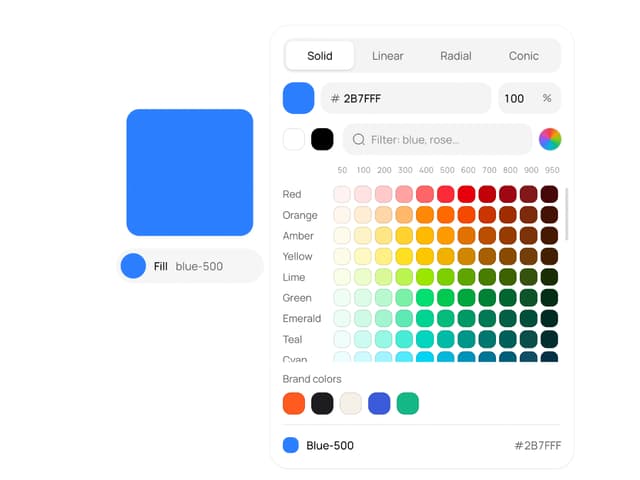
Color Picker
190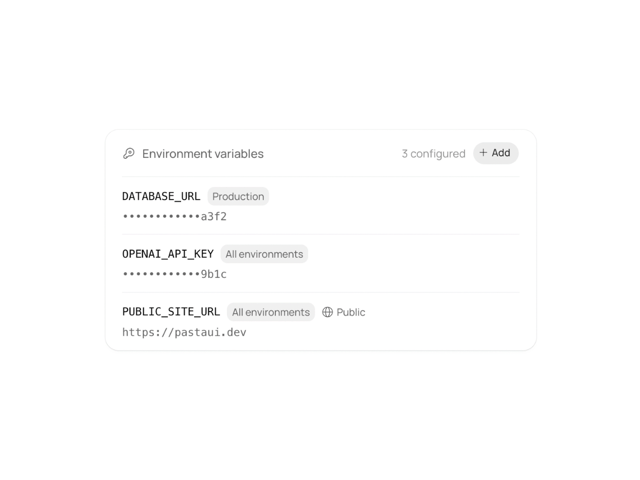
Environment Variables
27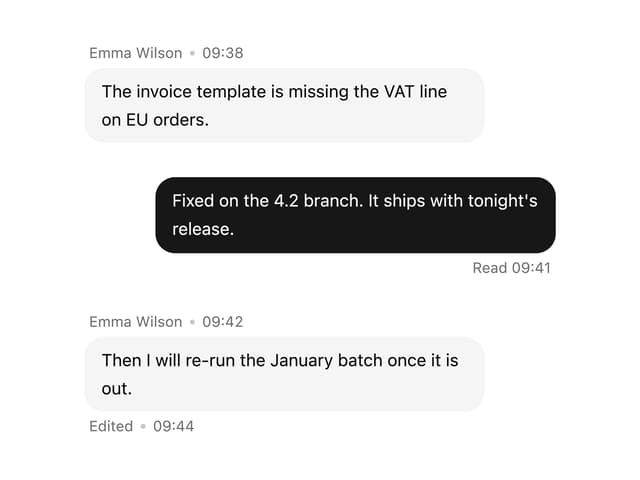

Message With Header And Delivery Status
57

