
About
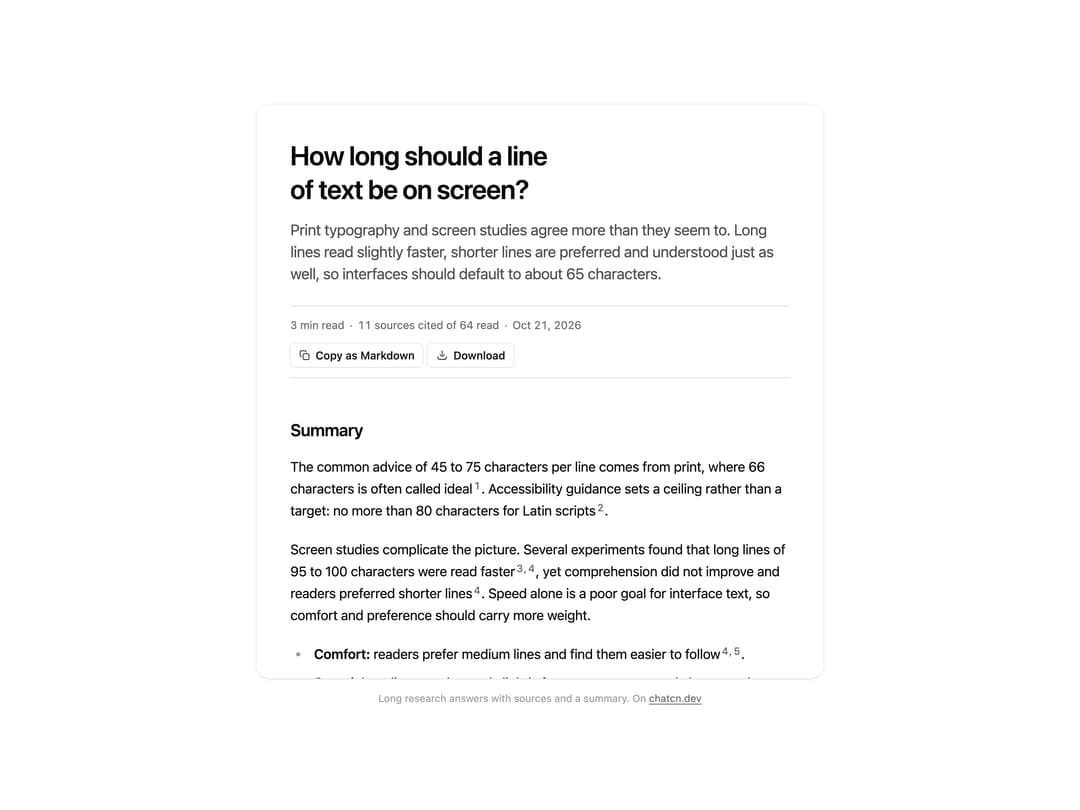
A deep research report in the thread: title, reading time and source count, copy as Markdown and download, a summary first, then sections with numbered citations to the sources read.
Built with React and Tailwind. Copy the prompt and paste it into Claude Code, Cursor or Lovable: your agent adds Research Report to your project and fits it to your theme.
Code
How Research Report is used: the demo's code. The component's own source comes with a free account.
Usage.tsx
"use client"

import * as React from "react"
import { ResearchReport, ResearchReportSection, ResearchReportSource } from "@/components/ui/research-report"

const FIT_CSS = "html,body{overflow:hidden}[data-fit-small] [data-fit-hide]{display:none!important}"

/**
 * 21st shows a demo in a small frame: about 674 by 421 on a component page, 358 by 224 on a
 * phone and 245 by 139 on a profile card. A demo taller than its frame gets scrollbars, which
 * render white on dark pages. FitFrame fills the frame exactly instead.
 *
 * - "scale": the content shrinks until it fits, centered. For visuals such as orbs.
 * - "crop": the content stays at full size from the top and fades out at the bottom. For text
 *   that streams in, where a changing scale would make the page breathe.
 *
 * `minWidth` lays out a wide demo (a table, a two column panel) at that width and scales it down
 * to the frame, instead of letting it collapse to a narrow layout. The frame centers it, so it
 * shrinks evenly on both sides.
 *
 * Anything marked `data-fit-hide` (state buttons, the chatcn.dev line) drops out in frames
 * shorter than `hideBelow`, so a profile card shows the visual alone.
 */
function FitFrame({
  children,
  mode = "scale",
  hideBelow = 360,
  minWidth,
}: {
  children: React.ReactNode
  mode?: "scale" | "crop"
  hideBelow?: number
  minWidth?: string
}) {
  const content = React.useRef<HTMLDivElement>(null)
  const [cropped, setCropped] = React.useState(false)

  React.useLayoutEffect(() => {
    const el = content.current
    if (!el) return
    const measure = () => {
      const vw = window.innerWidth
      const vh = window.innerHeight
      el.toggleAttribute("data-fit-small", vh < hideBelow)
      // Layout sizes ignore the transform, so measuring never feeds back.
      const w = Math.max(el.offsetWidth, el.scrollWidth)
      const h = Math.max(el.offsetHeight, el.scrollHeight)
      const scale = mode === "scale" ? Math.min(1, vw / w, vh / h) : 1
      el.style.transform = scale < 1 ? `scale(${scale})` : ""
      setCropped(mode === "crop" && h > vh + 1)
    }
    measure()
    const observer = new ResizeObserver(measure)
    observer.observe(el)
    // Content that changes inside a fixed width box (a headline that cycles words) never resizes
    // the box itself, so changes below it measure again on the next frame.
    let frame = 0
    const mutations = new MutationObserver(() => {
      cancelAnimationFrame(frame)
      frame = requestAnimationFrame(measure)
    })
    mutations.observe(el, { subtree: true, childList: true, characterData: true })
    window.addEventListener("resize", measure)
    return () => {
      observer.disconnect()
      mutations.disconnect()
      cancelAnimationFrame(frame)
      window.removeEventListener("resize", measure)
    }
  }, [mode, hideBelow])

  const fade = "linear-gradient(to bottom, #000 calc(100% - 40px), transparent)"
  return (
    <div
      className="flex w-full justify-center overflow-hidden"
      style={{
        height: "100dvh",
        alignItems: mode === "crop" ? "flex-start" : "center",
        maskImage: cropped ? fade : undefined,
        WebkitMaskImage: cropped ? fade : undefined,
      }}
    >
      <style>{FIT_CSS}</style>
      <div
        ref={content}
        className="w-full shrink-0"
        style={{ transformOrigin: mode === "crop" ? "top center" : "center", minWidth }}
      >
        {children}
      </div>
    </div>
  )
}

const LINE_LENGTH_TITLE = "How long should a line of text be on screen?"

const LINE_LENGTH_DEK =
  "Print typography and screen studies agree more than they seem to. Long lines read slightly faster, shorter lines are preferred and understood just as well, so interfaces should default to about 65 characters."

const LINE_LENGTH_SECTIONS: ResearchReportSection[] = [
  {
    id: "summary",
    title: "Summary",
    blocks: [
      "The common advice of 45 to 75 characters per line comes from print, where 66 characters is often called ideal [1]. Accessibility guidance sets a ceiling rather than a target: no more than 80 characters for Latin scripts [2].",
      "Screen studies complicate the picture. Several experiments found that long lines of 95 to 100 characters were read faster [3, 4], yet comprehension did not improve and readers preferred shorter lines [4]. Speed alone is a poor goal for interface text, so comfort and preference should carry more weight.",
      {
        type: "list",
        items: [
          "**Comfort:** readers prefer medium lines and find them easier to follow [4, 5].",
          "**Speed:** long lines can be read slightly faster on screen, mostly because there are fewer line returns [3, 8].",
          "**Comprehension:** most studies find no reliable difference between short and long lines [4, 7].",
        ],
      },
    ],
  },
  {
    id: "typography",
    title: "What typographers recommend",
    blocks: [
      "Bringhurst treats 45 to 75 characters as satisfactory for a single column of text, with 66 characters, counting spaces, as the ideal [1]. Butterick widens the range to 45 to 90 characters and frames it as a limit on what the eye can track, not a precise optimum [6].",
      {
        type: "quote",
        text: "Anything from 45 to 75 characters is widely regarded as a satisfactory length of line for a single-column page set in a serifed text face in a text size.",
        cite: "Robert Bringhurst, The Elements of Typographic Style [1]",
      },
      "Baymard's usability research on retail and content sites lands in the same place and recommends 50 to 75 characters for body text [5].",
    ],
  },
  {
    id: "screen-studies",
    title: "What the screen studies found",
    blocks: [
      "Dyson and Haselgrove varied line length and reading speed on screen. A medium length of 55 characters supported comprehension well, while lines of about 100 characters were read faster [3]. An earlier study by Dyson and Kipping also found faster reading at 100 characters than at 25 [8].",
      "Shaikh, Chaparro and Fox tested online news at 35, 55, 75 and 95 characters per line. The longest lines were read fastest, comprehension did not differ, and participants preferred the shorter and medium lengths [4].",
      {
        type: "table",
        caption: "Selected studies of line length on screen",
        head: ["Study", "Lengths tested", "Read fastest", "Takeaway"],
        rows: [
          ["Dyson and Kipping, 1998 [8]", "25 to 100", "100", "Fewer returns save time"],
          ["Dyson and Haselgrove, 2001 [3]", "25, 55, 100", "100", "55 understood best"],
          ["Shaikh, Chaparro and Fox, 2005 [4]", "35 to 95", "95", "Shorter lines preferred"],
        ],
      },
      "Eye movement research explains part of the speed gain. Every line return is a long jump that often lands slightly off and needs a correction [9], so fewer returns save time. The same mechanism explains why very long lines feel tiring: the jump back gets harder to aim.",
    ],
  },
  {
    id: "tradeoffs",
    title: "Speed, comprehension and preference",
    blocks: [
      "Nanavati and Bias reviewed the literature and concluded that the speed advantage of long lines is real but small, and that comprehension rarely changes with line length [7]. Preference, by contrast, is consistent across studies: people choose moderate lines.",
      "For interface text, reading speed is rarely the bottleneck. People scan, stop and reread, so being able to find your place again matters more than words per minute.",
    ],
  },
  {
    id: "recommendations",
    title: "Recommendations for interfaces",
    blocks: [
      {
        type: "list",
        ordered: true,
        items: [
          "Set long-form prose such as reports and chat answers to about 65 to 70 characters. `max-width: 68ch` gets close, since `1ch` is the width of the zero glyph [10].",
          "Treat 80 characters as a hard ceiling for paragraphs, which also meets WCAG 1.4.8 [2].",
          "Allow shorter measures, down to about 45 characters, in side panels and narrow cards [1, 6].",
          "Add line spacing as the measure grows, so the jump to the next line stays easy to aim [6].",
        ],
      },
      "Tailwind's `max-w-prose` utility sets 65ch, a reasonable default that sits inside every range above [11].",
    ],
  },
  {
    id: "open-questions",
    title: "Open questions",
    blocks: [
      "Most studies used English text, desktop screens and short sessions. Little is known about long reading sessions on phones, where lines are often shorter than 45 characters by necessity, or about scripts other than Latin, where the WCAG limit halves to 40 glyphs for CJK [2].",
    ],
  },
]

const LINE_LENGTH_SOURCES: ResearchReportSource[] = [
  {
    url: "https://webtypography.net/2.1.2",
    title: "Choose a comfortable measure",
    byline: "Robert Bringhurst, The Elements of Typographic Style",
    snippet:
      "Anything from 45 to 75 characters is widely regarded as a satisfactory length of line for a single-column page set in a serifed text face in a text size. The 66-character line is widely regarded as ideal.",
    quote: "The 66-character line is widely regarded as ideal",
  },
  {
    url: "https://www.w3.org/WAI/WCAG22/Understanding/visual-presentation.html",
    title: "Understanding Success Criterion 1.4.8: Visual Presentation",
    byline: "W3C",
    snippet:
      "For the visual presentation of blocks of text, a mechanism is available to achieve the following: width is no more than 80 characters or glyphs (40 if CJK).",
    quote: "width is no more than 80 characters or glyphs",
  },
  {
    url: "https://doi.org/10.1006/ijhc.2000.0442",
    title:
      "The influence of reading speed and line length on the effectiveness of reading from screen",
    byline: "Dyson and Haselgrove, 2001",
    snippet:
      "A medium line length of 55 characters per line appears to support effective reading at normal and fast speeds. Longer lines were read faster.",
    quote: "55 characters per line appears to support effective reading",
  },
  {
    url: "https://usabilitynews.org/the-effect-of-line-length-on-reading-online-news/",
    title: "The effect of line length on reading online news",
    byline: "Shaikh, Chaparro and Fox, 2005",
    snippet:
      "Passages with 95 characters per line were read fastest. Comprehension did not differ across line lengths, and participants preferred the shorter and medium lengths.",
    quote: "Comprehension did not differ across line lengths",
  },
  {
    url: "https://baymard.com/blog/line-length-readability",
    title: "Readability: the optimal line length",
    byline: "Baymard Institute",
    snippet:
      "Lines of text should be 50 to 75 characters long. Lines that are too long make it hard to find the start of the next line.",
    quote: "50 to 75 characters",
  },
  {
    url: "https://practicaltypography.com/line-length.html",
    title: "Line length",
    byline: "Matthew Butterick, Practical Typography",
    snippet:
      "Line length should average 45 to 90 characters, including spaces. Longer lines are harder to follow, so they need more line spacing.",
    quote: "45 to 90 characters",
  },
  {
    url: "https://journals.uc.edu/index.php/vl",
    title: "Optimal line length in reading: a literature review",
    byline: "Nanavati and Bias, 2005, Visible Language",
    snippet:
      "Across studies, longer lines tend to be read somewhat faster on screen, while comprehension shows little or no change and readers prefer moderate lengths.",
  },
  {
    url: "https://journals.uc.edu/index.php/vl/issue/archive",
    title: "The effects of line length and method of movement on patterns of reading from screen",
    byline: "Dyson and Kipping, 1998, Visible Language",
    snippet:
      "Reading was faster at 100 characters per line than at 25. Fewer, longer lines meant less time spent moving between lines.",
  },
  {
    url: "https://doi.org/10.1037/0033-2909.124.3.372",
    title: "Eye movements in reading and information processing: 20 years of research",
    byline: "Keith Rayner, 1998, Psychological Bulletin",
    snippet:
      "Return sweeps from the end of one line to the start of the next are often inaccurate and followed by a corrective saccade.",
    quote: "often inaccurate",
  },
  {
    url: "https://developer.mozilla.org/en-US/docs/Web/CSS/length",
    title: "length, CSS reference",
    byline: "MDN Web Docs",
    snippet:
      "ch represents the width, or more precisely the advance measure, of the glyph 0 (zero) in the element's font.",
  },
  {
    url: "https://tailwindcss.com/docs/max-width",
    title: "max-width",
    byline: "Tailwind CSS documentation",
    snippet: "max-w-prose sets max-width: 65ch.",
  },
]

function ResearchReportDemo() {
  return (
    <section
      // biome-ignore lint/a11y/noNoninteractiveTabindex: scroll areas must be reachable by keyboard
      tabIndex={0}
      aria-label="Report"
      className="rounded-(--chatcn-radius-xl) bg-(color:--chatcn-card) shadow-(--chatcn-shadow-sm) chatcn-focus chatcn-scroll h-[680px] w-full max-w-5xl overflow-y-auto outline-none"
    >
      <ResearchReport
        className="px-6 py-10 sm:px-10"
        title={LINE_LENGTH_TITLE}
        dek={LINE_LENGTH_DEK}
        sections={LINE_LENGTH_SECTIONS}
        sources={LINE_LENGTH_SOURCES}
        sourcesRead={64}
        date="Oct 21, 2026"
      />
    </section>
  )
}

/** The line under each 21st demo that points back to the kit. */
function MoreOn({ slug, children }: { slug: string; children: React.ReactNode }) {
  return (
    <p data-fit-hide className="text-[0.75rem]/[1rem] text-(color:--chatcn-fg-faint) text-center text-balance">
      {children}{" "}
      <a
        href={`https://chatcn.dev/docs/components/${slug}`}
        target="_blank"
        rel="noopener"
        className="text-(color:--chatcn-fg-subtle) hover:text-(color:--chatcn-fg) underline underline-offset-2"
      >
        chatcn.dev
      </a>
    </p>
  )
}

/** The kit's own example, framed for the 21st preview. */
export default function ResearchReportPreview() {
  return (
    <FitFrame minWidth="38rem">
      <div className="flex w-full flex-col items-center justify-center gap-4 p-6">
        <div className="flex w-full max-w-2xl justify-center">
          <ResearchReportDemo />
        </div>
        <MoreOn slug="research-report">Long research answers with sources and a summary. On</MoreOn>
      </div>
    </FitFrame>
  )
}
Dependencies
More by Aadi
View all
Dither Orb
12
Audio Visualizer
9
Voice Orb
8
Agent Lanes
6
Computer View
3
Waveform
2
Reasoning
2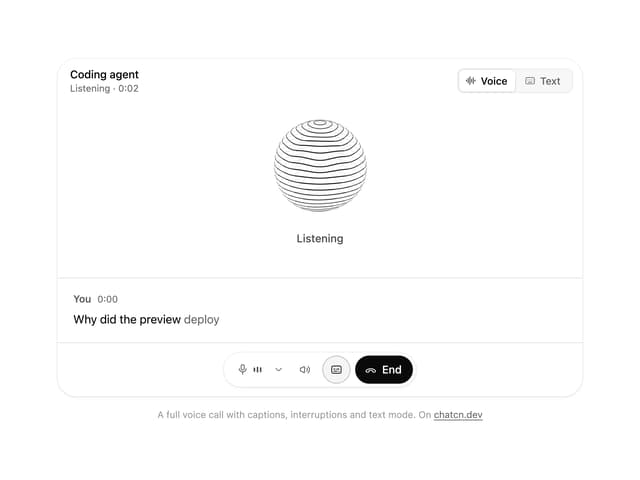
Voice Session
1
More in AI chats
View all

AI Actions
338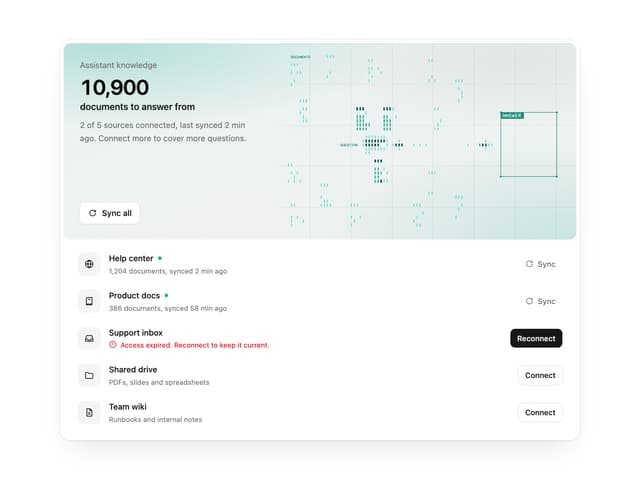

Illos Knowledge Sources
40

Aquarium Prompt
48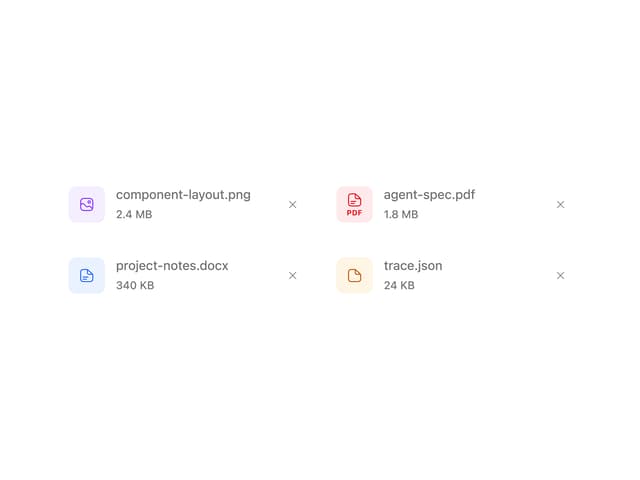
Attachments
38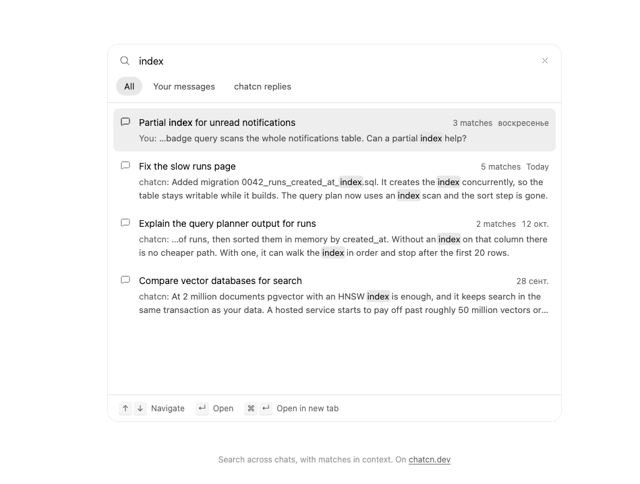
Chat Search
1
Color Picker
171
Commit
32
Message Thread
57

