
About
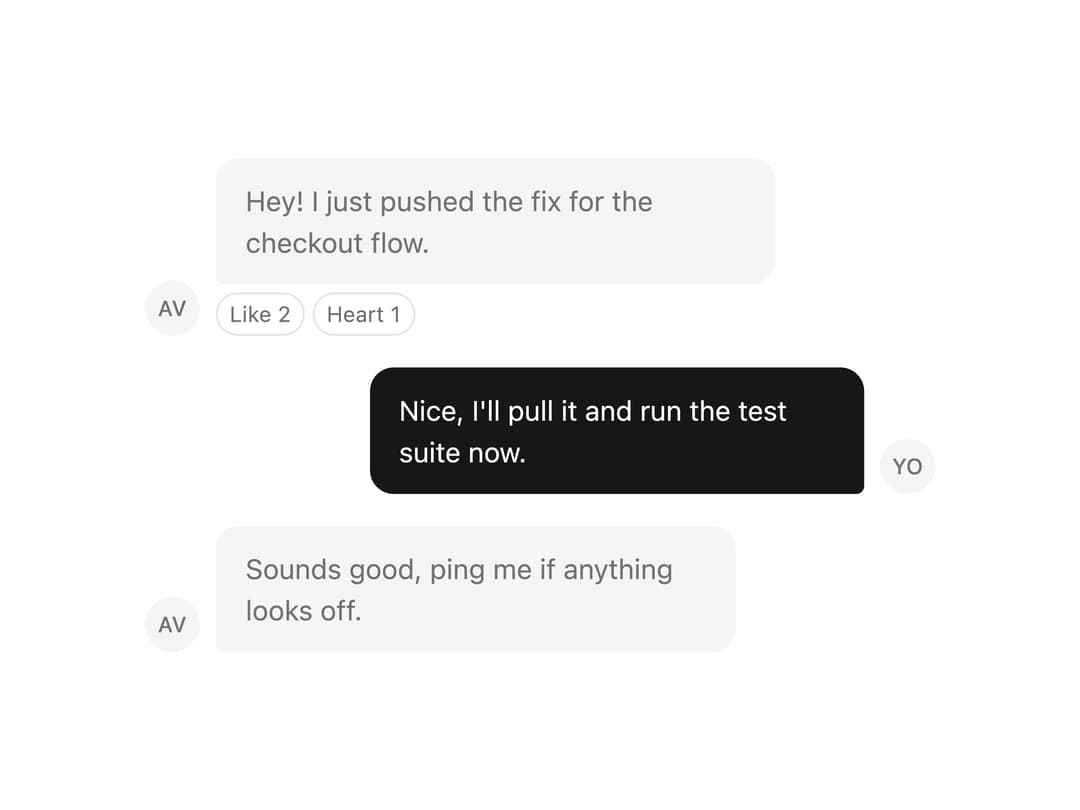
A chat message bubble with directional speech-tail styling, variant colors (default, secondary, muted, tinted, outline, ghost, destructive) and an optional reactions row, used to build chat/messaging conversation UIs.
Built with React and Tailwind. Copy the prompt and paste it into Claude Code, Cursor or Lovable: your agent adds Bubble to your project and fits it to your theme.
Code
How Bubble is used: the demo's code. The component's own source comes with a free account.
Usage.tsx
import * as React from "react";
import { Bubble, BubbleContent, BubbleReactions } from "@/components/ui/bubble";

const conversation = [
  {
    id: "m1",
    align: "start" as const,
    variant: "muted" as const,
    name: "Ava",
    initials: "AV",
    text: "Hey! I just pushed the fix for the checkout flow.",
  },
  {
    id: "m2",
    align: "end" as const,
    variant: "default" as const,
    name: "You",
    initials: "YO",
    text: "Nice, I'll pull it and run the test suite now.",
  },
  {
    id: "m3",
    align: "start" as const,
    variant: "muted" as const,
    name: "Ava",
    initials: "AV",
    text: "Sounds good, ping me if anything looks off.",
  },
];

export default function BubbleDemo() {
  return (
    <div className="flex w-full max-w-md flex-col gap-4 bg-background p-6 text-foreground">
      {conversation.map((message) => (
        <div
          key={message.id}
          className={`flex items-end gap-2 ${
            message.align === "end" ? "flex-row-reverse" : ""
          }`}
        >
          <div className="flex h-7 w-7 shrink-0 items-center justify-center rounded-full bg-muted text-[11px] font-medium text-muted-foreground">
            {message.initials}
          </div>
          <Bubble align={message.align} variant={message.variant}>
            <BubbleContent>{message.text}</BubbleContent>
            {message.id === "m1" && (
              <BubbleReactions side="bottom" align="start">
                <button type="button">Like 2</button>
                <button type="button">Heart 1</button>
              </BubbleReactions>
            )}
          </Bubble>
        </div>
      ))}
    </div>
  );
}
Dependencies
More by russellbloxwich
View all
Switch
Meter
Field
Chart
Code Block
Layer Card
Direction Provider
Toast Notifications