
About
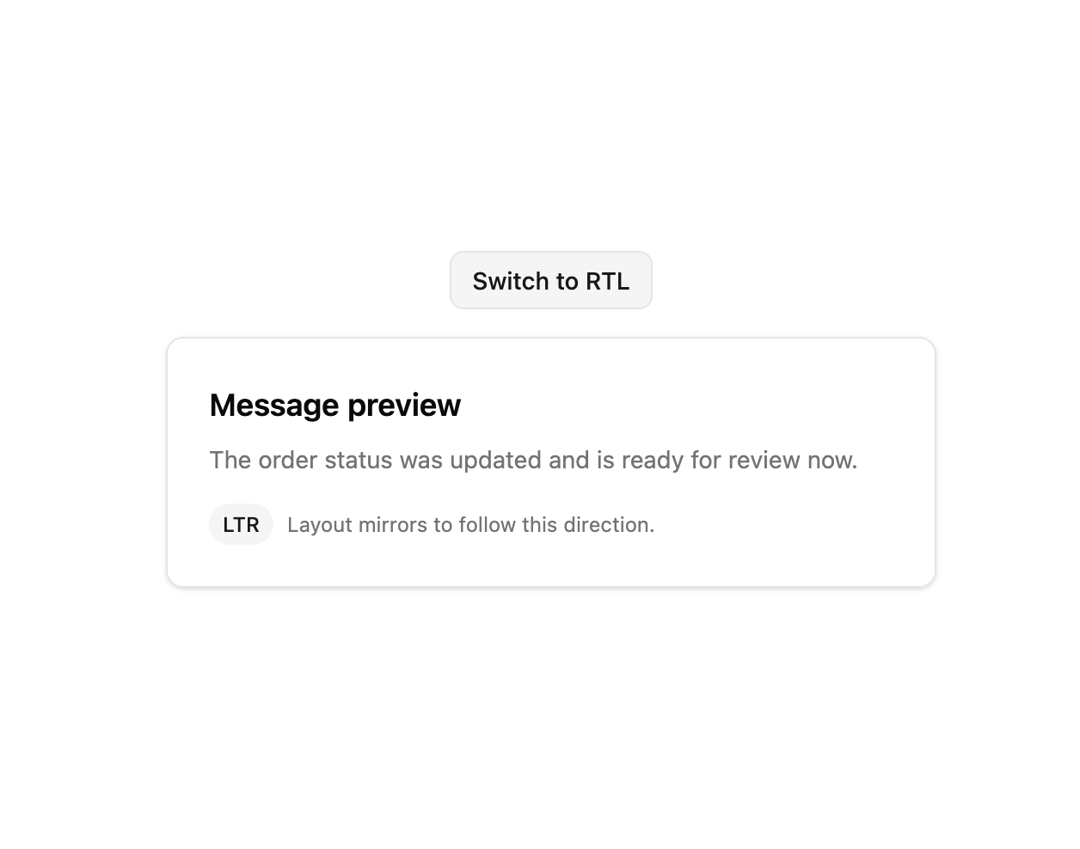
A context provider and hook that set left-to-right or right-to-left text direction for nested Radix-based components without touching the document or body element.
Built with React and Tailwind. Copy the prompt and paste it into Claude Code, Cursor or Lovable: your agent adds Direction Provider to your project and fits it to your theme.
Code
How Direction Provider is used: the demo's code. The component's own source comes with a free account.
Usage.tsx
"use client";

import * as React from "react";
import DirectionProvider, { useDirection } from "@/components/ui/direction";

function DirectionAwarePanel() {
  const direction = useDirection();

  return (
    <div
      dir={direction}
      className="w-full max-w-md rounded-lg border border-border bg-card p-6 text-card-foreground shadow-sm"
    >
      <h3 className="text-lg font-semibold">Message preview</h3>
      <p className="mt-2 text-sm text-muted-foreground">
        {direction === "rtl"
          ? "تم تحديث حالة الطلب وهو جاهز للمراجعة الآن."
          : "The order status was updated and is ready for review now."}
      </p>
      <div className="mt-4 flex items-center gap-2 text-xs text-muted-foreground">
        <span className="rounded-full bg-secondary px-2 py-1 font-medium text-secondary-foreground">
          {direction.toUpperCase()}
        </span>
        <span>Layout mirrors to follow this direction.</span>
      </div>
    </div>
  );
}

export default function DirectionDemo() {
  const [direction, setDirection] = React.useState<"ltr" | "rtl">("ltr");

  return (
    <div className="flex w-full flex-col items-center gap-4 bg-background p-8 text-foreground">
      <button
        type="button"
        onClick={() =>
          setDirection((value) => (value === "ltr" ? "rtl" : "ltr"))
        }
        className="rounded-md border border-border bg-secondary px-3 py-1.5 text-sm font-medium text-secondary-foreground transition hover:bg-secondary/80"
      >
        Switch to {direction === "ltr" ? "RTL" : "LTR"}
      </button>
      <DirectionProvider direction={direction}>
        <DirectionAwarePanel />
      </DirectionProvider>
    </div>
  );
}
Dependencies
More by russellbloxwich
View all
Switch
Bubble
Meter
Field
Chart
Code Block
Layer Card
Toast Notifications